
TwitchTekashi - Minecraft Skins & Skin History
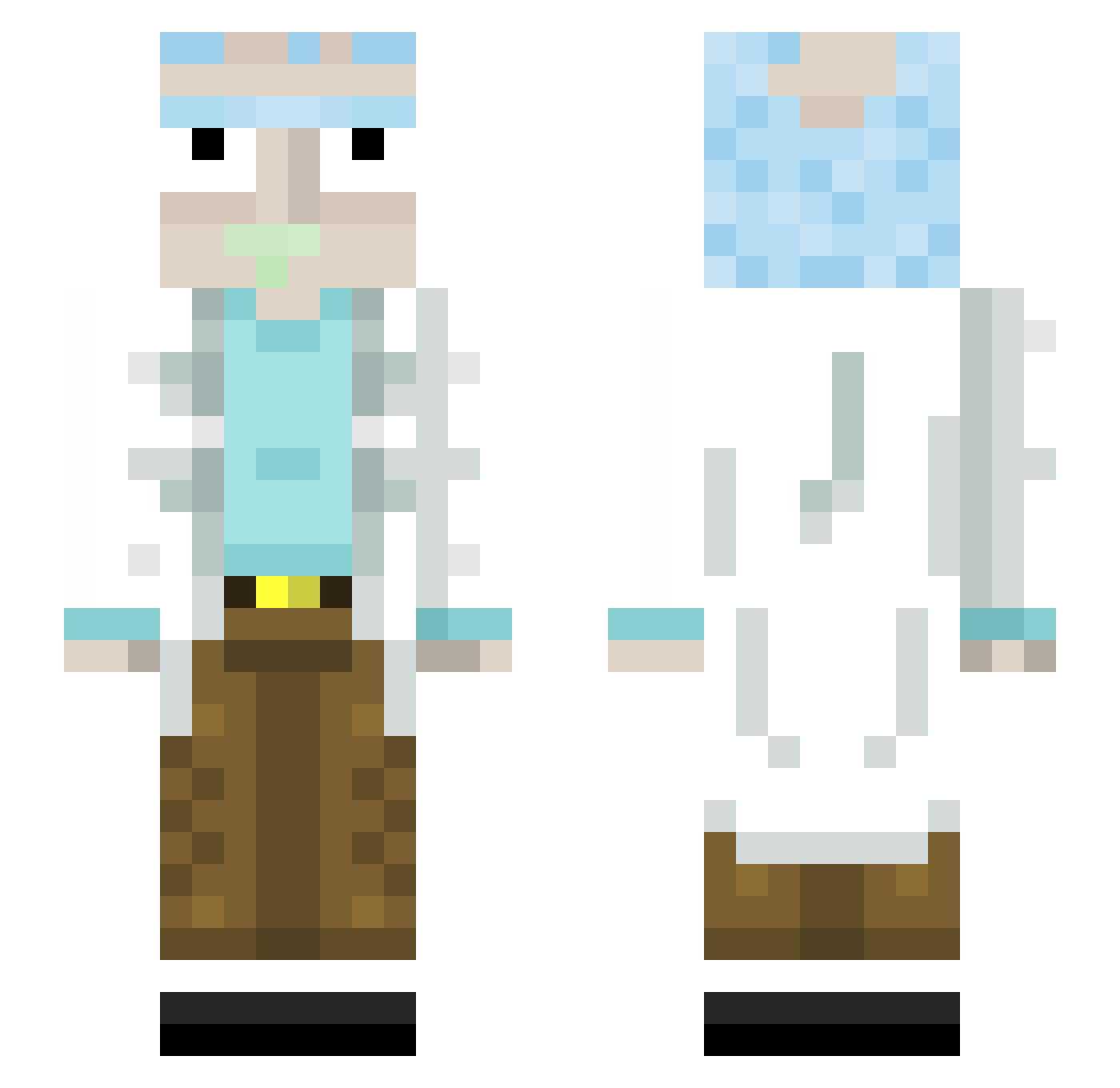
Current Minecraft skin of the player TwitchTekashi, loaded from the official Mojang API. Rotate the 3D model with your mouse or finger, then download the skin as a PNG file and use it in Minecraft: Bedrock Edition or Java Edition for free. When TwitchTekashi changes their skin, this page updates automatically and the old skin stays in the history below.
Other players with this skin (445)
TwitchTekashi was the 277th player we have seen with this skin, first spotted on 03.10.2026. The same skin was seen on these players. Open a nickname to see their current skin and skin history.
 xCamway FR_N0ba1L Retrotimes19 Glapirlix LilxNoble Jabadabado NickG1745 Bigmaster2005 Harg20 RTG05 ErPorcoDeCristo Gokaten27 Y0D iPoyraZ_ MrFr1zzY RickSanchezisbae thetinykub Edges36 mr_cheezle_420 shayswissa rickirickpl cArToLeIrO yvitinho_BR BMFS1973 ZiratyXao FahiaBurning TerranceWrld DrLeow hyperbolt sytoro Dropizza zouzouledark omardb98 Cadmos7 CoronaVirus42069 peytonmurphy99 BoytanG ZiggyStarlust Talhakabim Tito_Games norjgs MrToastyYoda SilverBright KeSou QuboAndChill saarmueel SeiteBesen57259 W_A_R_D GrimlockGaming ELL_RUTHLESS JORRRNYY xTadashi VHugoKG FlowenDu31 b4kix Daatsie Jonas587 Kouelstan travis069 michi626
More Rick Sanchez Minecraft skins
See all 218 Rick Sanchez skins
How to install the TwitchTekashi skin
- Press the Download button above to save the skin as a PNG file.
- Minecraft: Bedrock Edition (PE): open the Dressing Room from the main menu (or tap your character → Edit Character), go to Classic Skins → Owned, press the + (new skin) button, choose the downloaded PNG and pick the Slim (Alex) model. Works on PC and mobile; consoles cannot import custom skins.
- Minecraft: Java Edition: open the Minecraft Launcher, go to the Skins tab, click New Skin, load the PNG, pick the Slim (Alex) model and press Save & Use. You can also upload it at minecraft.net → Profile → Change Skin.
The skin does not show up after import - what should I do?
Restart Minecraft and open the Dressing Room again - imported skins sometimes appear only after a restart. Also make sure you selected the imported skin and picked the Slim (Alex) model.
Which model should I choose, Classic or Slim?
This skin is designed for the Slim (Alex) model. If you pick the wrong model, the arms of the skin will look stretched or squeezed.
Is the skin of TwitchTekashi free to download?
Yes. Press Download, save the PNG file and use it in Minecraft: Bedrock Edition or Java Edition - no payment or registration needed. The skin also works on multiplayer servers and Realms.
More skins
Looking for more? Go back to all Minecraft skins and check the top skins of the week, month and all time, or find any player's skin by nickname.