
Tubatrupa - Minecraft Skins & Skin History
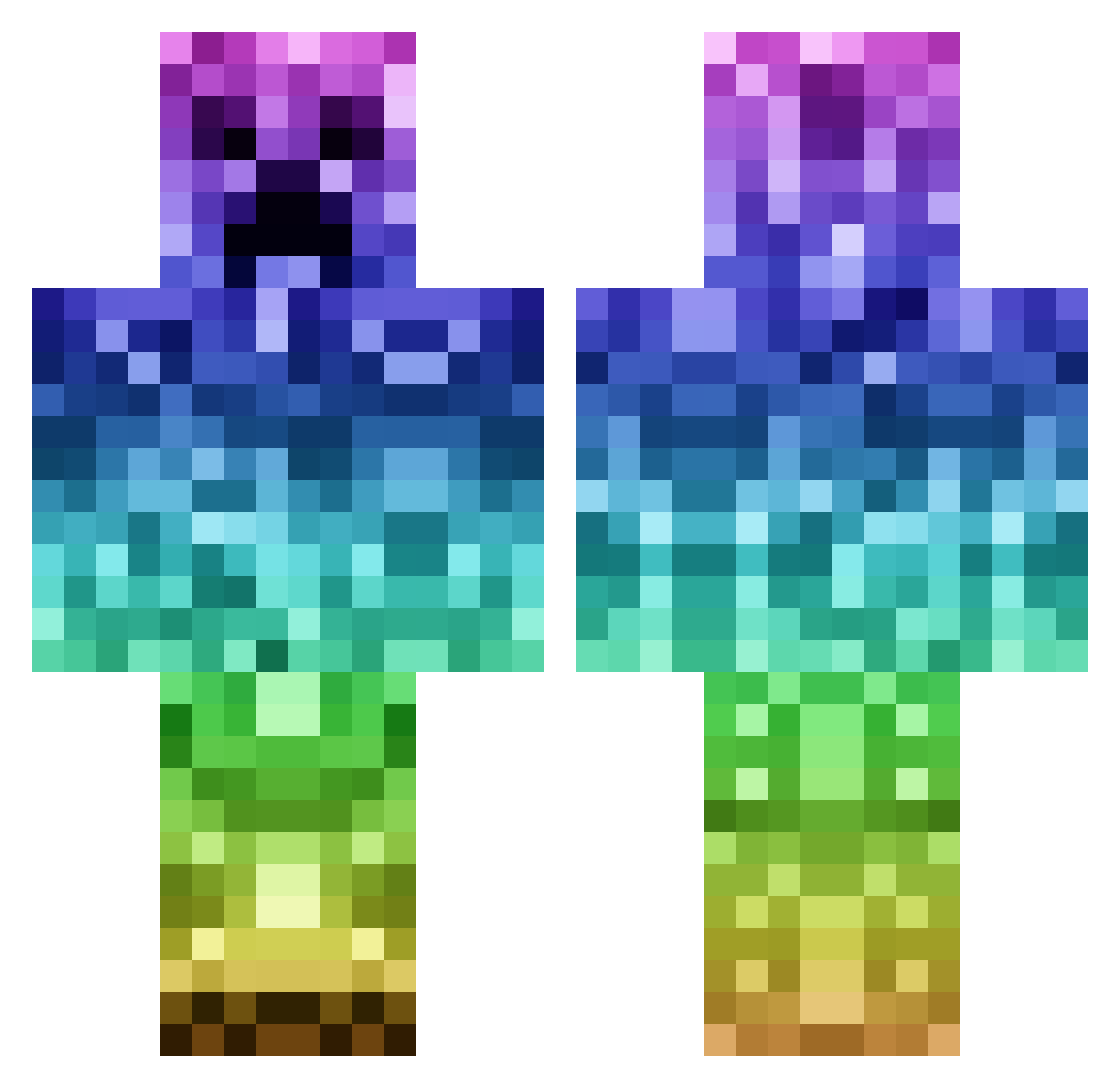
Current Minecraft skin of the player Tubatrupa, loaded from the official Mojang API. Rotate the 3D model with your mouse or finger, then download the skin as a PNG file and use it in Minecraft: Bedrock Edition or Java Edition for free. When Tubatrupa changes their skin, this page updates automatically and the old skin stays in the history below.
Other players with this skin (1144)
Tubatrupa was the 444th player we have seen with this skin, first spotted on 09.09.2026. The same skin was seen on these players. Open a nickname to see their current skin and skin history.
 Vazaen SmikkelGamingNL codick mrcs_pyhooma giantjayden andreasvm1234 ffmmbb pennercraft123 dylanfish75 coasterman123 aartichoke littlejimmy95 the_mine_checker warum_HD MI_Wolverine theminer0103 Polish_Hooligan spencersimancek nielsengell Motionless_57 findme246 Benjitom willellis56 sloaneybaloney nate8811 hbbethel Cronosss wave64 ADuBzZzX Miloh2 GASOOH dylan_2004 CursingOak84 bilbobaggins80 familyguy280 ILYCANDY5678 ANNACC1209 Cayla00 SadAndLonley Mikenzee Ngust BigBonner97 xKyleex sbbeau CharlesMcFigg Abolduc415 umchangjung Nobu1111 Alejandrosuar13 Nicolevdv Amazing_Cadaver yakezio IronLuke32 hellridey JaneDonaldson tijgercd Devizis StealthRyder kinghudsonwhite Major414
More Rainbow Minecraft skins
How to install the Tubatrupa skin
- Press the Download button above to save the skin as a PNG file.
- Minecraft: Bedrock Edition (PE): open the Dressing Room from the main menu (or tap your character → Edit Character), go to Classic Skins → Owned, press the + (new skin) button, choose the downloaded PNG and pick the Classic (Steve) model. Works on PC and mobile; consoles cannot import custom skins.
- Minecraft: Java Edition: open the Minecraft Launcher, go to the Skins tab, click New Skin, load the PNG, pick the Classic (Steve) model and press Save & Use. You can also upload it at minecraft.net → Profile → Change Skin.
The skin does not show up after import - what should I do?
Restart Minecraft and open the Dressing Room again - imported skins sometimes appear only after a restart. Also make sure you selected the imported skin and picked the Classic (Steve) model.
Which model should I choose, Classic or Slim?
This skin is designed for the Classic (Steve) model. If you pick the wrong model, the arms of the skin will look stretched or squeezed.
Is the skin of Tubatrupa free to download?
Yes. Press Download, save the PNG file and use it in Minecraft: Bedrock Edition or Java Edition - no payment or registration needed. The skin also works on multiplayer servers and Realms.
More skins
Looking for more? Go back to all Minecraft skins and check the top skins of the week, month and all time, or find any player's skin by nickname.