
Trixie1625 - Minecraft Skins & Skin History
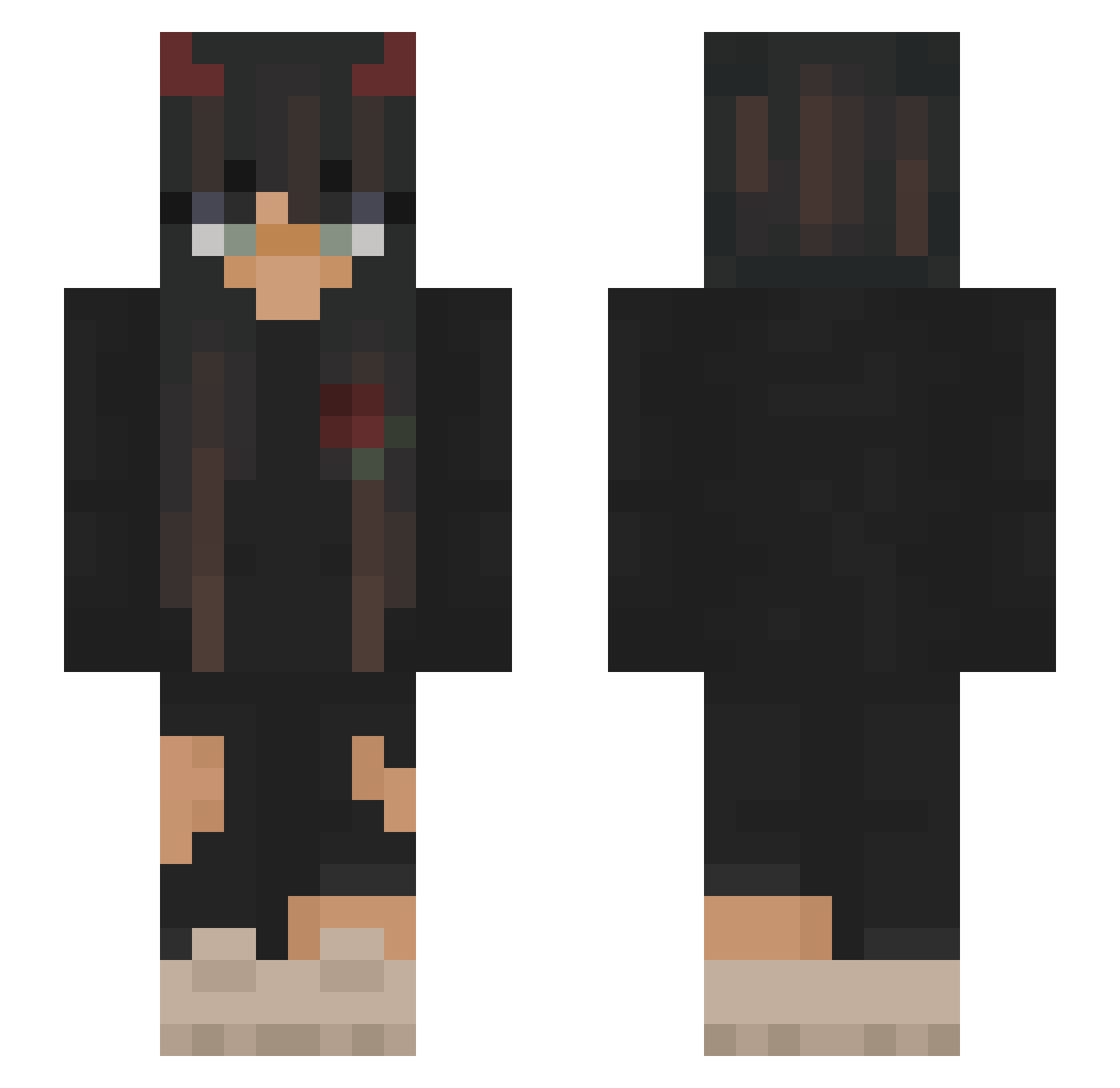
Current Minecraft skin of the player Trixie1625, loaded from the official Mojang API. Rotate the 3D model with your mouse or finger, then download the skin as a PNG file and use it in Minecraft: Bedrock Edition or Java Edition for free. When Trixie1625 changes their skin, this page updates automatically and the old skin stays in the history below.
Other players with this skin (185)
Trixie1625 was the 34th player we have seen with this skin, first spotted on 09.08.2026. The same skin was seen on these players. Open a nickname to see their current skin and skin history.
 Nenarkotik xvjulkaavx Kyokorico Erwinka223 Livietp13 LittleLola69 GiovannaRJ mooonk3y Natalka12 iremunati DizzyRogue mishella69 Aloys_ia
 AnubizRE JakeWheeler8 bobo2345 kozakanayo Muumble Dredator23 Ania121123121 PopGamingMusic Amanda36d Noestro vehq Hanna_4 Jelly_Jam7 wiczkaaa00 Marant06 bynczka ilyTheCleb SegiBubregMLG Moe4 HLIK __sadd nxls03 EriksSlav uniawetonic Sistuss mustafaaIQ ro5ita daddy_edena Ellasumnisss8 luadaa y0urfav_isa herbaciara iimfede PokeMRKT olcix21 CattleSkull karadenise RiceDavid BlankaMat EmmaForReal Ashley_Wolf_1106 Evil_Husky Rilans sselulaa Hanna_GPO HIMFIRSIZZ Perm_Army_bot_2
More Demon Horns Minecraft skins
How to install the Trixie1625 skin
- Press the Download button above to save the skin as a PNG file.
- Minecraft: Bedrock Edition (PE): open the Dressing Room from the main menu (or tap your character → Edit Character), go to Classic Skins → Owned, press the + (new skin) button, choose the downloaded PNG and pick the Slim (Alex) model. Works on PC and mobile; consoles cannot import custom skins.
- Minecraft: Java Edition: open the Minecraft Launcher, go to the Skins tab, click New Skin, load the PNG, pick the Slim (Alex) model and press Save & Use. You can also upload it at minecraft.net → Profile → Change Skin.
The skin does not show up after import - what should I do?
Restart Minecraft and open the Dressing Room again - imported skins sometimes appear only after a restart. Also make sure you selected the imported skin and picked the Slim (Alex) model.
Which model should I choose, Classic or Slim?
This skin is designed for the Slim (Alex) model. If you pick the wrong model, the arms of the skin will look stretched or squeezed.
Is the skin of Trixie1625 free to download?
Yes. Press Download, save the PNG file and use it in Minecraft: Bedrock Edition or Java Edition - no payment or registration needed. The skin also works on multiplayer servers and Realms.
More skins
Looking for more? Go back to all Minecraft skins and check the top skins of the week, month and all time, or find any player's skin by nickname.