
Trikester - Minecraft Skins & Skin History
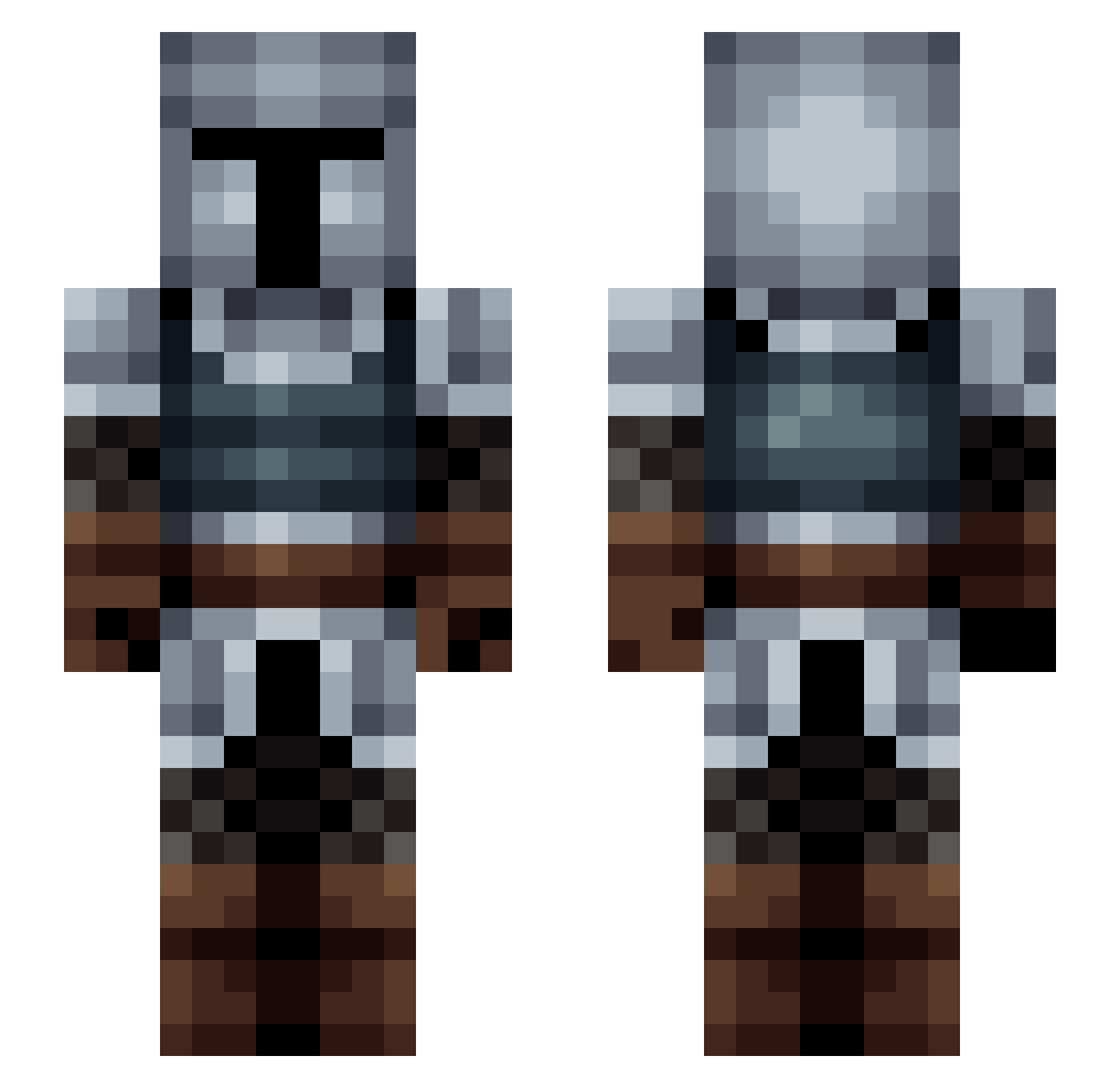
Current Minecraft skin of the player Trikester, loaded from the official Mojang API. Rotate the 3D model with your mouse or finger, then download the skin as a PNG file and use it in Minecraft: Bedrock Edition or Java Edition for free. When Trikester changes their skin, this page updates automatically and the old skin stays in the history below.
Other players with this skin (155)
Trikester was the 98th player we have seen with this skin, first spotted on 22.09.2026. The same skin was seen on these players. Open a nickname to see their current skin and skin history.
 Bainsblader Longknives Reftus ScramTV Remu152 haz_mb Synd3X Denamnius Siannoble BlueNebula501 avian13 Ryan__Cooper SlandiCekcu Sir_Darki VooDoo094 Zonefiveteen arobb407 mchayden Bluehero500 GucciTaco4 PetarBT Cadushi _Species myminime_25 LaughterLag slatersname calumeroh Cirak Ateta Argentatus EagleEyeOO pr0phet_69 IIRONLAK Meebly_Glort DayKnight777 AntiPhotonic Gentoo979 Sir_Meloe SgtSimile Droodle101 Tereshkova xshenx Dig_Doug FAT_GUUCH LatinoJuega Makoino Firstplace1 xMasonx12 Zatsen FearIntelligence Blutkrone BeardSlapped leffaj shmeaty_ Naar17 EatMyDust1 kevline123 emilbargum carursa Ben_Squared
More Medieval Minecraft skins
How to install the Trikester skin
- Press the Download button above to save the skin as a PNG file.
- Minecraft: Bedrock Edition (PE): open the Dressing Room from the main menu (or tap your character → Edit Character), go to Classic Skins → Owned, press the + (new skin) button, choose the downloaded PNG and pick the Slim (Alex) model. Works on PC and mobile; consoles cannot import custom skins.
- Minecraft: Java Edition: open the Minecraft Launcher, go to the Skins tab, click New Skin, load the PNG, pick the Slim (Alex) model and press Save & Use. You can also upload it at minecraft.net → Profile → Change Skin.
The skin does not show up after import - what should I do?
Restart Minecraft and open the Dressing Room again - imported skins sometimes appear only after a restart. Also make sure you selected the imported skin and picked the Slim (Alex) model.
Which model should I choose, Classic or Slim?
This skin is designed for the Slim (Alex) model. If you pick the wrong model, the arms of the skin will look stretched or squeezed.
Is the skin of Trikester free to download?
Yes. Press Download, save the PNG file and use it in Minecraft: Bedrock Edition or Java Edition - no payment or registration needed. The skin also works on multiplayer servers and Realms.
More skins
Looking for more? Go back to all Minecraft skins and check the top skins of the week, month and all time, or find any player's skin by nickname.