
Triflexz - Minecraft Skins & Skin History
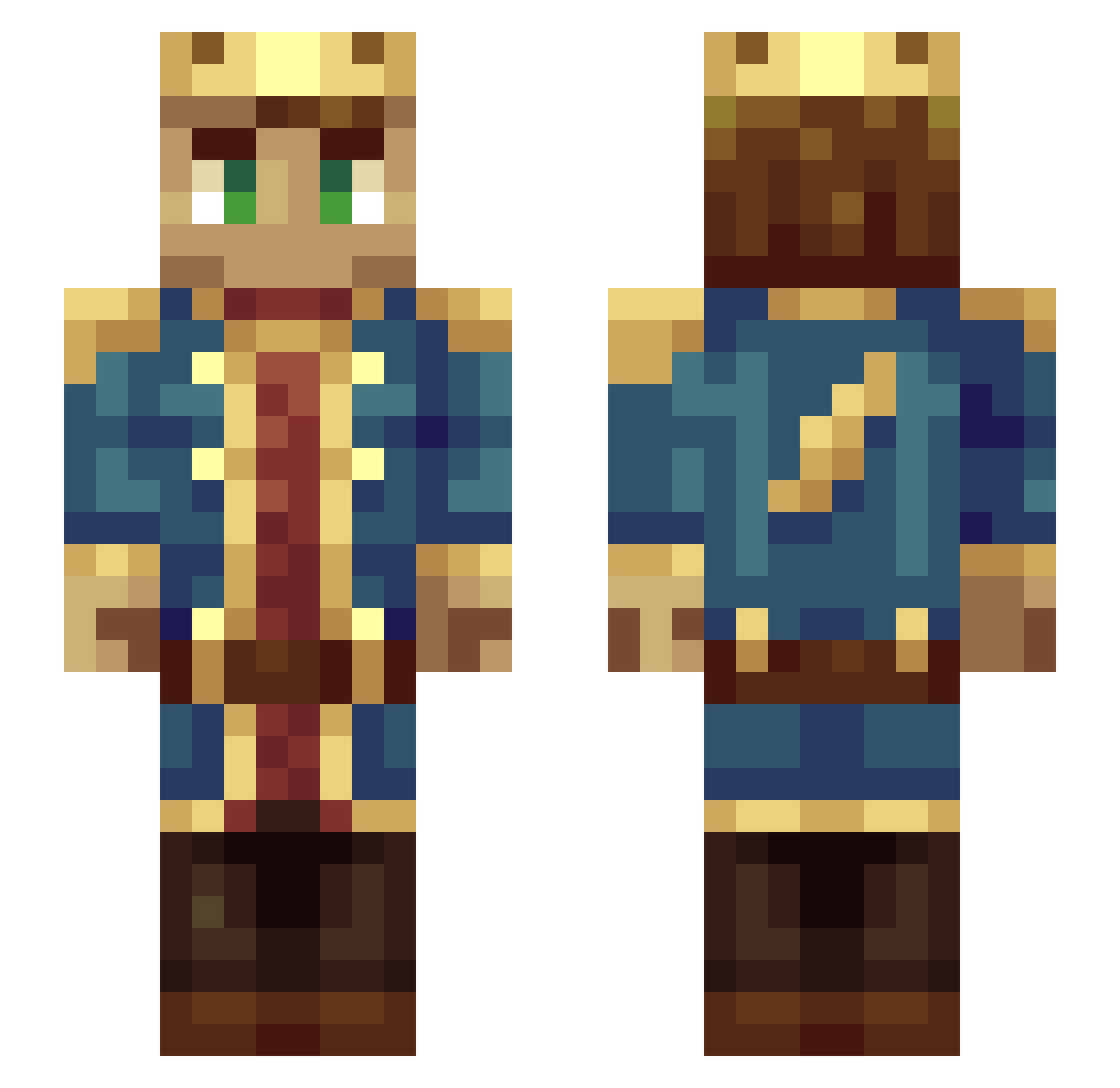
Current Minecraft skin of the player Triflexz, loaded from the official Mojang API. Rotate the 3D model with your mouse or finger, then download the skin as a PNG file and use it in Minecraft: Bedrock Edition or Java Edition for free. When Triflexz changes their skin, this page updates automatically and the old skin stays in the history below.
Other players with this skin (103)
Triflexz was the 56th player we have seen with this skin, first spotted on 28.09.2026. The same skin was seen on these players. Open a nickname to see their current skin and skin history.
 nai_ian1 Kubisko CCAKING invinse donny508 Tr1nt0 davidgj99 Ilan_1 Grays0n_ brays12 Yoyomada nathanalphaman SWAGMAN5600 MoDD3r Stel_R shaherrrb satiab PHPkiller leinad1887 UnDoubting robinet45 MC_HapHonk HerrBirnbaum Felix7748 Rhyic Klaus_Aalbrecht wokiemonster Johaline Cybermiles Huzkito Schoumij Nytrover AlexSteinium Johnfreeze kylianvdd jooojoooman ProfessoreMatti CAXEREBORN Red_Fox55 Galexsus Krzychutomorda zam_bo Ancient_Shed Fourmi_Bleu DrAvali promager The_Ambassad0r kingchanceux NytroWear Aragoss Ykfoz Xristoffer WrecklessOG CNiddy zages7_7 TRGNAC Negrea tiberium12 moldybread07 Captain_Cutlass
More Technoblade Minecraft skins
See all 4262 Technoblade skins
How to install the Triflexz skin
- Press the Download button above to save the skin as a PNG file.
- Minecraft: Bedrock Edition (PE): open the Dressing Room from the main menu (or tap your character → Edit Character), go to Classic Skins → Owned, press the + (new skin) button, choose the downloaded PNG and pick the Slim (Alex) model. Works on PC and mobile; consoles cannot import custom skins.
- Minecraft: Java Edition: open the Minecraft Launcher, go to the Skins tab, click New Skin, load the PNG, pick the Slim (Alex) model and press Save & Use. You can also upload it at minecraft.net → Profile → Change Skin.
The skin does not show up after import - what should I do?
Restart Minecraft and open the Dressing Room again - imported skins sometimes appear only after a restart. Also make sure you selected the imported skin and picked the Slim (Alex) model.
Which model should I choose, Classic or Slim?
This skin is designed for the Slim (Alex) model. If you pick the wrong model, the arms of the skin will look stretched or squeezed.
Is the skin of Triflexz free to download?
Yes. Press Download, save the PNG file and use it in Minecraft: Bedrock Edition or Java Edition - no payment or registration needed. The skin also works on multiplayer servers and Realms.
More skins
Looking for more? Go back to all Minecraft skins and check the top skins of the week, month and all time, or find any player's skin by nickname.