
TravisRichard - Minecraft Skins & Skin History
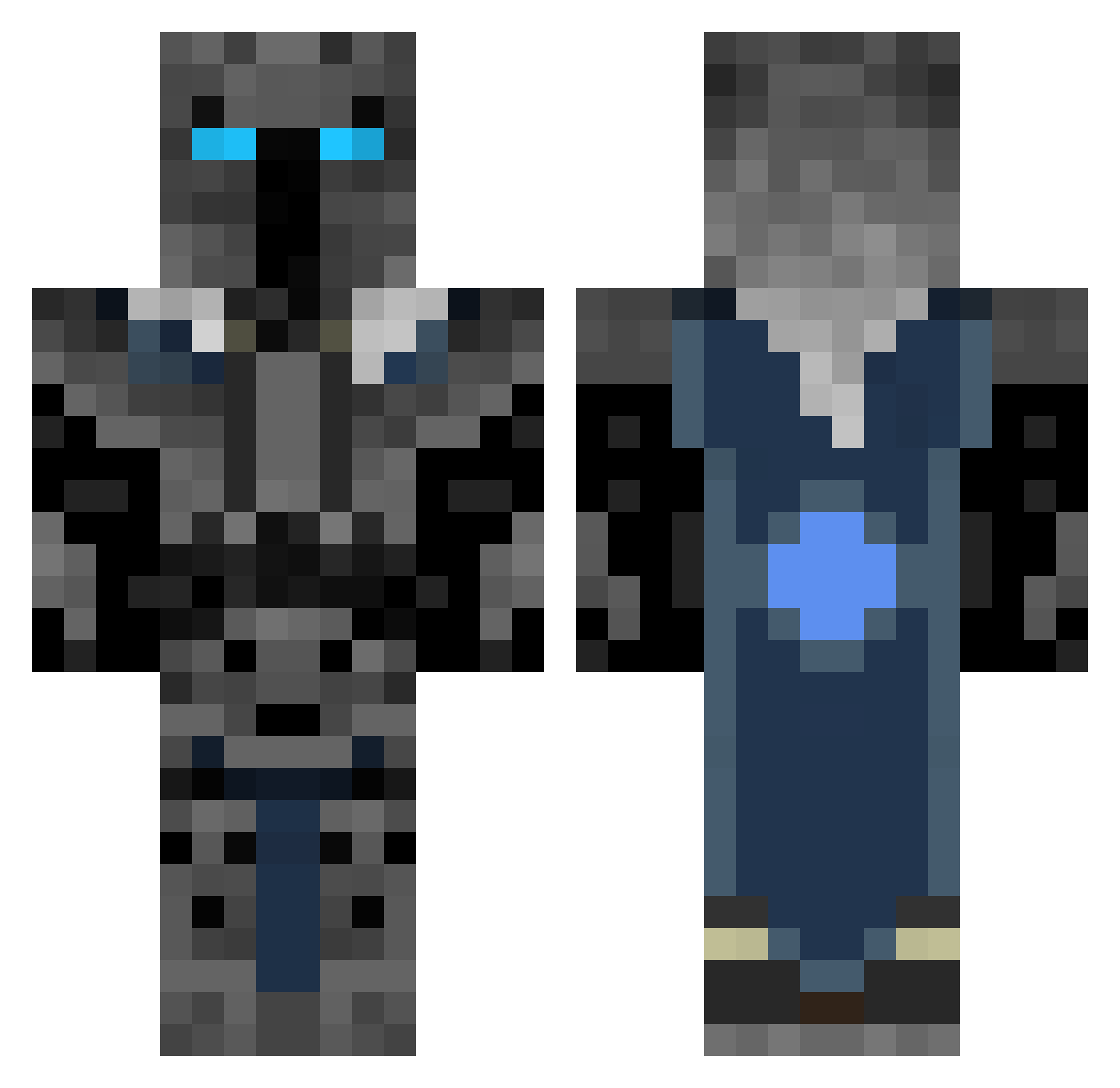
Current Minecraft skin of the player TravisRichard, loaded from the official Mojang API. Rotate the 3D model with your mouse or finger, then download the skin as a PNG file and use it in Minecraft: Bedrock Edition or Java Edition for free. When TravisRichard changes their skin, this page updates automatically and the old skin stays in the history below.
Other players with this skin (360)
TravisRichard was the 52nd player we have seen with this skin, first spotted on 08.08.2026. The same skin was seen on these players. Open a nickname to see their current skin and skin history.
 manos225 Nstawowy singtome1 MinecraftBoss_05 clawdragon100 ilb236 Obsidian_Willy dris11 NInjaAlex6 Ezomps hotchocolate13 negr0hunt3r sweet_dew123 Jasyj ExXyno0sxHD Camilio10 Deludez Chingana FuriousDestryor PiqueCancer moritzbros zacthorian19 Zeiss_1 graydestroyer Thestolengun Airlesskiwi colstare susess blake8923 cena2go zuUnkreativ AdrianTheAwsomes jcool9707 Astafar Destroyer13003 cdylan005 cameronboy4567 DaHCreeper Ezillaa ZafarLink devilsskorpion Mrminecraft127 mater426 creepkidAr Maverick6490 peppeest rocker1070 Allenzh beaconman07 fish__boy sasukecheif117 Eastpak764 BIA22 Minecake7 HypeSouls Alfiepickle125 Tharsadon markus2872 Bastiaan06 klop20
More Knight Minecraft skins
How to install the TravisRichard skin
- Press the Download button above to save the skin as a PNG file.
- Minecraft: Bedrock Edition (PE): open the Dressing Room from the main menu (or tap your character → Edit Character), go to Classic Skins → Owned, press the + (new skin) button, choose the downloaded PNG and pick the Classic (Steve) model. Works on PC and mobile; consoles cannot import custom skins.
- Minecraft: Java Edition: open the Minecraft Launcher, go to the Skins tab, click New Skin, load the PNG, pick the Classic (Steve) model and press Save & Use. You can also upload it at minecraft.net → Profile → Change Skin.
The skin does not show up after import - what should I do?
Restart Minecraft and open the Dressing Room again - imported skins sometimes appear only after a restart. Also make sure you selected the imported skin and picked the Classic (Steve) model.
Which model should I choose, Classic or Slim?
This skin is designed for the Classic (Steve) model. If you pick the wrong model, the arms of the skin will look stretched or squeezed.
Is the skin of TravisRichard free to download?
Yes. Press Download, save the PNG file and use it in Minecraft: Bedrock Edition or Java Edition - no payment or registration needed. The skin also works on multiplayer servers and Realms.
More skins
Looking for more? Go back to all Minecraft skins and check the top skins of the week, month and all time, or find any player's skin by nickname.