
Toni2981 - Minecraft Skins & Skin History
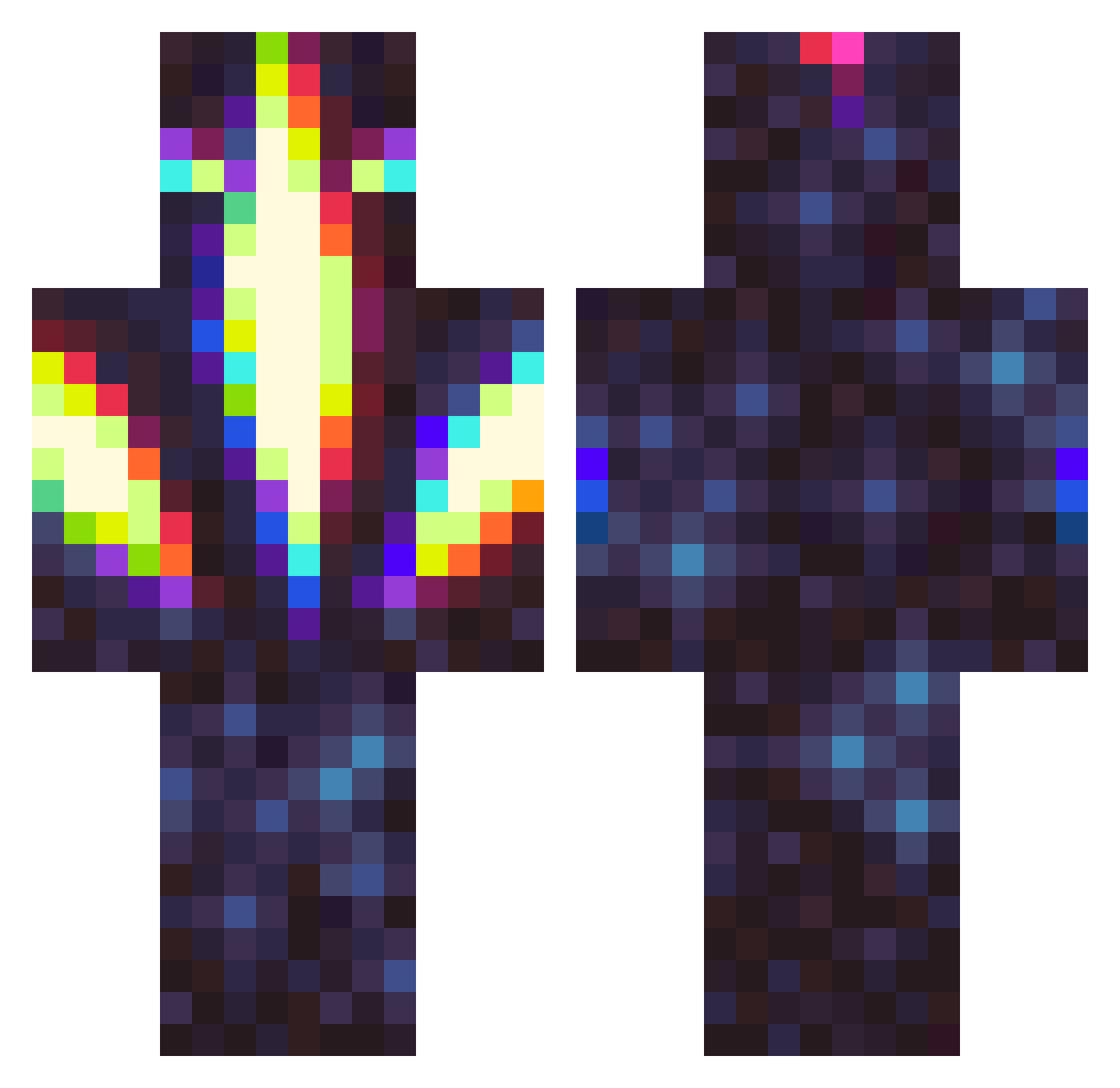
Current Minecraft skin of the player Toni2981, loaded from the official Mojang API. Rotate the 3D model with your mouse or finger, then download the skin as a PNG file and use it in Minecraft: Bedrock Edition or Java Edition for free. When Toni2981 changes their skin, this page updates automatically and the old skin stays in the history below.
Other players with this skin (413)
Toni2981 was the 334th player we have seen with this skin, first spotted on 02.11.2026. The same skin was seen on these players. Open a nickname to see their current skin and skin history.
 Remixatron CubeOfShame BSDnxt Rux23 TortugularDevic Toxic_Reaper_12 F3ar_x_lizard ChrisPeaBacon KingKersh Copyyyy SlippryG Creeper0987 ReapersRage1 Hikari_2k ItsMixxes Jakubb_SK swampie Ducktruckk zapp290 ashnoh1tboxsix9 MakRaidX Alth3os iSoWanna BirdieGirl ProxiCentauri davidedpg10 STEAMNorbert BeeSimpson EastwoodGaming MasterRansu JansportCommie FlashLuck MeapMaster121 Brwhyden BrodyTM Sebastitroll crackhyeyeon zom6ieslayer725 LeonRafael2208 Ethan_1021 MinzkaMinz Skorthe LuciferReborn xPLAT1NUMx _Bobbelz_ Snailmonger andyshrew Kidpak9 MugL_xD tony001239 Galaxtech Shymer MichaelKruger DemaN350 muthecoww kyesuss CoolRefrigerator HMD_410 AphoticAurora niaxq
More Glowing Minecraft skins
How to install the Toni2981 skin
- Press the Download button above to save the skin as a PNG file.
- Minecraft: Bedrock Edition (PE): open the Dressing Room from the main menu (or tap your character → Edit Character), go to Classic Skins → Owned, press the + (new skin) button, choose the downloaded PNG and pick the Classic (Steve) model. Works on PC and mobile; consoles cannot import custom skins.
- Minecraft: Java Edition: open the Minecraft Launcher, go to the Skins tab, click New Skin, load the PNG, pick the Classic (Steve) model and press Save & Use. You can also upload it at minecraft.net → Profile → Change Skin.
The skin does not show up after import - what should I do?
Restart Minecraft and open the Dressing Room again - imported skins sometimes appear only after a restart. Also make sure you selected the imported skin and picked the Classic (Steve) model.
Which model should I choose, Classic or Slim?
This skin is designed for the Classic (Steve) model. If you pick the wrong model, the arms of the skin will look stretched or squeezed.
Is the skin of Toni2981 free to download?
Yes. Press Download, save the PNG file and use it in Minecraft: Bedrock Edition or Java Edition - no payment or registration needed. The skin also works on multiplayer servers and Realms.
More skins
Looking for more? Go back to all Minecraft skins and check the top skins of the week, month and all time, or find any player's skin by nickname.