
Toncho1 - Minecraft Skins & Skin History
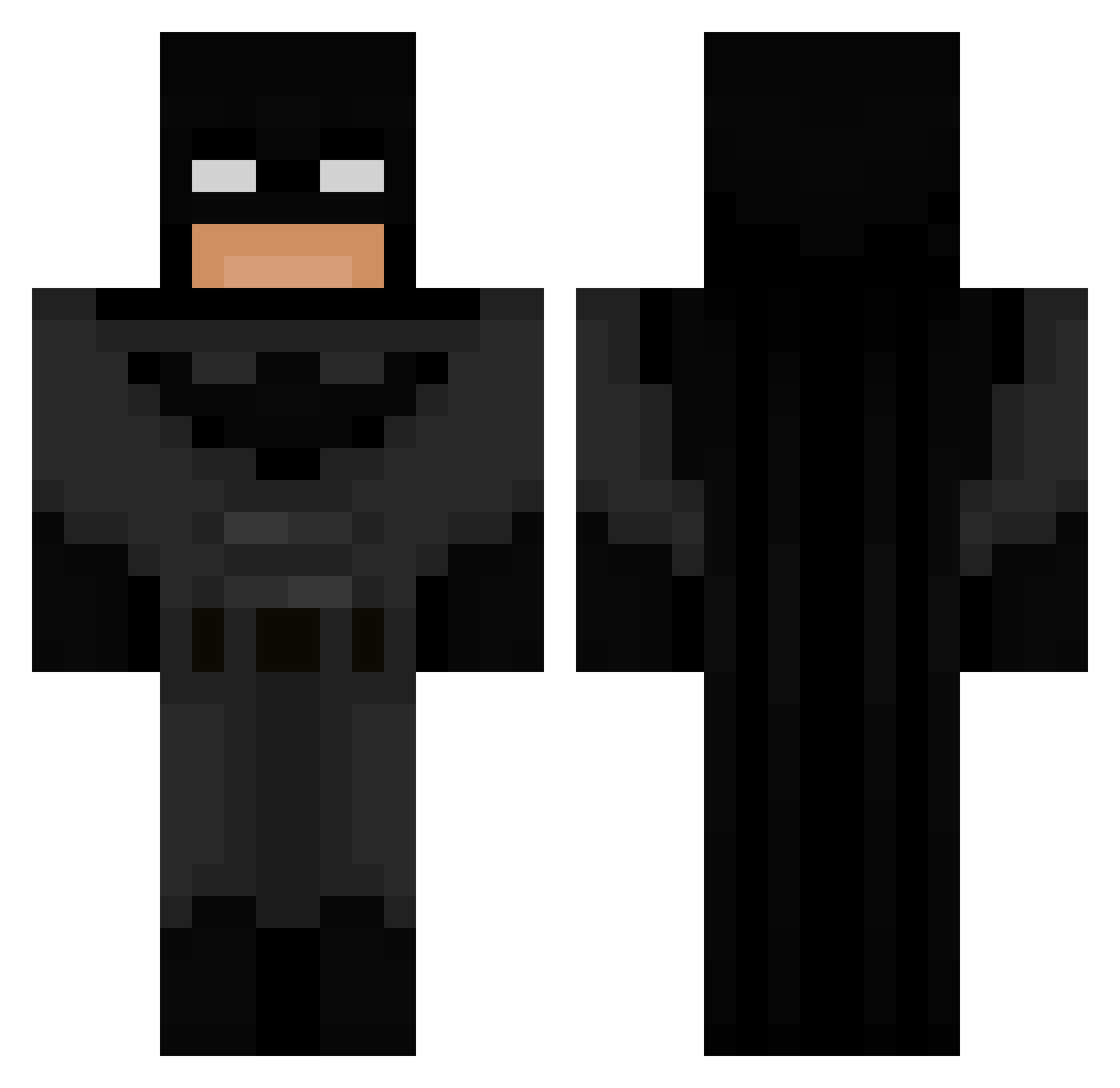
Current Minecraft skin of the player Toncho1, loaded from the official Mojang API. Rotate the 3D model with your mouse or finger, then download the skin as a PNG file and use it in Minecraft: Bedrock Edition or Java Edition for free. When Toncho1 changes their skin, this page updates automatically and the old skin stays in the history below.
Other players with this skin (849)
Toncho1 was the 697th player we have seen with this skin, first spotted on 02.11.2026. The same skin was seen on these players. Open a nickname to see their current skin and skin history.
 olivecool10 BubberFraDanmark SkaJoestar seth_DC jrcvv aryyan bybot Edxts_ dontmeanjack JOSE_VICTOR_38 MaNgLe0721 Rolletot demisestare Kron0l SNOWNOV4 OfficialAquarius LiWayne WishCOM69 Absolom1983 Vaxx99 BATMAN987654321 O2wl simeonv bio7hazard rotarugod tioa rafa3123 VinkeSwedish Real_Batman05 2AMBATMAN_ Thunder2071 damiosoo Meyman90 IHaveNoEnemies fluffffffl gallo1718 ARSms MCJD14 ahmetco Saligiaa grayrest27 nick768 JONTETOMTE69 creeperev07 Vowix_ FUU_man adun228 schmoice BrAvanzi chimipicanton Serva__ Vicki_Pedia dookiecookie1 ToyotaBoi98 drummerboy0519 TERTU3 LOGGGGGGGGGGGG Juarxz11 hyochiro flinn123
More Batman Minecraft skins
How to install the Toncho1 skin
- Press the Download button above to save the skin as a PNG file.
- Minecraft: Bedrock Edition (PE): open the Dressing Room from the main menu (or tap your character → Edit Character), go to Classic Skins → Owned, press the + (new skin) button, choose the downloaded PNG and pick the Classic (Steve) model. Works on PC and mobile; consoles cannot import custom skins.
- Minecraft: Java Edition: open the Minecraft Launcher, go to the Skins tab, click New Skin, load the PNG, pick the Classic (Steve) model and press Save & Use. You can also upload it at minecraft.net → Profile → Change Skin.
The skin does not show up after import - what should I do?
Restart Minecraft and open the Dressing Room again - imported skins sometimes appear only after a restart. Also make sure you selected the imported skin and picked the Classic (Steve) model.
Which model should I choose, Classic or Slim?
This skin is designed for the Classic (Steve) model. If you pick the wrong model, the arms of the skin will look stretched or squeezed.
Is the skin of Toncho1 free to download?
Yes. Press Download, save the PNG file and use it in Minecraft: Bedrock Edition or Java Edition - no payment or registration needed. The skin also works on multiplayer servers and Realms.
More skins
Looking for more? Go back to all Minecraft skins and check the top skins of the week, month and all time, or find any player's skin by nickname.