
Tommy_1799 - Minecraft Skins & Skin History
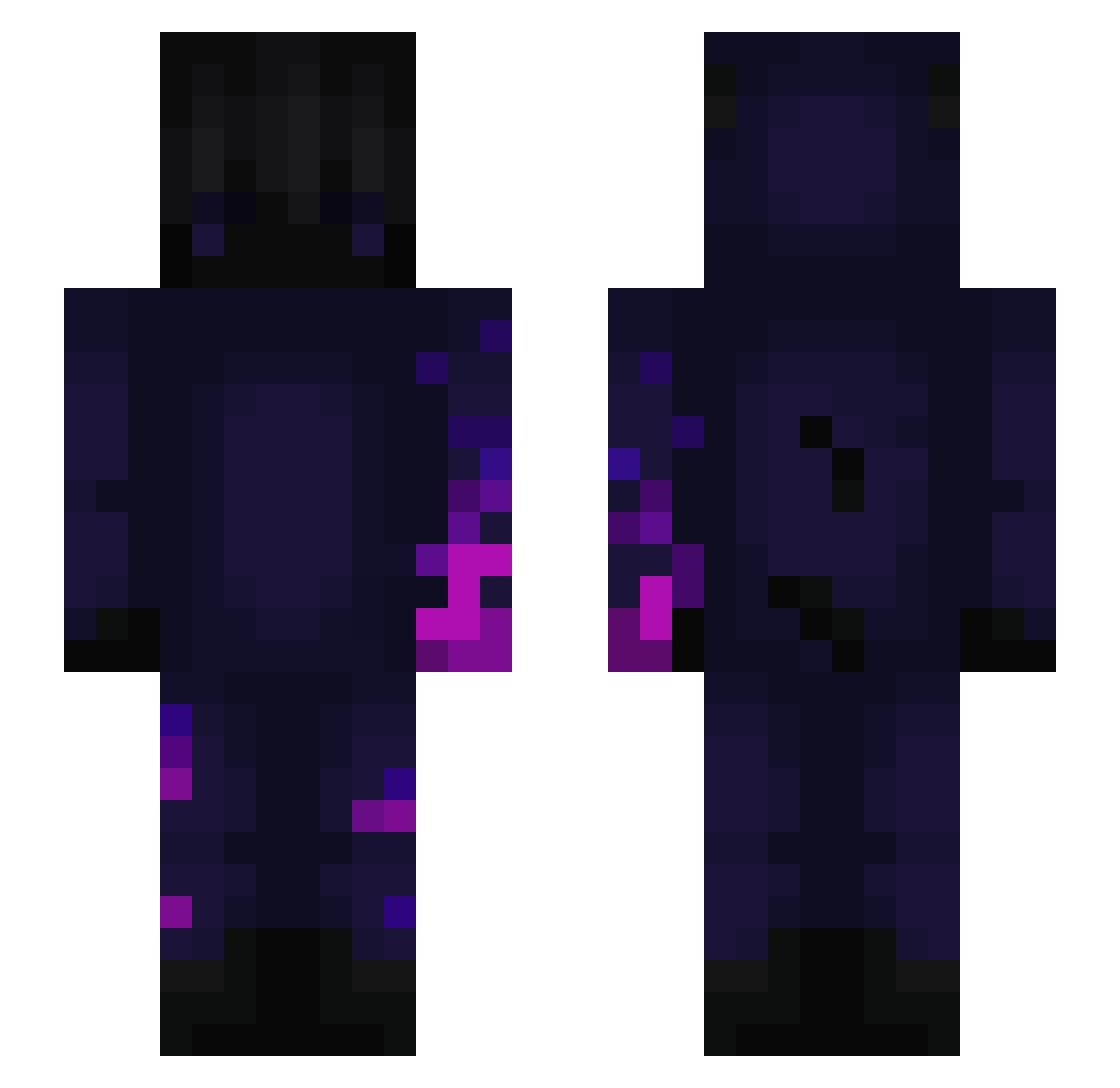
Current Minecraft skin of the player Tommy_1799, loaded from the official Mojang API. Rotate the 3D model with your mouse or finger, then download the skin as a PNG file and use it in Minecraft: Bedrock Edition or Java Edition for free. When Tommy_1799 changes their skin, this page updates automatically and the old skin stays in the history below.
Other players with this skin (177)
Tommy_1799 was the 136th player we have seen with this skin, first spotted on 04.10.2026. The same skin was seen on these players. Open a nickname to see their current skin and skin history.
 wjddn7521 zabijakczx ZheNash Michalm148 Dogeman2470 theo840003 BikiniMad coreyAMG MeJlka9l_Dp9lHb_ Kuraaa 69yc vKryniu RiftUwU G01den_Fox __Bonsko1337 Vredesx Waschmaschine777 karoleio iBoutros Shadow_Delta Skyblock_awa xxkiller18 Gottama LazyBuilds CMZNUKE Naruto_lover73 Titots Wriggstxr MacHooligan GingerLion69 HeyLeakers _SirWeffington_ Chaka5010 Xirbel JTstaysTOXiC awesomeDMP Mathezera Uffsynthe Swifti82 Dxspre heesung06 FabriSnom Alexpe2004 holenuss0815 jacob_extra_game drzewo05 Herb_lol xhs18 MrNoobri69 Flaags Ar1st0tel Noxyzz2 Brandnames NASDA7843 _kevin5706 NUGGETX JulioCesar_ Skillopus E4G jasperthepro0000
More Glowing Minecraft skins
How to install the Tommy_1799 skin
- Press the Download button above to save the skin as a PNG file.
- Minecraft: Bedrock Edition (PE): open the Dressing Room from the main menu (or tap your character → Edit Character), go to Classic Skins → Owned, press the + (new skin) button, choose the downloaded PNG and pick the Slim (Alex) model. Works on PC and mobile; consoles cannot import custom skins.
- Minecraft: Java Edition: open the Minecraft Launcher, go to the Skins tab, click New Skin, load the PNG, pick the Slim (Alex) model and press Save & Use. You can also upload it at minecraft.net → Profile → Change Skin.
The skin does not show up after import - what should I do?
Restart Minecraft and open the Dressing Room again - imported skins sometimes appear only after a restart. Also make sure you selected the imported skin and picked the Slim (Alex) model.
Which model should I choose, Classic or Slim?
This skin is designed for the Slim (Alex) model. If you pick the wrong model, the arms of the skin will look stretched or squeezed.
Is the skin of Tommy_1799 free to download?
Yes. Press Download, save the PNG file and use it in Minecraft: Bedrock Edition or Java Edition - no payment or registration needed. The skin also works on multiplayer servers and Realms.
More skins
Looking for more? Go back to all Minecraft skins and check the top skins of the week, month and all time, or find any player's skin by nickname.