
TomKelz - Minecraft Skins & Skin History
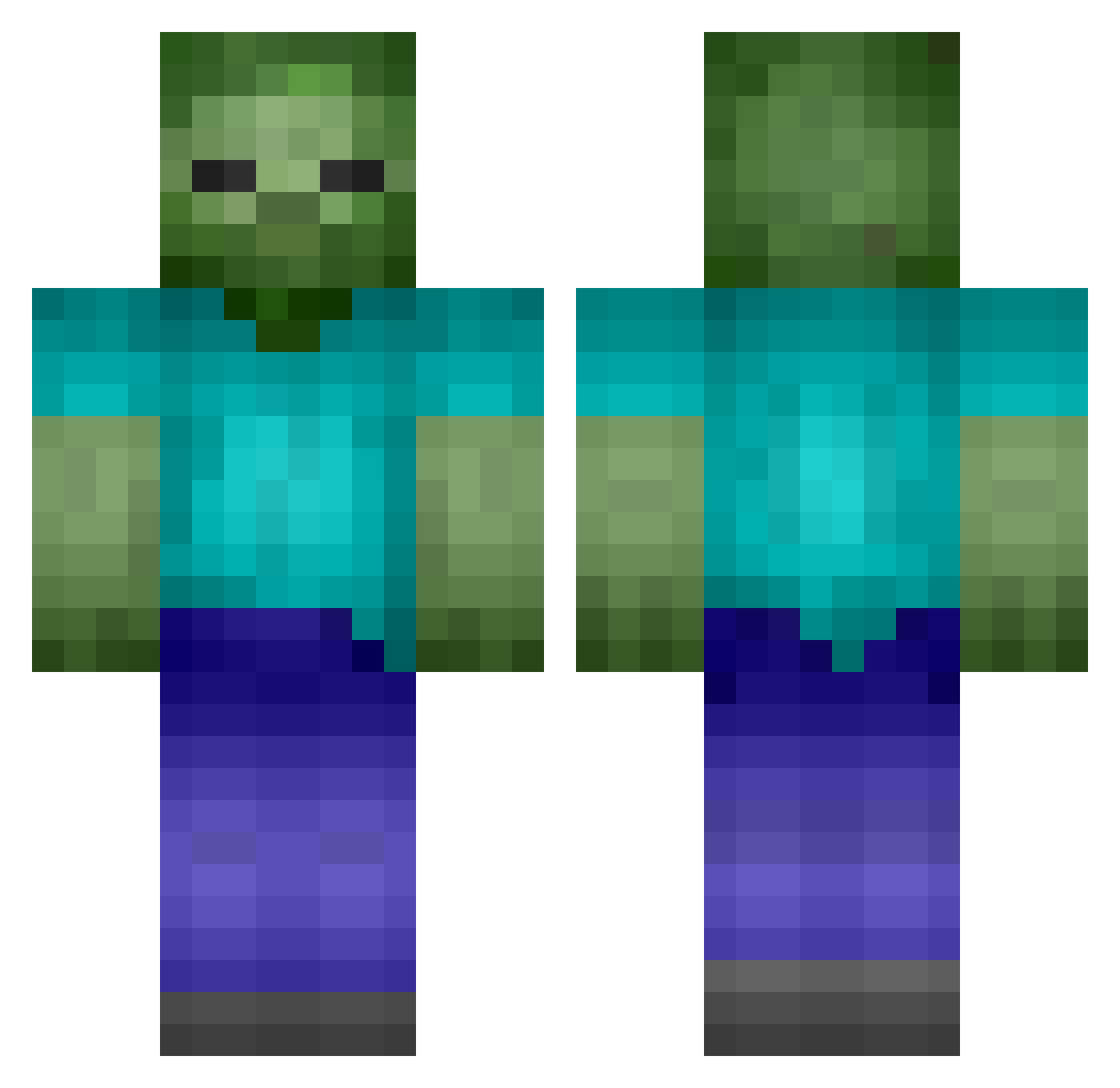
Current Minecraft skin of the player TomKelz, loaded from the official Mojang API. Rotate the 3D model with your mouse or finger, then download the skin as a PNG file and use it in Minecraft: Bedrock Edition or Java Edition for free. When TomKelz changes their skin, this page updates automatically and the old skin stays in the history below.
Other players with this skin (113)
TomKelz was the 26th player we have seen with this skin, first spotted on 18.08.2026. The same skin was seen on these players. Open a nickname to see their current skin and skin history.
 vrogs RealGP LIEJIAWANDOU bookbark AlexJMercer1 DongfangWT TheRedentorMC vzyaz ZumbieMain ArtBorGuz qxcf _dragonfly3 Boosreok mar2803 dyskurs DLWJD239 czh_ merrycriss Penelope8 Zombie1027mc 69jk Jiaxin_1114
 luisjperianez Fraps0 krillren01 NB_Gift Roi489 Nont007A RicePrince Its_0wen DaddyRedFox90 wohljr Jimmy_Jiao Thgison PpeterHuang9812 abandoned0620 PXIX Charming_Hanson Hwid__ sarva_anam JJonJoNi 21SUNDROP IS894 ronanraw __Rafale__ jihoo1398 AnemoEnjoyer ZBW123456 mojojojo_V2 Lu_xiaoyu ldh0307 kangwoo11 vnopp sirant67 jajikiller7785 MaxSanchez26 0cup DisasterGG Pratuban007 AEN08
More Undead Minecraft skins
How to install the TomKelz skin
- Press the Download button above to save the skin as a PNG file.
- Minecraft: Bedrock Edition (PE): open the Dressing Room from the main menu (or tap your character → Edit Character), go to Classic Skins → Owned, press the + (new skin) button, choose the downloaded PNG and pick the Classic (Steve) model. Works on PC and mobile; consoles cannot import custom skins.
- Minecraft: Java Edition: open the Minecraft Launcher, go to the Skins tab, click New Skin, load the PNG, pick the Classic (Steve) model and press Save & Use. You can also upload it at minecraft.net → Profile → Change Skin.
The skin does not show up after import - what should I do?
Restart Minecraft and open the Dressing Room again - imported skins sometimes appear only after a restart. Also make sure you selected the imported skin and picked the Classic (Steve) model.
Which model should I choose, Classic or Slim?
This skin is designed for the Classic (Steve) model. If you pick the wrong model, the arms of the skin will look stretched or squeezed.
Is the skin of TomKelz free to download?
Yes. Press Download, save the PNG file and use it in Minecraft: Bedrock Edition or Java Edition - no payment or registration needed. The skin also works on multiplayer servers and Realms.
More skins
Looking for more? Go back to all Minecraft skins and check the top skins of the week, month and all time, or find any player's skin by nickname.