
Timinator501 - Minecraft Skins & Skin History
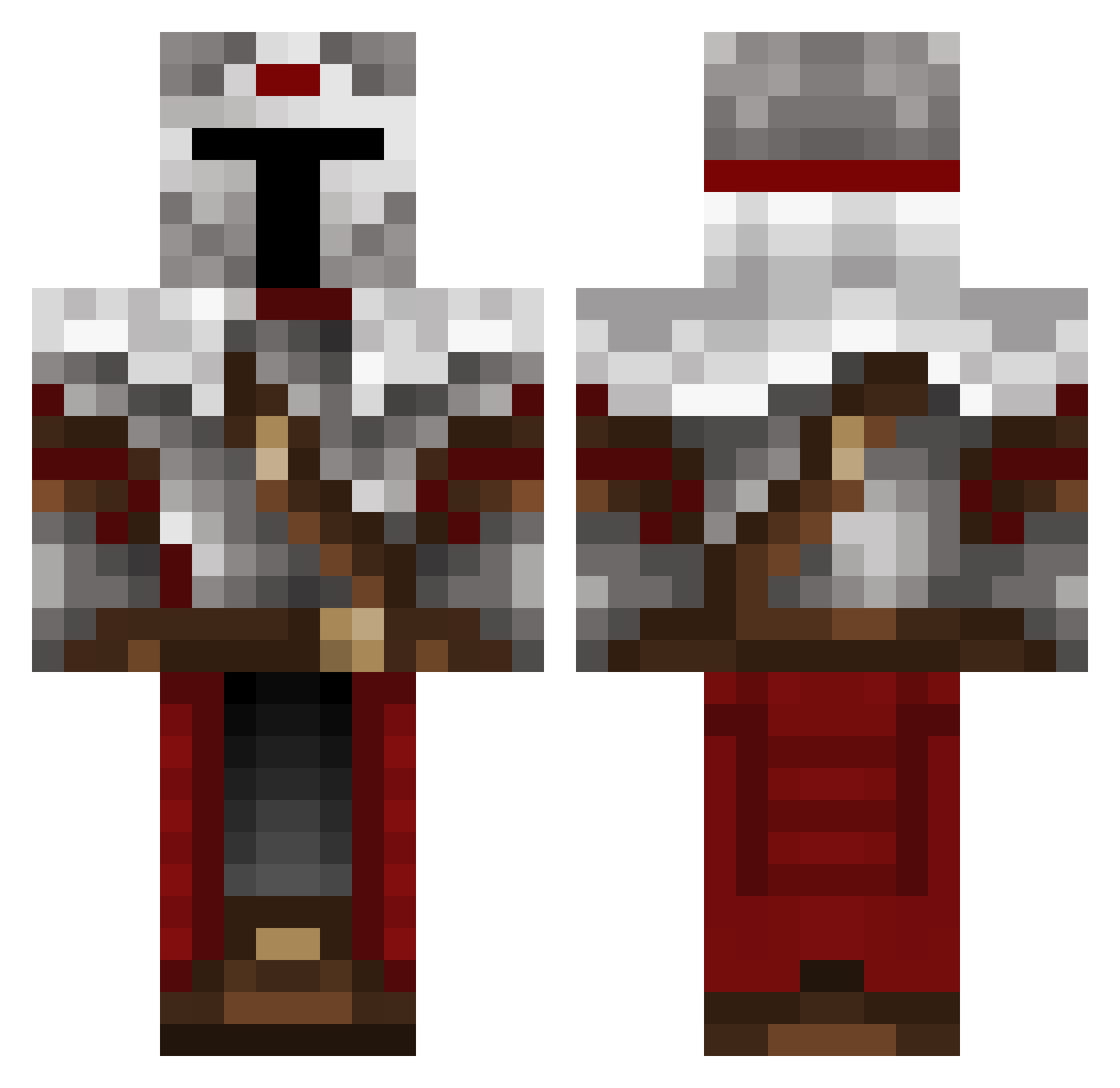
Current Minecraft skin of the player Timinator501, loaded from the official Mojang API. Rotate the 3D model with your mouse or finger, then download the skin as a PNG file and use it in Minecraft: Bedrock Edition or Java Edition for free. When Timinator501 changes their skin, this page updates automatically and the old skin stays in the history below.
Other players with this skin (489)
Timinator501 was the 59th player we have seen with this skin, first spotted on 06.08.2026. The same skin was seen on these players. Open a nickname to see their current skin and skin history.
 maxjack2099 Mauerbrecher3000 sobell13cz MESHUROE randomhope Reanagael PHNTOM14
 ESL_Eugen Weirdo123457 Aeavn piensan amicius
 highfrequencyN7 Acknoogia Polshka SphexGuldan thorzet FROST4546 mentalgeldi Leonida03438 XxMASSAOxX Bruunior Jakoo09_ Masterofphasmes KingDan151 Sivka04 _o_a_t_s_ Kyxesha NooblyGamerGuard LoademonMC PaladinoSupremo SoppingSix Sirvijo Thasom Laksafoss Velveter9454 littleflash911 Kammo124 Guardian_Lush TheMrBubblesz Professor_Moogie BisterBiyagi ShoraTran AbysmalRelic Ehwar Todrick Mister_Mean Knights05 renon732 MiranhaNHA mordeneliv Shadow_87pl une_balle VerifiedGoat134 _Tovarich_ gando09 jamcat9 Extremerecker89 marc014 Vaszer
More Mandalorian Minecraft skins
How to install the Timinator501 skin
- Press the Download button above to save the skin as a PNG file.
- Minecraft: Bedrock Edition (PE): open the Dressing Room from the main menu (or tap your character → Edit Character), go to Classic Skins → Owned, press the + (new skin) button, choose the downloaded PNG and pick the Classic (Steve) model. Works on PC and mobile; consoles cannot import custom skins.
- Minecraft: Java Edition: open the Minecraft Launcher, go to the Skins tab, click New Skin, load the PNG, pick the Classic (Steve) model and press Save & Use. You can also upload it at minecraft.net → Profile → Change Skin.
The skin does not show up after import - what should I do?
Restart Minecraft and open the Dressing Room again - imported skins sometimes appear only after a restart. Also make sure you selected the imported skin and picked the Classic (Steve) model.
Which model should I choose, Classic or Slim?
This skin is designed for the Classic (Steve) model. If you pick the wrong model, the arms of the skin will look stretched or squeezed.
Is the skin of Timinator501 free to download?
Yes. Press Download, save the PNG file and use it in Minecraft: Bedrock Edition or Java Edition - no payment or registration needed. The skin also works on multiplayer servers and Realms.
More skins
Looking for more? Go back to all Minecraft skins and check the top skins of the week, month and all time, or find any player's skin by nickname.