
Timek1337 - Minecraft Skins & Skin History
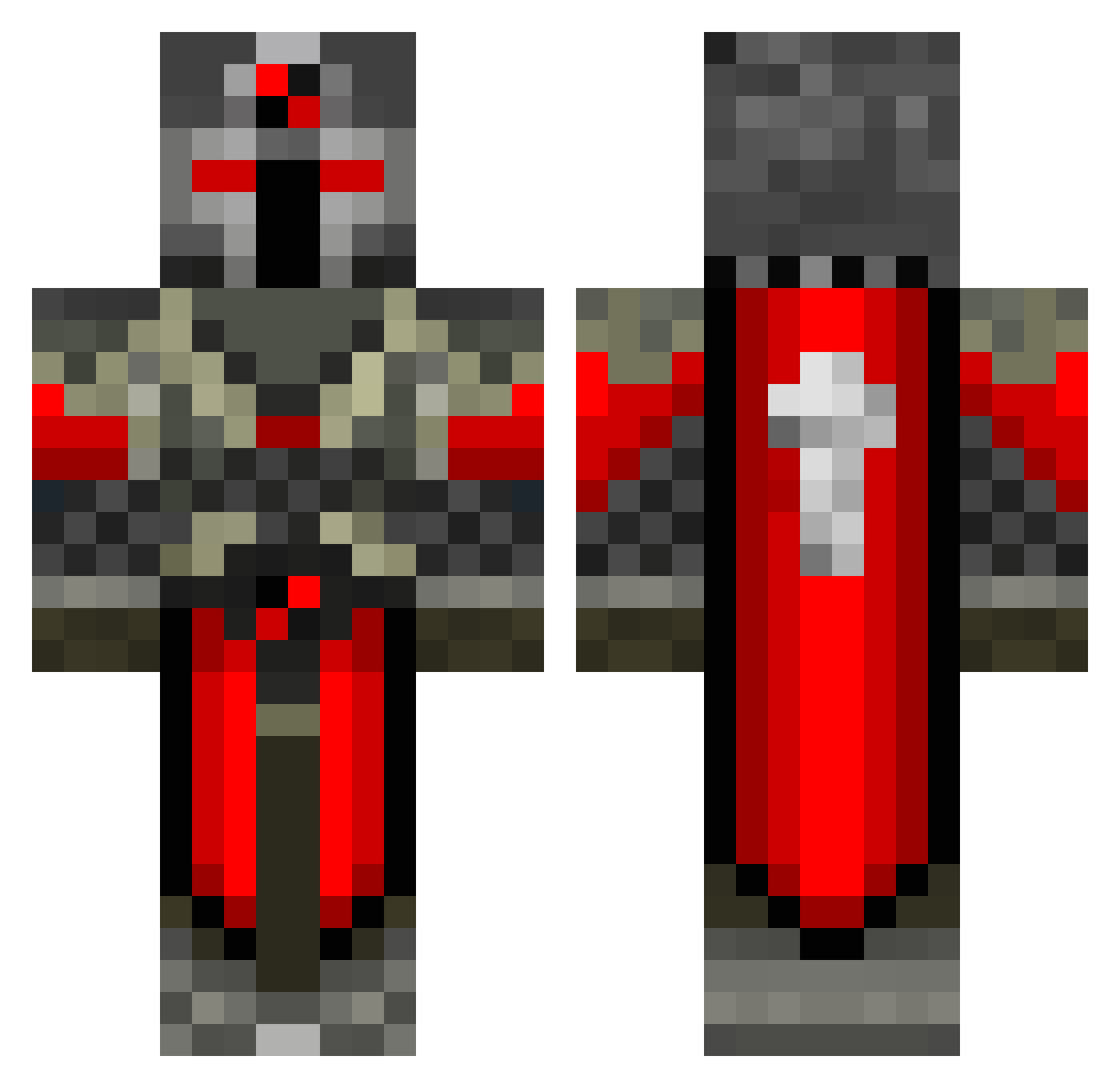
Current Minecraft skin of the player Timek1337, loaded from the official Mojang API. Rotate the 3D model with your mouse or finger, then download the skin as a PNG file and use it in Minecraft: Bedrock Edition or Java Edition for free. When Timek1337 changes their skin, this page updates automatically and the old skin stays in the history below.
Other players with this skin (686)
Timek1337 was the 569th player we have seen with this skin, first spotted on 03.11.2026. The same skin was seen on these players. Open a nickname to see their current skin and skin history.
 chucho03 Bletnitsky MINER_2001_ koldorder SCARBLOCK5 Llwynn ChrisCrafter0203 valvrave1 Slaget1 MFMC1234 jamxordesin Mega571 Nursk cardmaster987 Wolfgangbn FiveThreeNine jbmb12 nico9323 C3E Irishtacular BM101 Alahas Dy306 Kill_Ping98 Orbital_Dumpster Chombe95 Coffee42 Darciann Ciphre87 Calj321 Snazythecat psyco_beaver xN3rD_SHAWRY Enkephalos JokerRazax ThoRAgain 998th Lord_Bacon101 Garaa1234567890 Alex2378 ninja951 Zander10 franskmand139 NoahDTheHorse yu0730 AsuraEternal A1ucard078 victorkap At0nium shadowolf22 rawagex Malcador davin_01 arjunV2012 AlfieLewis SlayerLucas CraftMiner95 inte_mitt_namn nate2899 ironshield5
More Crusader Minecraft skins
How to install the Timek1337 skin
- Press the Download button above to save the skin as a PNG file.
- Minecraft: Bedrock Edition (PE): open the Dressing Room from the main menu (or tap your character → Edit Character), go to Classic Skins → Owned, press the + (new skin) button, choose the downloaded PNG and pick the Classic (Steve) model. Works on PC and mobile; consoles cannot import custom skins.
- Minecraft: Java Edition: open the Minecraft Launcher, go to the Skins tab, click New Skin, load the PNG, pick the Classic (Steve) model and press Save & Use. You can also upload it at minecraft.net → Profile → Change Skin.
The skin does not show up after import - what should I do?
Restart Minecraft and open the Dressing Room again - imported skins sometimes appear only after a restart. Also make sure you selected the imported skin and picked the Classic (Steve) model.
Which model should I choose, Classic or Slim?
This skin is designed for the Classic (Steve) model. If you pick the wrong model, the arms of the skin will look stretched or squeezed.
Is the skin of Timek1337 free to download?
Yes. Press Download, save the PNG file and use it in Minecraft: Bedrock Edition or Java Edition - no payment or registration needed. The skin also works on multiplayer servers and Realms.
More skins
Looking for more? Go back to all Minecraft skins and check the top skins of the week, month and all time, or find any player's skin by nickname.