
TieJLee - Minecraft Skins & Skin History
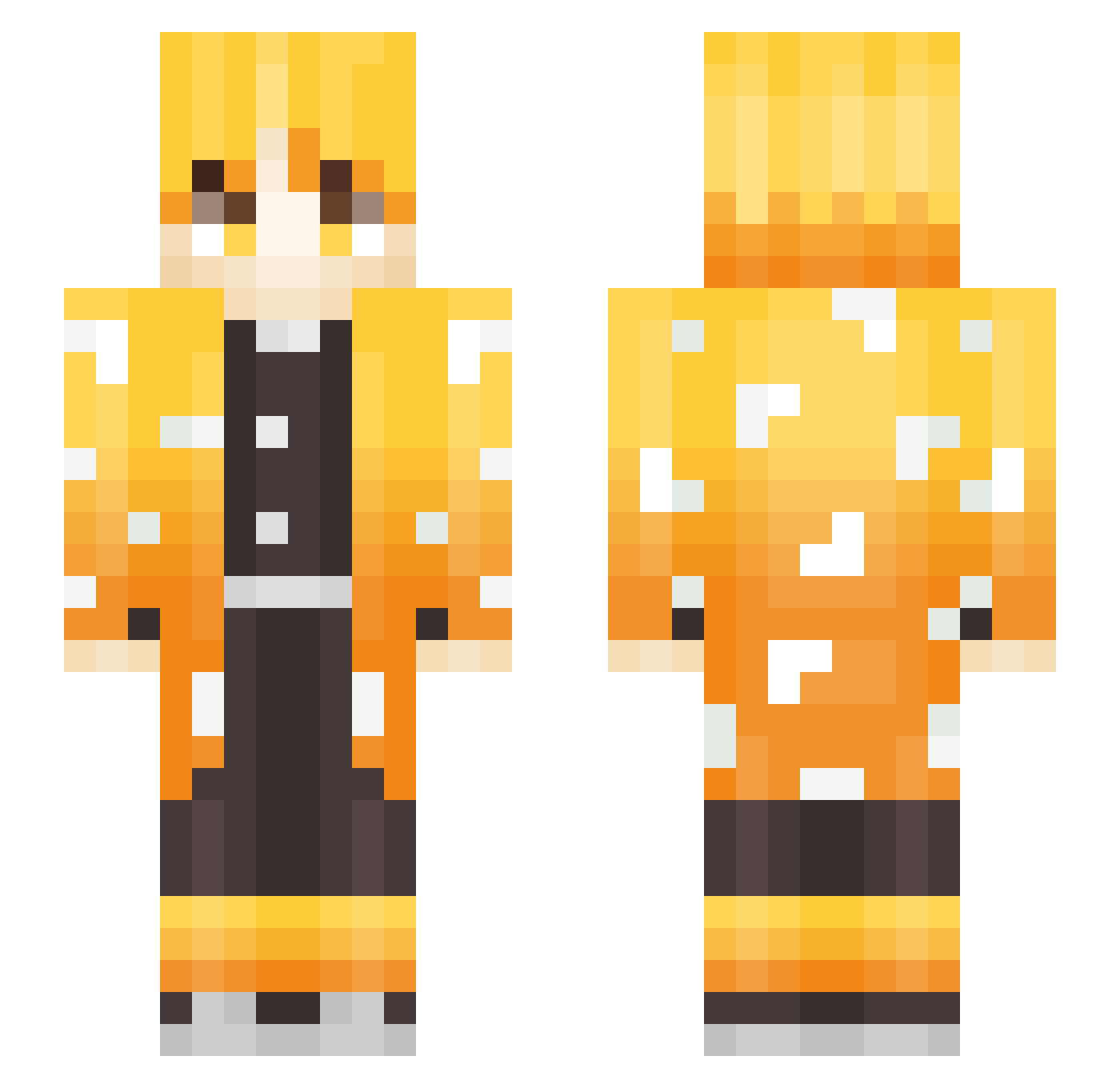
Current Minecraft skin of the player TieJLee, loaded from the official Mojang API. Rotate the 3D model with your mouse or finger, then download the skin as a PNG file and use it in Minecraft: Bedrock Edition or Java Edition for free. When TieJLee changes their skin, this page updates automatically and the old skin stays in the history below.
Other players with this skin (250)
TieJLee was the 132nd player we have seen with this skin, first spotted on 15.09.2026. The same skin was seen on these players. Open a nickname to see their current skin and skin history.
 JMDKJD Luha0725 PlootyBooty Deouane IM_PALA Chebupelka007 kawsgod dkrjel ckl3333 Jukaiami kamuihtt vin2551ty Kevin_Zaki Q_Shine KingRYURobotKai frankvallejos_ HoneyFist76 _ReZeR_ natski_ Qebuh NateTheDonut Killerzvade KR31095 rlfehhids AcidXIV Dread_56 stinkywinky69420 maquinitatotal purple_SKY1 Nataman95 Lousun27 Parakun Schere_Lp terryshek1 itsRidz KRIS0425 ysy0926 40cps parkgyute ninja699 hotaru___ ArturoZenitsu hyunwoorago _SamBGR_ andromaDABB Reaperrr CaHe4eK Gaminghai JaeMirr yuutadazo DustelSox iM1riXGG Umenee Smokeyz Aidax66 SENA77 Gucci_Gang_HW GifunoSuzuki SoGBo ox230
More Zenitsu Agatsuma Minecraft skins
See all 170 Zenitsu Agatsuma skins
How to install the TieJLee skin
- Press the Download button above to save the skin as a PNG file.
- Minecraft: Bedrock Edition (PE): open the Dressing Room from the main menu (or tap your character → Edit Character), go to Classic Skins → Owned, press the + (new skin) button, choose the downloaded PNG and pick the Slim (Alex) model. Works on PC and mobile; consoles cannot import custom skins.
- Minecraft: Java Edition: open the Minecraft Launcher, go to the Skins tab, click New Skin, load the PNG, pick the Slim (Alex) model and press Save & Use. You can also upload it at minecraft.net → Profile → Change Skin.
The skin does not show up after import - what should I do?
Restart Minecraft and open the Dressing Room again - imported skins sometimes appear only after a restart. Also make sure you selected the imported skin and picked the Slim (Alex) model.
Which model should I choose, Classic or Slim?
This skin is designed for the Slim (Alex) model. If you pick the wrong model, the arms of the skin will look stretched or squeezed.
Is the skin of TieJLee free to download?
Yes. Press Download, save the PNG file and use it in Minecraft: Bedrock Edition or Java Edition - no payment or registration needed. The skin also works on multiplayer servers and Realms.
More skins
Looking for more? Go back to all Minecraft skins and check the top skins of the week, month and all time, or find any player's skin by nickname.