
Tibbelkrunk - Minecraft Skins & Skin History
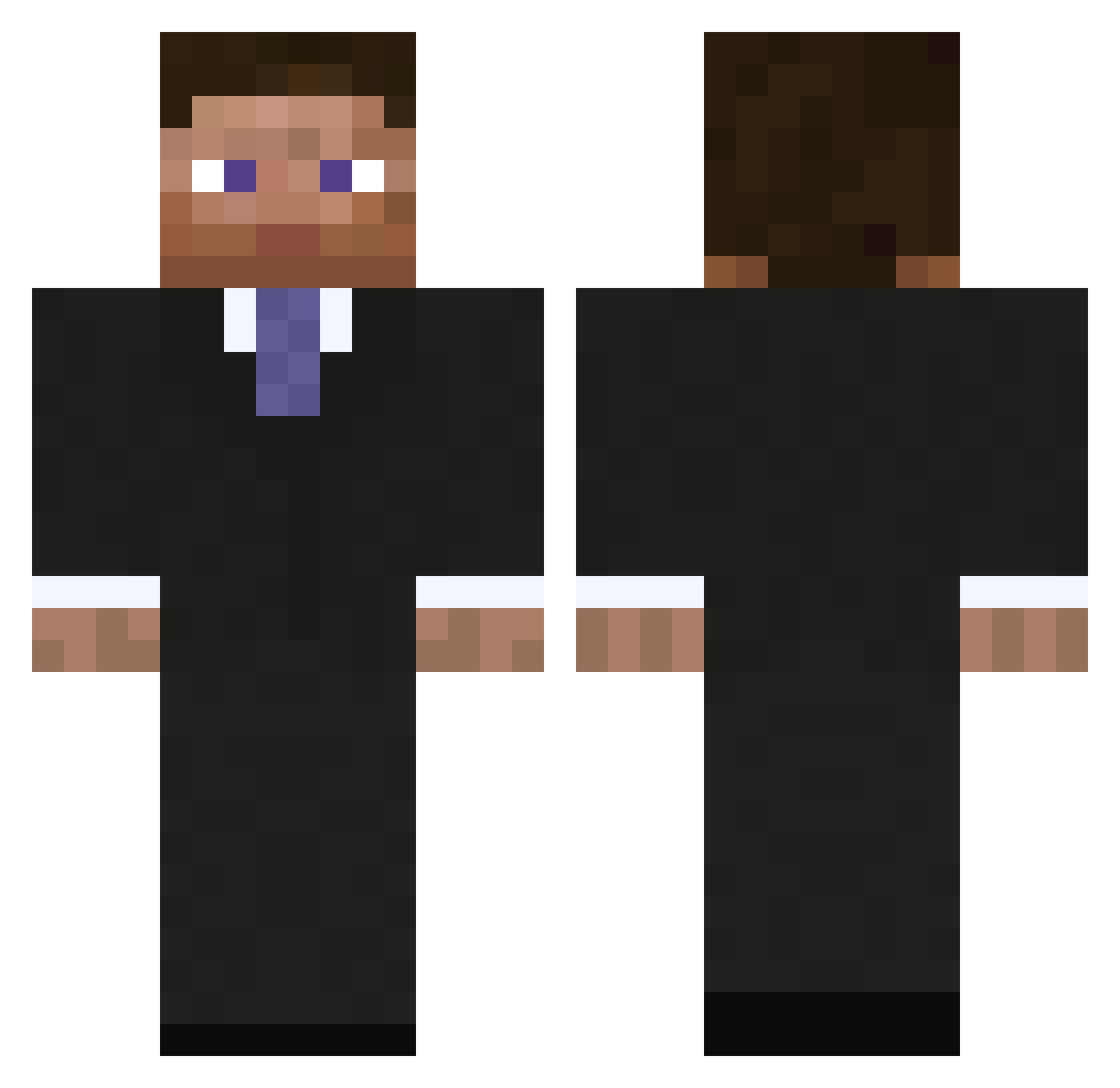
Current Minecraft skin of the player Tibbelkrunk, loaded from the official Mojang API. Rotate the 3D model with your mouse or finger, then download the skin as a PNG file and use it in Minecraft: Bedrock Edition or Java Edition for free. When Tibbelkrunk changes their skin, this page updates automatically and the old skin stays in the history below.
Other players with this skin (794)
Tibbelkrunk was the 199th player we have seen with this skin, first spotted on 17.08.2026. The same skin was seen on these players. Open a nickname to see their current skin and skin history.
 Syntactic Cind13 lukememem Nehalim flintcoal Nocuus RolosRadio alixbrechet Crossfire57 CooperStewart Satnav92 Matedesc coaldigger8 ProRallyHD Sixstep123 sushukka superzero07 Lightlessx noahangelo25 M3lwn Drgreen37270 05TEVE Zeijlon97 superskittles001 DukeLavis TrumPiet Rahgahnah UnleashedDragon3 96dawa reaxco nomorals Raiyne123 LuckyBS Andreabr CptTheYe josbino mastercorey1 Sil_Dante iDennY chandyland65 Martmar dioooo721 Batman9391 mickle69 porvas1364 himajinnzizi Hackebeil_Harry ceonpeace Guguswar Awzytin CashOutt tommywright95 Fish_Tree Stalking_mums timcon77 mistergee69 Keynight03 Moekid Thunderball91 m6lunette
More Businessman Minecraft skins
See all 5479 Businessman skins
How to install the Tibbelkrunk skin
- Press the Download button above to save the skin as a PNG file.
- Minecraft: Bedrock Edition (PE): open the Dressing Room from the main menu (or tap your character → Edit Character), go to Classic Skins → Owned, press the + (new skin) button, choose the downloaded PNG and pick the Classic (Steve) model. Works on PC and mobile; consoles cannot import custom skins.
- Minecraft: Java Edition: open the Minecraft Launcher, go to the Skins tab, click New Skin, load the PNG, pick the Classic (Steve) model and press Save & Use. You can also upload it at minecraft.net → Profile → Change Skin.
The skin does not show up after import - what should I do?
Restart Minecraft and open the Dressing Room again - imported skins sometimes appear only after a restart. Also make sure you selected the imported skin and picked the Classic (Steve) model.
Which model should I choose, Classic or Slim?
This skin is designed for the Classic (Steve) model. If you pick the wrong model, the arms of the skin will look stretched or squeezed.
Is the skin of Tibbelkrunk free to download?
Yes. Press Download, save the PNG file and use it in Minecraft: Bedrock Edition or Java Edition - no payment or registration needed. The skin also works on multiplayer servers and Realms.
More skins
Looking for more? Go back to all Minecraft skins and check the top skins of the week, month and all time, or find any player's skin by nickname.