
ThoricGecko553 - Minecraft Skins & Skin History
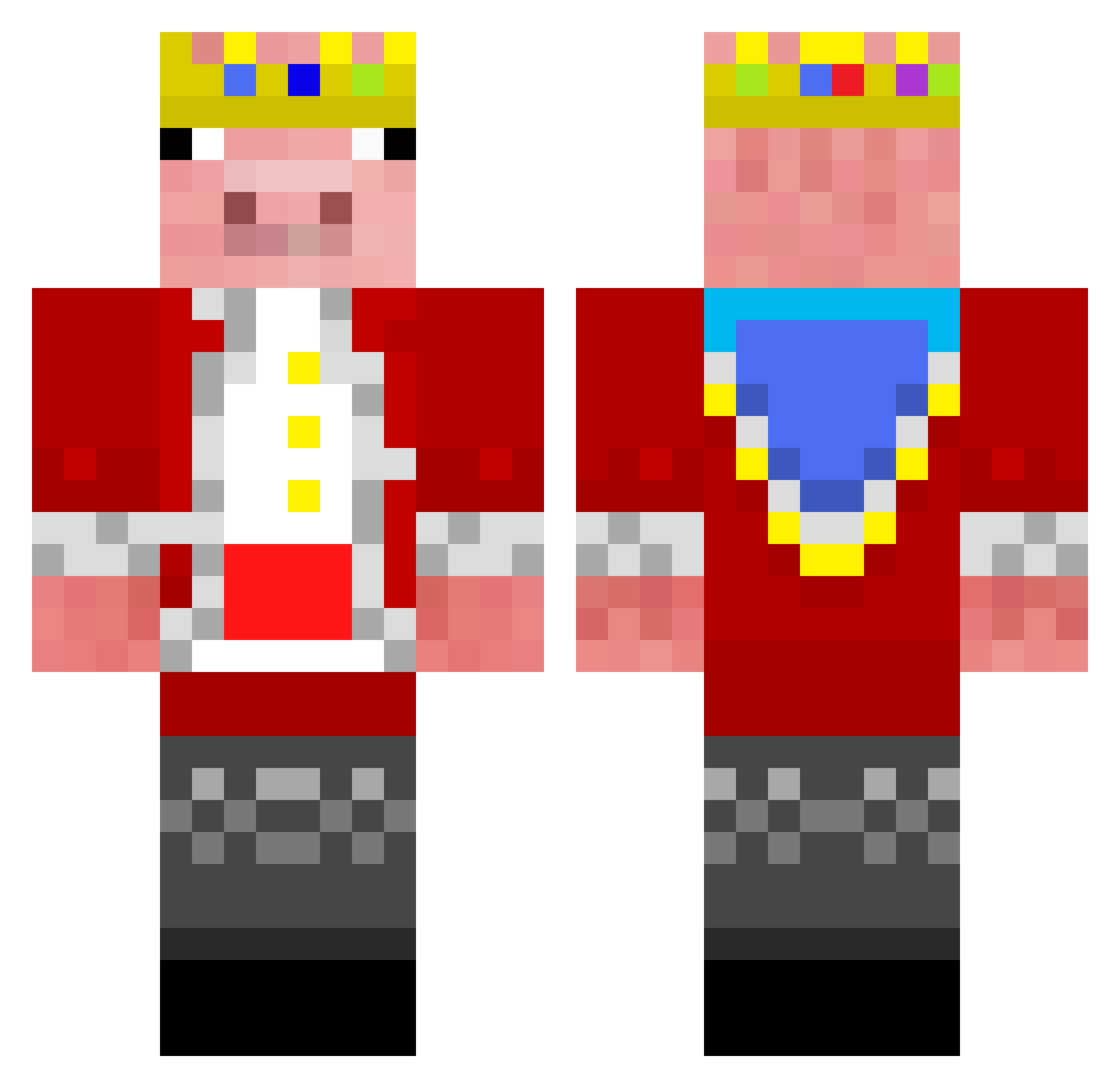
Current Minecraft skin of the player ThoricGecko553, loaded from the official Mojang API. Rotate the 3D model with your mouse or finger, then download the skin as a PNG file and use it in Minecraft: Bedrock Edition or Java Edition for free. When ThoricGecko553 changes their skin, this page updates automatically and the old skin stays in the history below.
Other players with this skin (90)
ThoricGecko553 was the 40th player we have seen with this skin, first spotted on 17.09.2026. The same skin was seen on these players. Open a nickname to see their current skin and skin history.
 Arshia__ ajplayz1231 FnPr_Coop urmasteryt MountaineersMC1 DragonCode05 ZinqOfficial LostFauxcus _LMP Fuzion_Mxst Itsyaboinoah704 unterEIER213123 Cheesemaster20 zpwxc Beatzy taktickz1 Devils_island parekvrohliku23 Vasude UoSo FatherCallahan
 clownloach1234 SimasRaz SupDes Fa4isa8l WhyMine123 RIP_TECHNOBLADE2 IamChariot Mr_Beast10 Nova6M kaan2 ConRon23
 ignacy_squad SaFaMi_IL OringoLoader
 PerYodico Cute_Colzy Kesti KaczTomm ZaZa_KKK Willny_ Bluesqurriel953 AverageDungeon GavriloPrincip28 itzmikey_yt67 SpudIsBetter
 gizzymookle MrDedde A3som30possum Tempolimit Gay34 SpongebobFan7 djDwayne
 vasekG NotHalo ItsWho15 Yoricheez MasterJamieTMC MaybeAcidYT Brezy904
More Pig Minecraft skins
How to install the ThoricGecko553 skin
- Press the Download button above to save the skin as a PNG file.
- Minecraft: Bedrock Edition (PE): open the Dressing Room from the main menu (or tap your character → Edit Character), go to Classic Skins → Owned, press the + (new skin) button, choose the downloaded PNG and pick the Classic (Steve) model. Works on PC and mobile; consoles cannot import custom skins.
- Minecraft: Java Edition: open the Minecraft Launcher, go to the Skins tab, click New Skin, load the PNG, pick the Classic (Steve) model and press Save & Use. You can also upload it at minecraft.net → Profile → Change Skin.
The skin does not show up after import - what should I do?
Restart Minecraft and open the Dressing Room again - imported skins sometimes appear only after a restart. Also make sure you selected the imported skin and picked the Classic (Steve) model.
Which model should I choose, Classic or Slim?
This skin is designed for the Classic (Steve) model. If you pick the wrong model, the arms of the skin will look stretched or squeezed.
Is the skin of ThoricGecko553 free to download?
Yes. Press Download, save the PNG file and use it in Minecraft: Bedrock Edition or Java Edition - no payment or registration needed. The skin also works on multiplayer servers and Realms.
More skins
Looking for more? Go back to all Minecraft skins and check the top skins of the week, month and all time, or find any player's skin by nickname.