
ThiccTom - Minecraft Skins & Skin History
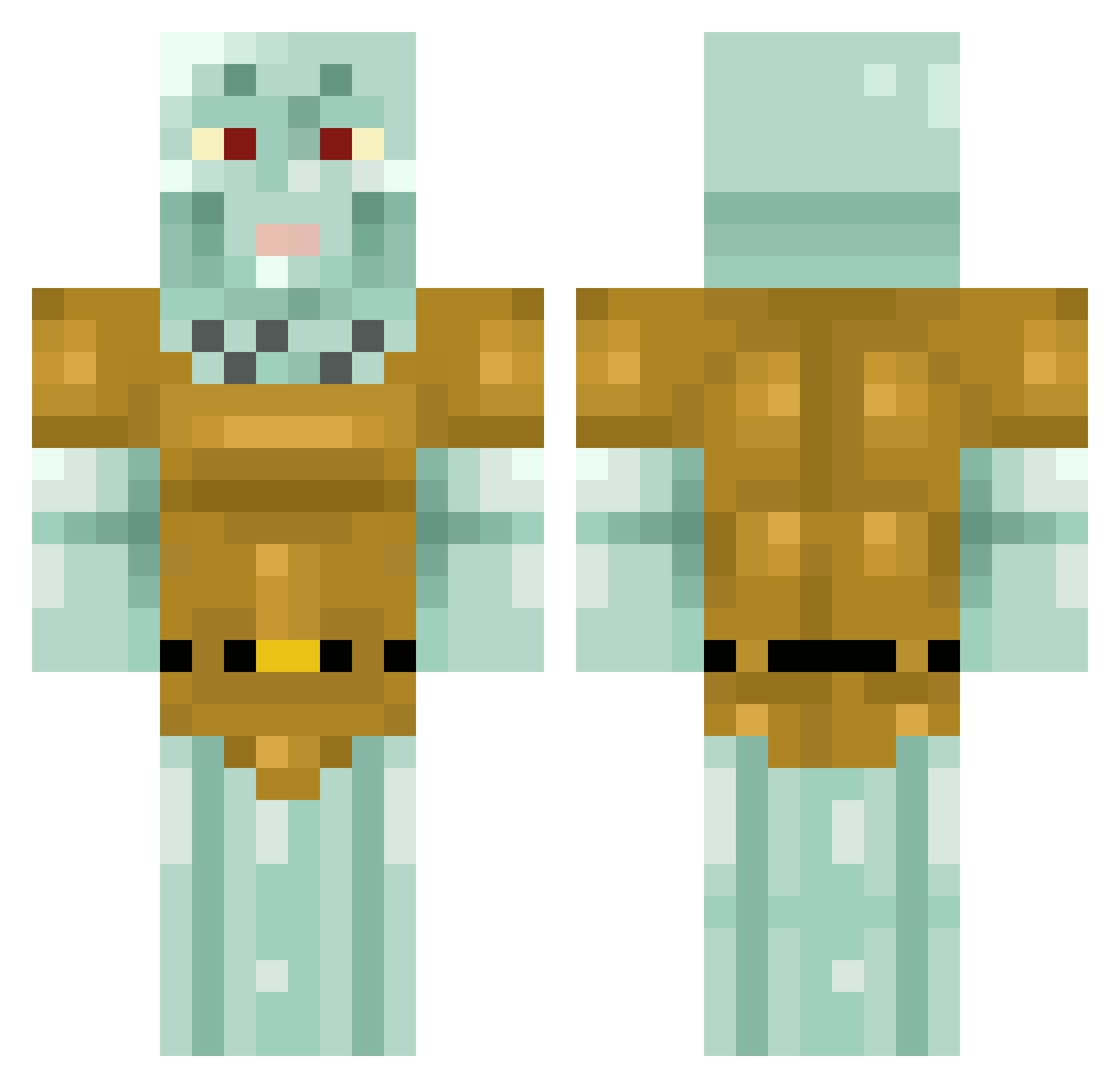
Current Minecraft skin of the player ThiccTom, loaded from the official Mojang API. Rotate the 3D model with your mouse or finger, then download the skin as a PNG file and use it in Minecraft: Bedrock Edition or Java Edition for free. When ThiccTom changes their skin, this page updates automatically and the old skin stays in the history below.
Other players with this skin (434)
ThiccTom was the 146th player we have seen with this skin, first spotted on 04.09.2026. The same skin was seen on these players. Open a nickname to see their current skin and skin history.
 CR1LBUS_17 Polarzin__ inexactsphere mira_cavala TurboSoggy0 LargeBert hamoodhaven Alika2004
 K_KaLMe freename3 kallumarii RevisedMage2701 CheeseBag42 Hackschmid InklySquid uabop thelastjedi2070 abcdelkry reauize Lincoln8992 kostamostaEU ColeCornerYT zackmondin LUIGka selinyema SuprimeGod99 Iggy333 just4you_ Tintenfisch512 TreeNutt itsteooooooooooo _Hot_Squid_ madiks16 Goguma_bug Treehz auro22 iswhoitis winXwin notporylol chyen Orphan_Knot maksimjev yabathehut adi1298 ConnorP501 littlekidslover4 PaulineHandsome Grayy420 notMoco Picasis DinooV LargeDSteven joerowan123 Tidesy mc_robotica_009 ArmorStriker goongi_geenga FICTS12 Misslitlefries trigenco
More Squidward Tentacles Minecraft skins
See all 90 Squidward Tentacles skins
How to install the ThiccTom skin
- Press the Download button above to save the skin as a PNG file.
- Minecraft: Bedrock Edition (PE): open the Dressing Room from the main menu (or tap your character → Edit Character), go to Classic Skins → Owned, press the + (new skin) button, choose the downloaded PNG and pick the Classic (Steve) model. Works on PC and mobile; consoles cannot import custom skins.
- Minecraft: Java Edition: open the Minecraft Launcher, go to the Skins tab, click New Skin, load the PNG, pick the Classic (Steve) model and press Save & Use. You can also upload it at minecraft.net → Profile → Change Skin.
The skin does not show up after import - what should I do?
Restart Minecraft and open the Dressing Room again - imported skins sometimes appear only after a restart. Also make sure you selected the imported skin and picked the Classic (Steve) model.
Which model should I choose, Classic or Slim?
This skin is designed for the Classic (Steve) model. If you pick the wrong model, the arms of the skin will look stretched or squeezed.
Is the skin of ThiccTom free to download?
Yes. Press Download, save the PNG file and use it in Minecraft: Bedrock Edition or Java Edition - no payment or registration needed. The skin also works on multiplayer servers and Realms.
More skins
Looking for more? Go back to all Minecraft skins and check the top skins of the week, month and all time, or find any player's skin by nickname.