
ThiccBerg - Minecraft Skins & Skin History
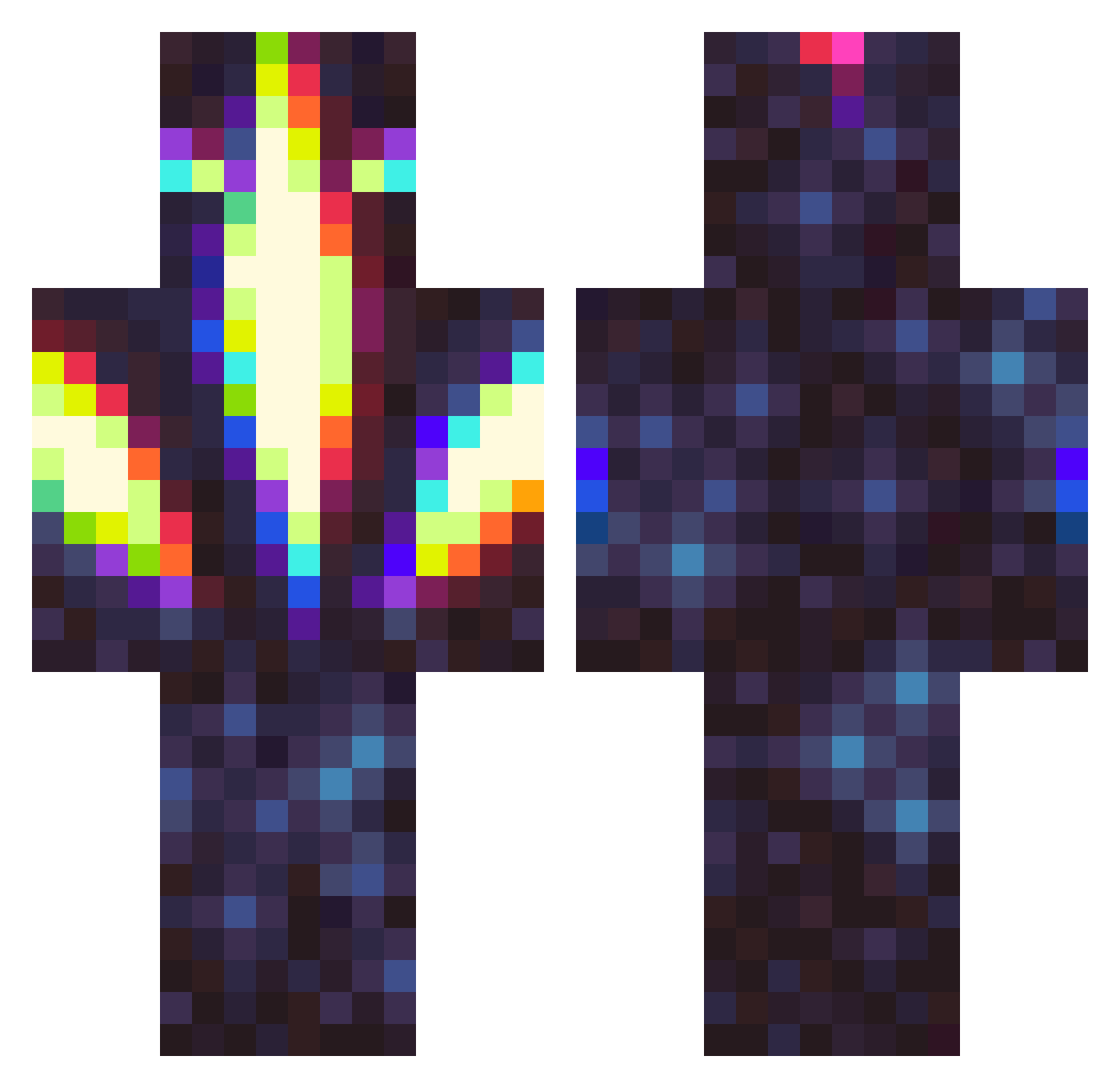
Current Minecraft skin of the player ThiccBerg, loaded from the official Mojang API. Rotate the 3D model with your mouse or finger, then download the skin as a PNG file and use it in Minecraft: Bedrock Edition or Java Edition for free. When ThiccBerg changes their skin, this page updates automatically and the old skin stays in the history below.
Other players with this skin (327)
ThiccBerg was the 211th player we have seen with this skin, first spotted on 02.10.2026. The same skin was seen on these players. Open a nickname to see their current skin and skin history.
 Tommperrr MushiFenix Ethanroks2 ZNQskxlly TheJaySShah GravyOnUrGurl PMR04 Padulax Ash_w Retsav chastens JRUE_HOLIDAY Destalion Hunan974_ Shade_ACID blake098123 Mangaz301 Sbubbby Lowkeyl0ki WireRot GreenisGOOD6569 afuckingnerd Wavex_ aceninjapipi Vysri Ethanxof distractedhero MeltonCheese helypanda_ TGsu Tylamin Lizoo4 SaVageGlitch graykami Berlip Pho3b3_N3tts homebrewerdan hobagjones CrimsonBlue21 Autocrat_ Orobit deadlywrath 1ttem ThunderBlank InnovaKama Ziorki Ryxai Nsilence Minkraftur VoidcrAck HangBear itsanteaters Crpsey Lowonblocks Lisayke raffelpunkt undeadlad Fiveftoffun blancomationen The_Thicc_Lord
More Glowing Minecraft skins
How to install the ThiccBerg skin
- Press the Download button above to save the skin as a PNG file.
- Minecraft: Bedrock Edition (PE): open the Dressing Room from the main menu (or tap your character → Edit Character), go to Classic Skins → Owned, press the + (new skin) button, choose the downloaded PNG and pick the Classic (Steve) model. Works on PC and mobile; consoles cannot import custom skins.
- Minecraft: Java Edition: open the Minecraft Launcher, go to the Skins tab, click New Skin, load the PNG, pick the Classic (Steve) model and press Save & Use. You can also upload it at minecraft.net → Profile → Change Skin.
The skin does not show up after import - what should I do?
Restart Minecraft and open the Dressing Room again - imported skins sometimes appear only after a restart. Also make sure you selected the imported skin and picked the Classic (Steve) model.
Which model should I choose, Classic or Slim?
This skin is designed for the Classic (Steve) model. If you pick the wrong model, the arms of the skin will look stretched or squeezed.
Is the skin of ThiccBerg free to download?
Yes. Press Download, save the PNG file and use it in Minecraft: Bedrock Edition or Java Edition - no payment or registration needed. The skin also works on multiplayer servers and Realms.
More skins
Looking for more? Go back to all Minecraft skins and check the top skins of the week, month and all time, or find any player's skin by nickname.