
Theridion - Minecraft Skins & Skin History
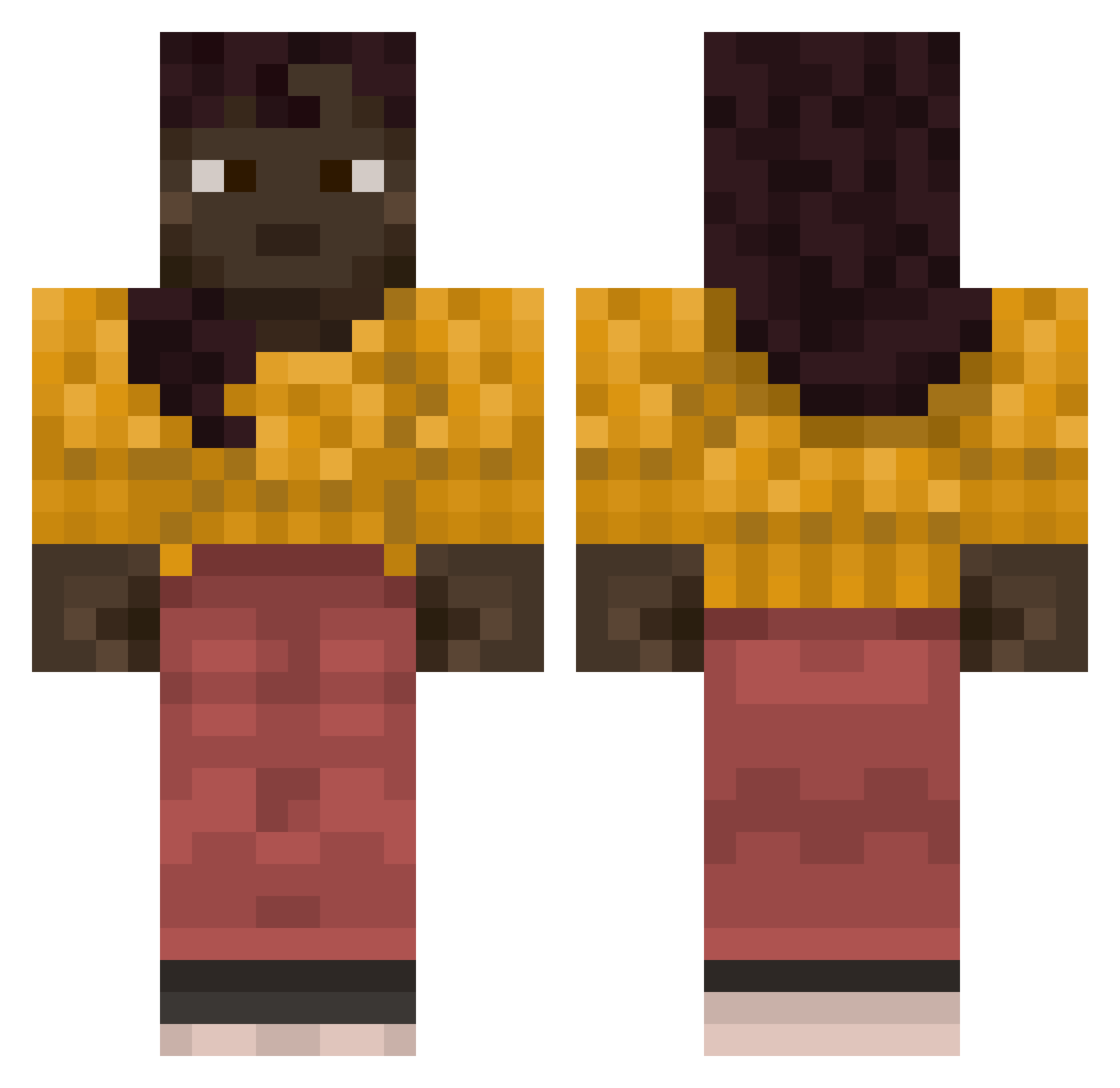
Current Minecraft skin of the player Theridion, loaded from the official Mojang API. Rotate the 3D model with your mouse or finger, then download the skin as a PNG file and use it in Minecraft: Bedrock Edition or Java Edition for free. When Theridion changes their skin, this page updates automatically and the old skin stays in the history below.
Other players with this skin (741)
Theridion was the 296th player we have seen with this skin, first spotted on 02.09.2026. The same skin was seen on these players. Open a nickname to see their current skin and skin history.
 uncandid ChangeNameLater2 ZeverusX Versifications ycfsn rascalize Dhobie Asp Teekun DeaconS SWAT_T Notyoursh03 Aronka1224 neutria 333br TrolleyMan globins Endeavourer Elucidates cretics BKPR fetus1122 attes22 SkittleUK BANCOS Zephyrica SheepMaster Jinrikisha theredarch12 flyleaves Bearded0511 osamabeenlacking Espressivo couthie funkymonkey1007 Commiecorndog saker mrsdevito Sroka_Gaming masujplecki
 fluxe08 downstroke DraGDoe Rescripts Saxicoline
 Vapourizer MojangAssistant Roux7 Implications Gardy Kaily NUIl1 jihu2007 Raoq SmallJelly1 inscience Wordily lakin fant4zyy Rountree
More Girl Minecraft skins
How to install the Theridion skin
- Press the Download button above to save the skin as a PNG file.
- Minecraft: Bedrock Edition (PE): open the Dressing Room from the main menu (or tap your character → Edit Character), go to Classic Skins → Owned, press the + (new skin) button, choose the downloaded PNG and pick the Classic (Steve) model. Works on PC and mobile; consoles cannot import custom skins.
- Minecraft: Java Edition: open the Minecraft Launcher, go to the Skins tab, click New Skin, load the PNG, pick the Classic (Steve) model and press Save & Use. You can also upload it at minecraft.net → Profile → Change Skin.
The skin does not show up after import - what should I do?
Restart Minecraft and open the Dressing Room again - imported skins sometimes appear only after a restart. Also make sure you selected the imported skin and picked the Classic (Steve) model.
Which model should I choose, Classic or Slim?
This skin is designed for the Classic (Steve) model. If you pick the wrong model, the arms of the skin will look stretched or squeezed.
Is the skin of Theridion free to download?
Yes. Press Download, save the PNG file and use it in Minecraft: Bedrock Edition or Java Edition - no payment or registration needed. The skin also works on multiplayer servers and Realms.
More skins
Looking for more? Go back to all Minecraft skins and check the top skins of the week, month and all time, or find any player's skin by nickname.