
Theks45 - Minecraft Skins & Skin History
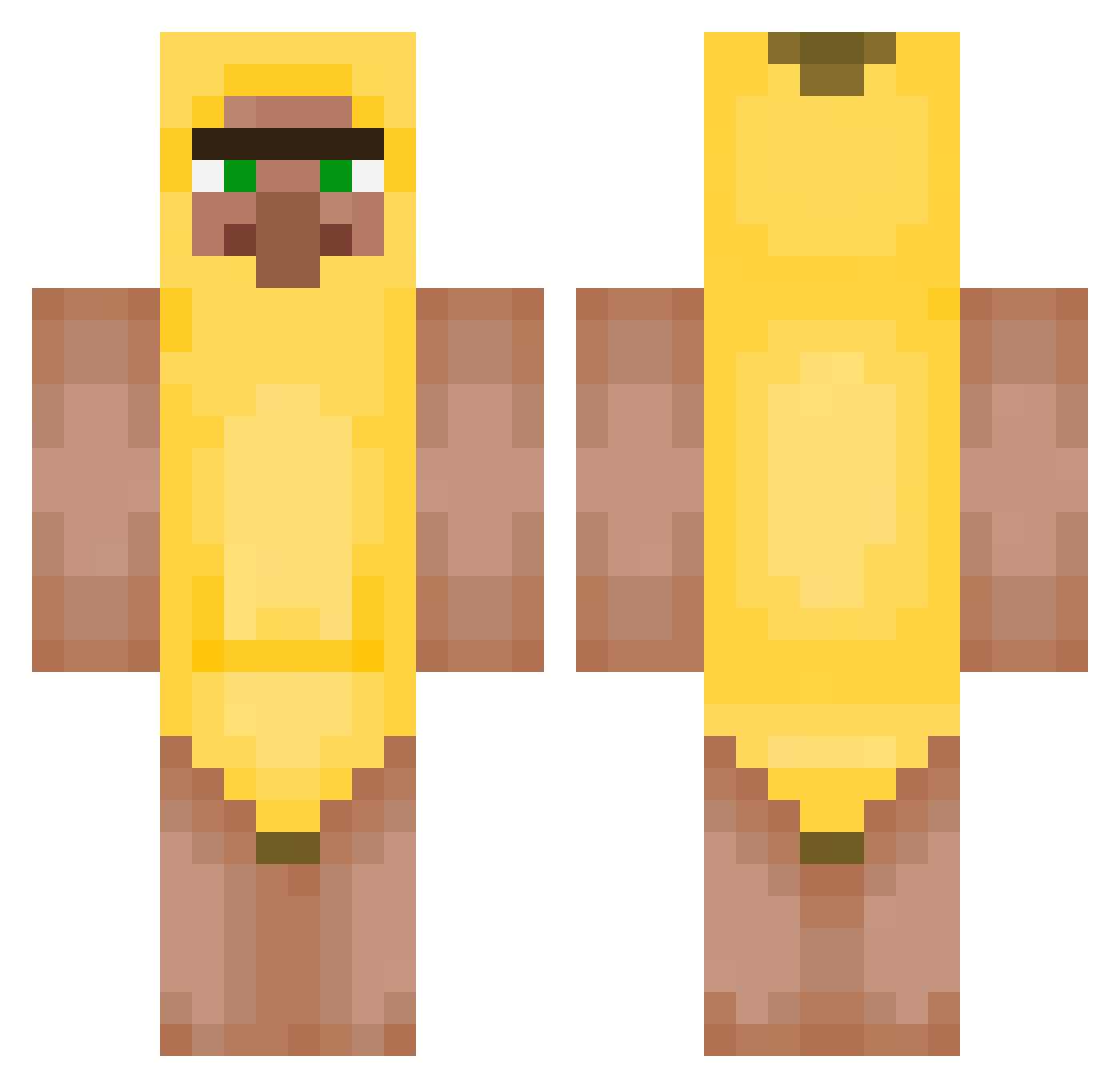
Current Minecraft skin of the player Theks45, loaded from the official Mojang API. Rotate the 3D model with your mouse or finger, then download the skin as a PNG file and use it in Minecraft: Bedrock Edition or Java Edition for free. When Theks45 changes their skin, this page updates automatically and the old skin stays in the history below.
Other players with this skin (431)
Theks45 was the 191st player we have seen with this skin, first spotted on 16.09.2026. The same skin was seen on these players. Open a nickname to see their current skin and skin history.
 Wjuter_Mjun Tribbite veggiesauce_ TED1903 ChrisPelmenis Rafalitoelpro Kurotokari fxaz2008 K1morii Gaps0
 joacccco KAYA3151 Pinnmu buckfutt1 Sleazy29 DonaldTickler kxhit TerremotoAnashe AT1E OssiHi02
 maxi1213414 Yolofights mando5476467 SeDeYkA121 iujsmjnm Tantan55 MonkeSquadOnTop9 PrinceDevious fed7 amzxones clarae_ sammrtu SuperBilen joseelproo tumskie Dora_10 Karreym TheMrCoca SizzleSocks custard_hamster hillko XlegendaryTO Mikxeryyy THESMAITOP1122 Monica03 willievov1 spawner1001 Pawopoe Hogslapper MrTwiddler mariofilipe gal_2525 jjongwoon peepow8 ErMatto99 joolkess Flawlessnezz Henk2_0 Jommpaa lorevale
More Banana Minecraft skins
How to install the Theks45 skin
- Press the Download button above to save the skin as a PNG file.
- Minecraft: Bedrock Edition (PE): open the Dressing Room from the main menu (or tap your character → Edit Character), go to Classic Skins → Owned, press the + (new skin) button, choose the downloaded PNG and pick the Classic (Steve) model. Works on PC and mobile; consoles cannot import custom skins.
- Minecraft: Java Edition: open the Minecraft Launcher, go to the Skins tab, click New Skin, load the PNG, pick the Classic (Steve) model and press Save & Use. You can also upload it at minecraft.net → Profile → Change Skin.
The skin does not show up after import - what should I do?
Restart Minecraft and open the Dressing Room again - imported skins sometimes appear only after a restart. Also make sure you selected the imported skin and picked the Classic (Steve) model.
Which model should I choose, Classic or Slim?
This skin is designed for the Classic (Steve) model. If you pick the wrong model, the arms of the skin will look stretched or squeezed.
Is the skin of Theks45 free to download?
Yes. Press Download, save the PNG file and use it in Minecraft: Bedrock Edition or Java Edition - no payment or registration needed. The skin also works on multiplayer servers and Realms.
More skins
Looking for more? Go back to all Minecraft skins and check the top skins of the week, month and all time, or find any player's skin by nickname.