
The_Enes1987 - Minecraft Skins & Skin History
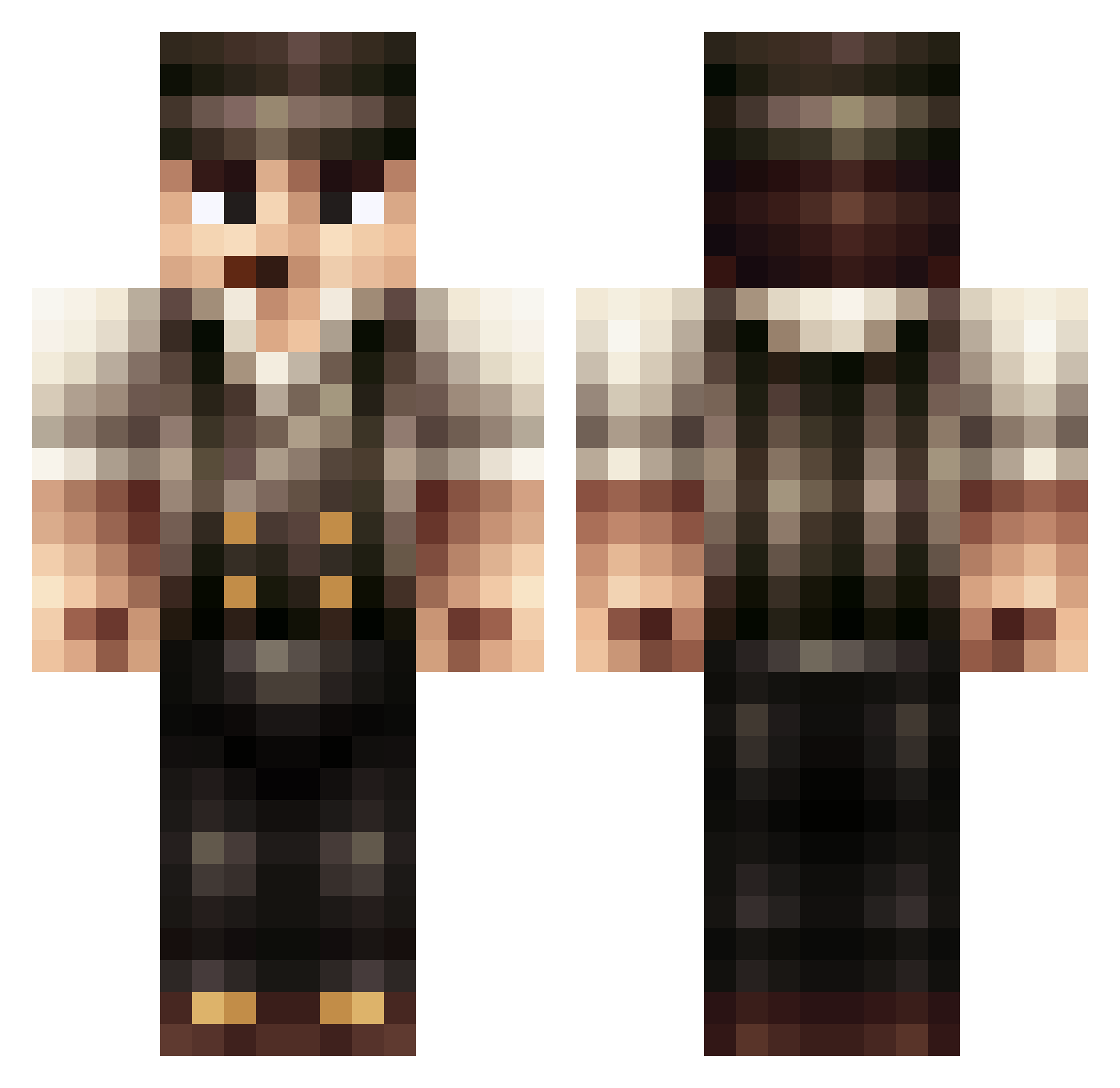
Current Minecraft skin of the player The_Enes1987, loaded from the official Mojang API. Rotate the 3D model with your mouse or finger, then download the skin as a PNG file and use it in Minecraft: Bedrock Edition or Java Edition for free. When The_Enes1987 changes their skin, this page updates automatically and the old skin stays in the history below.
Other players with this skin (201)
The_Enes1987 was the 60th player we have seen with this skin, first spotted on 30.08.2026. The same skin was seen on these players. Open a nickname to see their current skin and skin history.
 1labser nana542 Cdog17 norovirus523 CaptainHonorr Dirk_Obsidian morty130577 ActingChicken92 loris008 Verssox Pompom05 TheNick346 ThijsWs HoldZu TREE_ABUSER hyper_protocol meijneken Echo_Location Jaydinnah Noble_Freak Fredwerry Avoidkeenix Diggah1410 LanaryHan Iarewin AgedHook97 Capn__Waffles TanTreX pacifer94 dAdDY_RaCH Bobthebouwer Kiwoth MrCorky logan091 Maximaci Paaseitje12 zJonas4k Pilodium Crow_On_Ketamine _TPA daBo_ EMB3R_69 hondj IdkeHR Szynszylek21 LemonadeWolf GreanBeen CompetenseAltTwo KukyJouXL Mercyenary Lepr86 ArcaneGrub EmslandBoy1977 Dox05 SilvanoAP dzintarx14 REACHEN69 abmeraz7490 Sillymug Salvroda
More Peaky Blinders Minecraft skins
See all 134 Peaky Blinders skins
How to install the The_Enes1987 skin
- Press the Download button above to save the skin as a PNG file.
- Minecraft: Bedrock Edition (PE): open the Dressing Room from the main menu (or tap your character → Edit Character), go to Classic Skins → Owned, press the + (new skin) button, choose the downloaded PNG and pick the Classic (Steve) model. Works on PC and mobile; consoles cannot import custom skins.
- Minecraft: Java Edition: open the Minecraft Launcher, go to the Skins tab, click New Skin, load the PNG, pick the Classic (Steve) model and press Save & Use. You can also upload it at minecraft.net → Profile → Change Skin.
The skin does not show up after import - what should I do?
Restart Minecraft and open the Dressing Room again - imported skins sometimes appear only after a restart. Also make sure you selected the imported skin and picked the Classic (Steve) model.
Which model should I choose, Classic or Slim?
This skin is designed for the Classic (Steve) model. If you pick the wrong model, the arms of the skin will look stretched or squeezed.
Is the skin of The_Enes1987 free to download?
Yes. Press Download, save the PNG file and use it in Minecraft: Bedrock Edition or Java Edition - no payment or registration needed. The skin also works on multiplayer servers and Realms.
More skins
Looking for more? Go back to all Minecraft skins and check the top skins of the week, month and all time, or find any player's skin by nickname.