
ThePixel147 - Minecraft Skins & Skin History
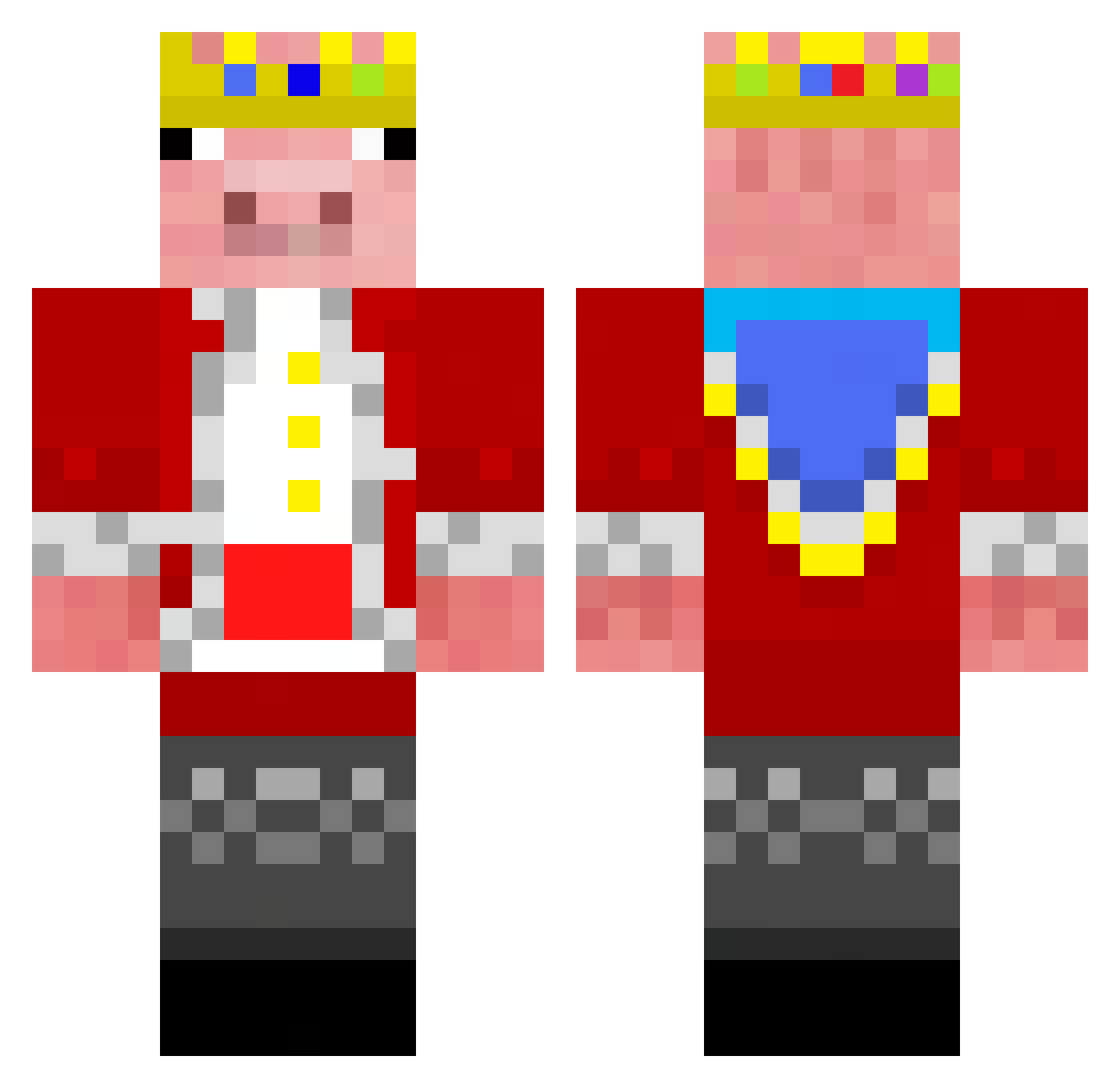
Current Minecraft skin of the player ThePixel147, loaded from the official Mojang API. Rotate the 3D model with your mouse or finger, then download the skin as a PNG file and use it in Minecraft: Bedrock Edition or Java Edition for free. When ThePixel147 changes their skin, this page updates automatically and the old skin stays in the history below.
Other players with this skin (59)
ThePixel147 was the 14th player we have seen with this skin, first spotted on 20.08.2026. The same skin was seen on these players. Open a nickname to see their current skin and skin history.
 eduarx12 AlwaysF2P_01 geogard RaidenH ddrew703 Debora08 unikychen0308 Emit0m Briancakita DJEDO1 Djakamanpower EmileBuldo Frogman294796 Imagineperestt _me_ Notthecosbys exon666 wissam131 666Nekou_ CeroGround Kuroima Non889 RYSKYYY69 AceDesync Raglorn0 minecraftgbc yangCA MR870 RareTony1 Vozify24 arrowpaw1 Kubik12300 AaraMine memingbob Keespalmero Eliminator_2 NOBITA0 cuteboyqi91 Xixioz2018 awegeg GekkeBelg2 Hayzzzz DutchVanDerScam Evonte MxxiDQ juanex2408 Stuart3082 park725 Darrenren1202 alikurum pgzinn rachelbromer dark_master45 ItzWizardXD RodrigoC822 Sas_popka Ironmike1218 TastyIsland Edu2022
More Pig Minecraft skins
How to install the ThePixel147 skin
- Press the Download button above to save the skin as a PNG file.
- Minecraft: Bedrock Edition (PE): open the Dressing Room from the main menu (or tap your character → Edit Character), go to Classic Skins → Owned, press the + (new skin) button, choose the downloaded PNG and pick the Classic (Steve) model. Works on PC and mobile; consoles cannot import custom skins.
- Minecraft: Java Edition: open the Minecraft Launcher, go to the Skins tab, click New Skin, load the PNG, pick the Classic (Steve) model and press Save & Use. You can also upload it at minecraft.net → Profile → Change Skin.
The skin does not show up after import - what should I do?
Restart Minecraft and open the Dressing Room again - imported skins sometimes appear only after a restart. Also make sure you selected the imported skin and picked the Classic (Steve) model.
Which model should I choose, Classic or Slim?
This skin is designed for the Classic (Steve) model. If you pick the wrong model, the arms of the skin will look stretched or squeezed.
Is the skin of ThePixel147 free to download?
Yes. Press Download, save the PNG file and use it in Minecraft: Bedrock Edition or Java Edition - no payment or registration needed. The skin also works on multiplayer servers and Realms.
More skins
Looking for more? Go back to all Minecraft skins and check the top skins of the week, month and all time, or find any player's skin by nickname.