
TheNicki - Minecraft Skins & Skin History
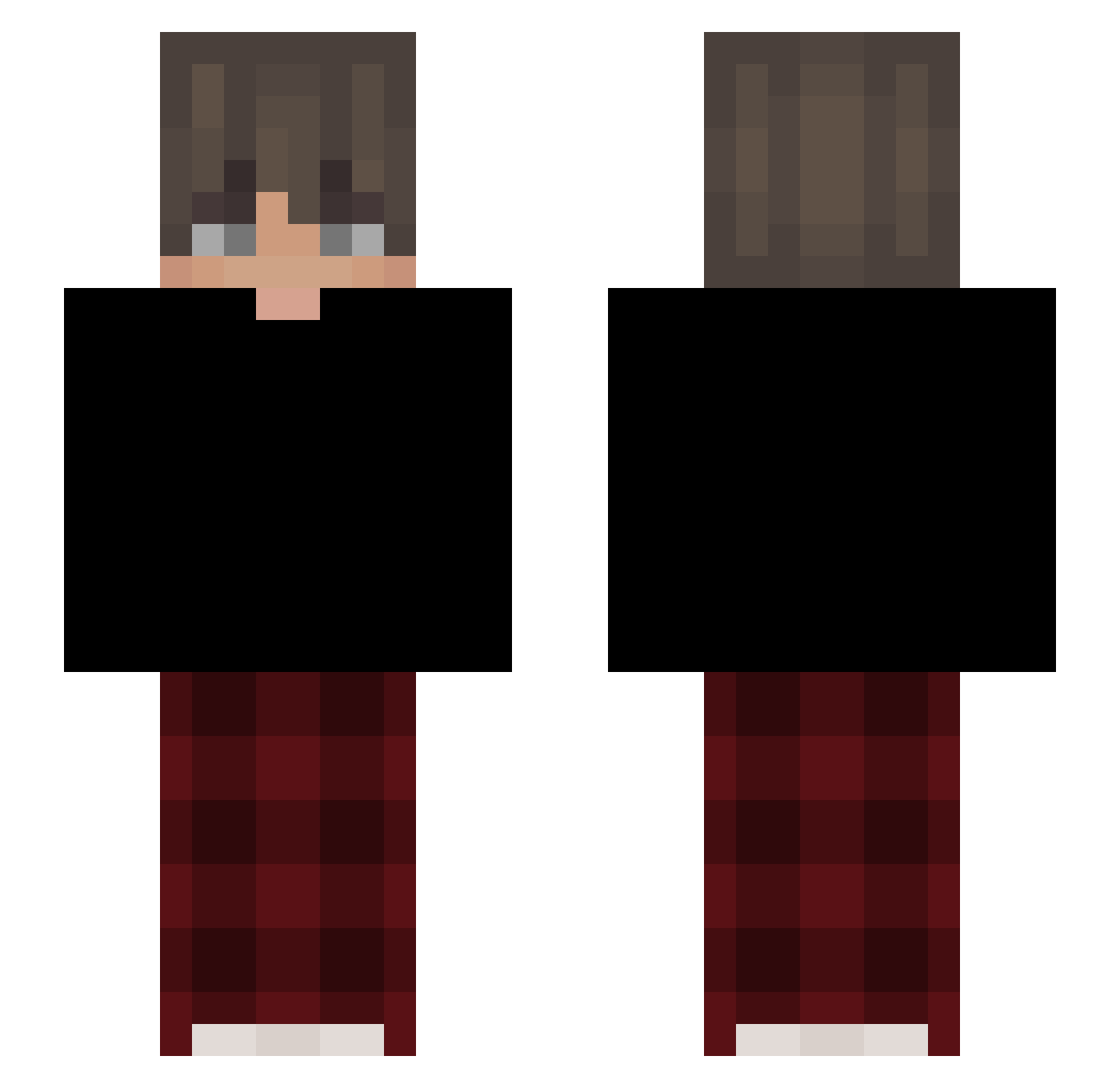
Current Minecraft skin of the player TheNicki, loaded from the official Mojang API. Rotate the 3D model with your mouse or finger, then download the skin as a PNG file and use it in Minecraft: Bedrock Edition or Java Edition for free. When TheNicki changes their skin, this page updates automatically and the old skin stays in the history below.
Other players with this skin (44)
TheNicki was the 22nd player we have seen with this skin, first spotted on 20.09.2026. The same skin was seen on these players. Open a nickname to see their current skin and skin history.
 PDawid2023 ReaMixHQ Wiateraha MrZeusWhite Samy_67 ssplqsh 291Jordan Pawlo13PL Xavier209 Av01 polka6048 cartez7 NIKTOWNYT Finish0507 raitohiro Siidolfus Ahmad_Nadim_Ahad blackkangurekk eglehfan Mist_Reaper inivz Bartus_iO SanguineFlesh 0xmvh_
 nightwxlff QuoccHuyy _ASTR0o B3nny_on_120hz _voq Al7abai Kefan10 euxen11442 Lightt_Yagami IMRILEY5381 Lateinprofi smokingcones lel_lul xPardal JagaBua5678 RK_Keelhauler MAX_KRISHNA AltVerseu7rAV Jaywydd
 gaavi14
How to install the TheNicki skin
- Press the Download button above to save the skin as a PNG file.
- Minecraft: Bedrock Edition (PE): open the Dressing Room from the main menu (or tap your character → Edit Character), go to Classic Skins → Owned, press the + (new skin) button, choose the downloaded PNG and pick the Slim (Alex) model. Works on PC and mobile; consoles cannot import custom skins.
- Minecraft: Java Edition: open the Minecraft Launcher, go to the Skins tab, click New Skin, load the PNG, pick the Slim (Alex) model and press Save & Use. You can also upload it at minecraft.net → Profile → Change Skin.
The skin does not show up after import - what should I do?
Restart Minecraft and open the Dressing Room again - imported skins sometimes appear only after a restart. Also make sure you selected the imported skin and picked the Slim (Alex) model.
Which model should I choose, Classic or Slim?
This skin is designed for the Slim (Alex) model. If you pick the wrong model, the arms of the skin will look stretched or squeezed.
Is the skin of TheNicki free to download?
Yes. Press Download, save the PNG file and use it in Minecraft: Bedrock Edition or Java Edition - no payment or registration needed. The skin also works on multiplayer servers and Realms.
More skins
Looking for more? Go back to all Minecraft skins and check the top skins of the week, month and all time, or find any player's skin by nickname.