
TheGreenTea - Minecraft Skins & Skin History
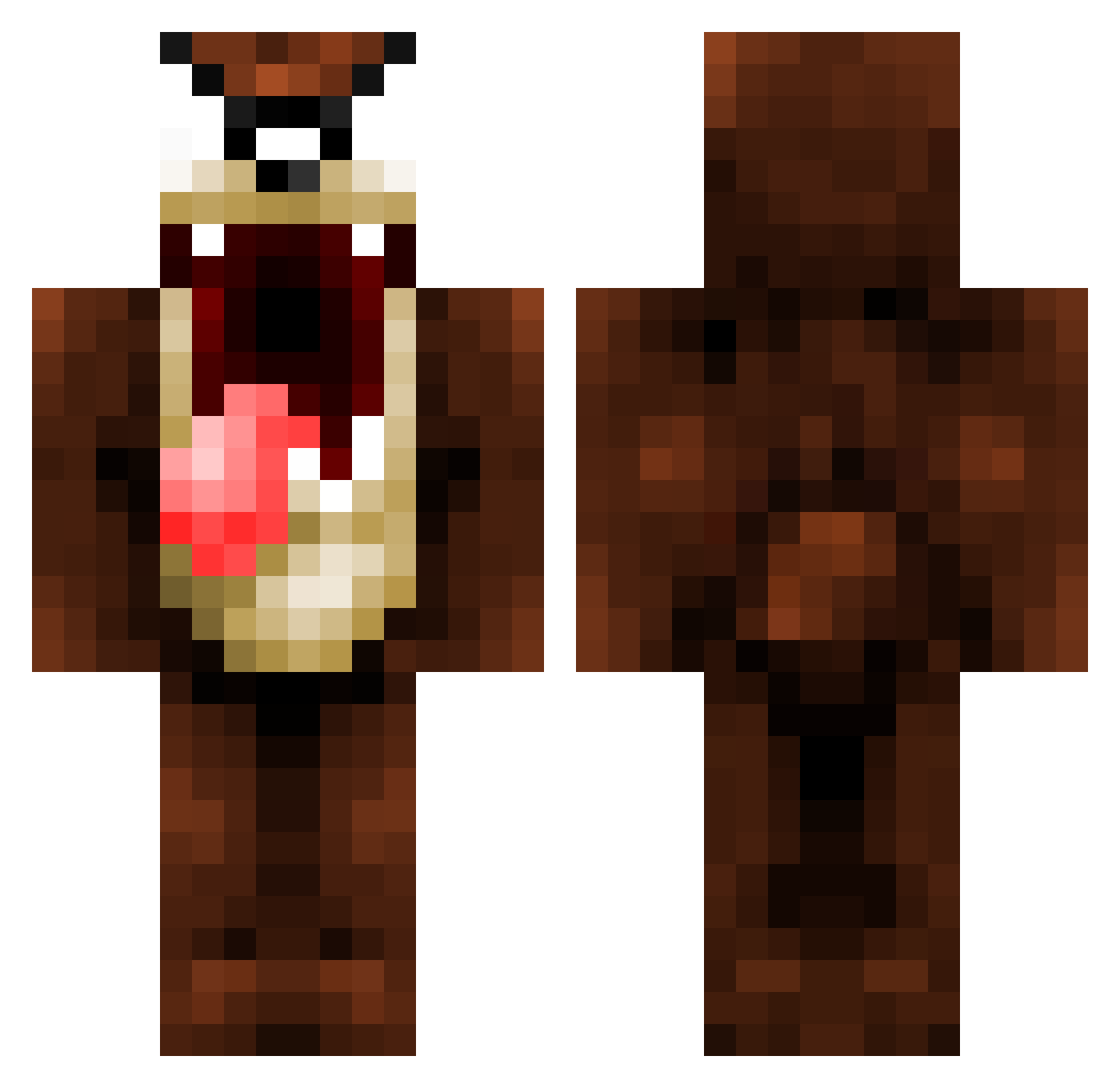
Current Minecraft skin of the player TheGreenTea, loaded from the official Mojang API. Rotate the 3D model with your mouse or finger, then download the skin as a PNG file and use it in Minecraft: Bedrock Edition or Java Edition for free. When TheGreenTea changes their skin, this page updates automatically and the old skin stays in the history below.
Other players with this skin (1069)
TheGreenTea was the 292nd player we have seen with this skin, first spotted on 23.08.2026. The same skin was seen on these players. Open a nickname to see their current skin and skin history.
 xDoH_Makaveli xhera NickChurros sergent_matthieu WeemizoLord kil1523 Zwacklp Zch96 malevolator villiks daddygo13 arskra83 Devilveller werda07 ianlarson123 vbronzov TomJamesH RageKnecht hydro_storm Newyork4 markkeu xTak3Rx Thijs098 13urner007 SmoshBuscusss Instafan T3DDYB3R Daviels cizow Olga2712 EvilWabbit DrDuff cheesehead5252 falduto Prog_Drummer C0ZI3ZT Lechinois06 xTRiiPWiiREz simbazak _Maggie_1 MarvellousDazza ClumsyMushrooms2 teachmedave Tazman_17 assimar161 rakkion daDarc1233 AlbertMC98 FeralDonkey Blackmac95 Andyhunter Firestorm1922 Jay_B2002 wayne_kerr21
 Llynya Killerpanda798 buechii volkp FlameArcher23 TheCrackPablo
More Taz Minecraft skins
How to install the TheGreenTea skin
- Press the Download button above to save the skin as a PNG file.
- Minecraft: Bedrock Edition (PE): open the Dressing Room from the main menu (or tap your character → Edit Character), go to Classic Skins → Owned, press the + (new skin) button, choose the downloaded PNG and pick the Classic (Steve) model. Works on PC and mobile; consoles cannot import custom skins.
- Minecraft: Java Edition: open the Minecraft Launcher, go to the Skins tab, click New Skin, load the PNG, pick the Classic (Steve) model and press Save & Use. You can also upload it at minecraft.net → Profile → Change Skin.
The skin does not show up after import - what should I do?
Restart Minecraft and open the Dressing Room again - imported skins sometimes appear only after a restart. Also make sure you selected the imported skin and picked the Classic (Steve) model.
Which model should I choose, Classic or Slim?
This skin is designed for the Classic (Steve) model. If you pick the wrong model, the arms of the skin will look stretched or squeezed.
Is the skin of TheGreenTea free to download?
Yes. Press Download, save the PNG file and use it in Minecraft: Bedrock Edition or Java Edition - no payment or registration needed. The skin also works on multiplayer servers and Realms.
More skins
Looking for more? Go back to all Minecraft skins and check the top skins of the week, month and all time, or find any player's skin by nickname.