
TheDarkDoggo - Minecraft Skins & Skin History
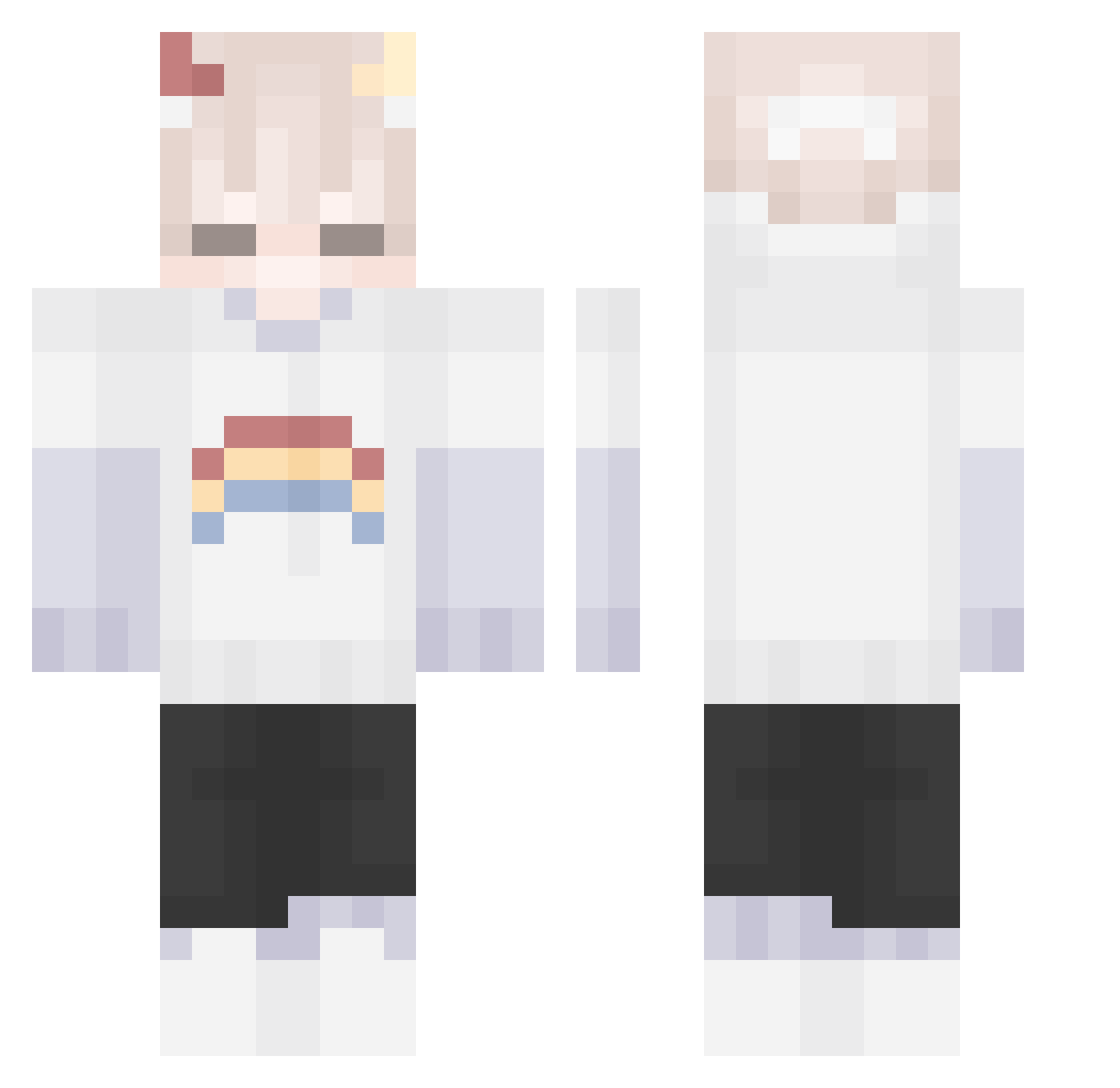
Current Minecraft skin of the player TheDarkDoggo, loaded from the official Mojang API. Rotate the 3D model with your mouse or finger, then download the skin as a PNG file and use it in Minecraft: Bedrock Edition or Java Edition for free. When TheDarkDoggo changes their skin, this page updates automatically and the old skin stays in the history below.
Other players with this skin (198)
TheDarkDoggo was the 126th player we have seen with this skin, first spotted on 04.10.2026. The same skin was seen on these players. Open a nickname to see their current skin and skin history.
 ChiuChen316 mushroom_q Pummellume Maksiooo999 ByQuartz STAR1215 Jpsk CallMeNezy Sadinoel_ qsou RUNEIEIE Aimi0520 NUOVO712 Triste_azwat Ari3a howdoyouknow NotEvenAGamer__ ExpiredCandy1 Timzen93 janilipi XiuW831 timezed2024 Yu93 r_a_p_noplane JIHWA12 Hersins qiurenQAQ AlexDreame amandon kitty79 TTLP200 REIKO_V5 OddPhxntom 9vcs magic_doshik Dired_Breadd_ udon0918 Red_meow Blexchless jiijok kona_ss Dimas_Zer0 Roflkartoffel91 DreamOrder Antocrack23451 Awqby_ Rqft_ FysH520 Hanekechin THEP00TER Noahwolfgear Fusinq ROY_99_ Kiluazel wholagain KilledPvP sashikung323 lord_whales Chupitas jonghyun1214
More Rainbow Minecraft skins
How to install the TheDarkDoggo skin
- Press the Download button above to save the skin as a PNG file.
- Minecraft: Bedrock Edition (PE): open the Dressing Room from the main menu (or tap your character → Edit Character), go to Classic Skins → Owned, press the + (new skin) button, choose the downloaded PNG and pick the Classic (Steve) model. Works on PC and mobile; consoles cannot import custom skins.
- Minecraft: Java Edition: open the Minecraft Launcher, go to the Skins tab, click New Skin, load the PNG, pick the Classic (Steve) model and press Save & Use. You can also upload it at minecraft.net → Profile → Change Skin.
The skin does not show up after import - what should I do?
Restart Minecraft and open the Dressing Room again - imported skins sometimes appear only after a restart. Also make sure you selected the imported skin and picked the Classic (Steve) model.
Which model should I choose, Classic or Slim?
This skin is designed for the Classic (Steve) model. If you pick the wrong model, the arms of the skin will look stretched or squeezed.
Is the skin of TheDarkDoggo free to download?
Yes. Press Download, save the PNG file and use it in Minecraft: Bedrock Edition or Java Edition - no payment or registration needed. The skin also works on multiplayer servers and Realms.
More skins
Looking for more? Go back to all Minecraft skins and check the top skins of the week, month and all time, or find any player's skin by nickname.