
 G4ming_Fr3ak jjaduck farmer69 PoopyDerpy Ramiu dianabarros Squirbo3917 Pongza_567 _dragonfly1337 billybebe pookierocks I69UrMom JGamer_23 Extremety Snosix Ilegit22_ Cheng928 TheWhitehair_ bulgaricus9527 Shinon404 Kak1n clsad k1r1lll CadetAsh964 HappyCutebutt UhcBestHu Jebban2002 Saki_07 Lit_Mushroom OshinoChan rkswl2768 Seo_Jae63 Oikem _1Indica quiby5 FANTA5T1C Bao_craft syppchen Chupitas sashikung323 wholagain Kiluazel ROY_99_ Noahwolfgear THEP00TER Hanekechin dylanpapitas Roflkartoffel91 Dimas_Zer0 lemonDread574 Blexchless udon0918 Dired_Breadd_ magic_doshik killzone109 9vcs REIKO_V5 ImJK_GOD amandon _xBlAdy
Minecraft skin of janissarkisian. Rotate the 3D model with your mouse or finger to view the skin from every angle, then download it as a PNG file and use it in Minecraft: Bedrock Edition or Java Edition for free. Rate the skin with stars to help other players find the best skins in our collection.
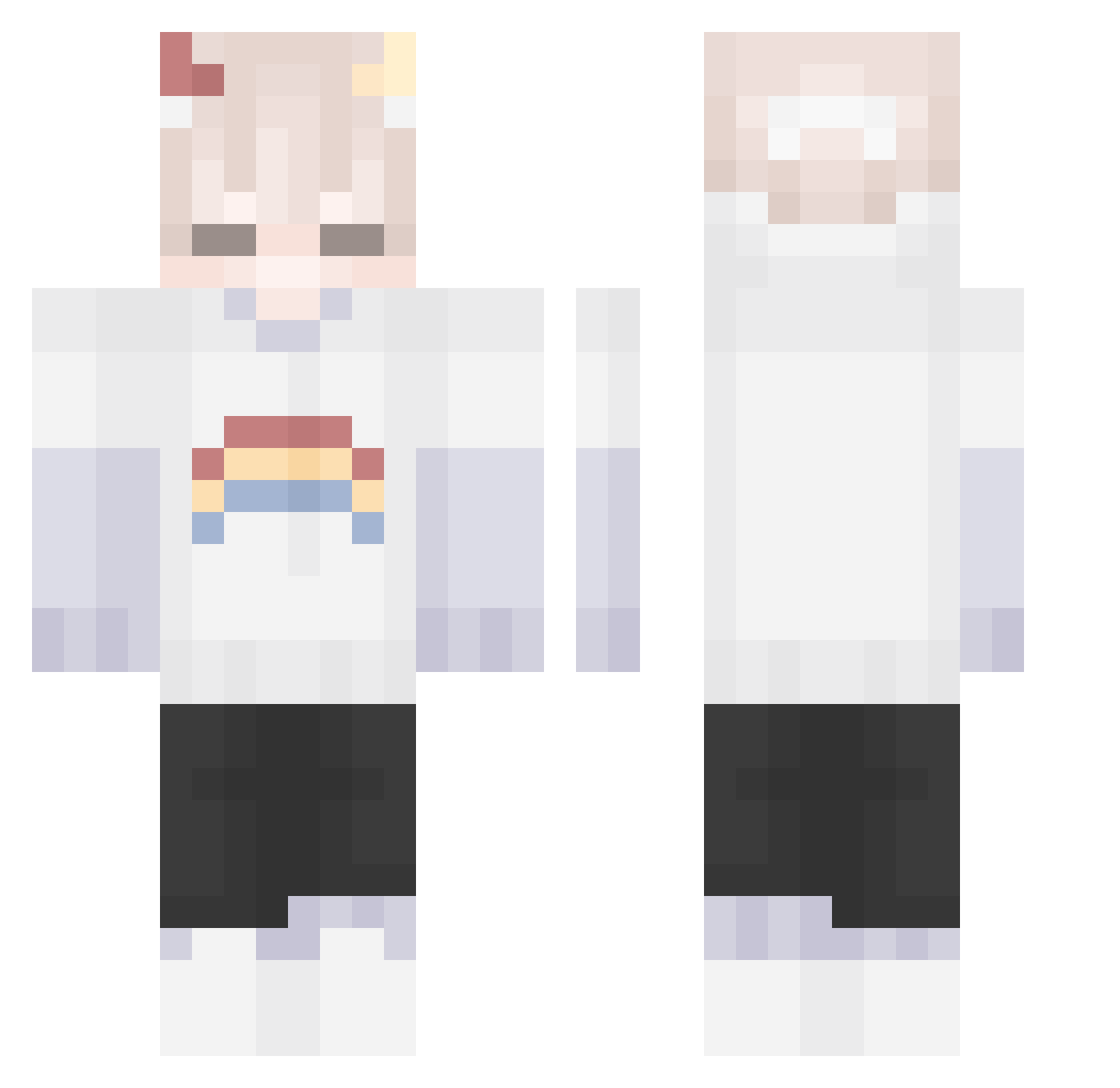
How to install the janissarkisian skin
- Press the Download button above to save the skin as a PNG file.
- Minecraft: Bedrock Edition (PE): open the Dressing Room from the main menu (or tap your character → Edit Character), go to Classic Skins → Owned, press the + (new skin) button, choose the downloaded PNG and pick the Classic (Steve) model. Works on PC and mobile; consoles cannot import custom skins.
- Minecraft: Java Edition: open the Minecraft Launcher, go to the Skins tab, click New Skin, load the PNG, pick the Classic (Steve) model and press Save & Use. You can also upload it at minecraft.net → Profile → Change Skin.
The skin does not show up after import - what should I do?
Restart Minecraft and open the Dressing Room again - imported skins sometimes appear only after a restart. Also make sure you selected the imported skin and picked the Classic (Steve) model.
Which model should I choose, Classic or Slim?
This skin is designed for the Classic (Steve) model. If you pick the wrong model, the arms of the skin will look stretched or squeezed.
Is this skin free to use?
Yes. Press Download, save the PNG file and use it in Minecraft: Bedrock Edition or Java Edition - no payment or registration needed. The skin also works on multiplayer servers and Realms.
More Rainbow Minecraft skins
More skins
Looking for more? Go back to all Minecraft skins and check the top skins of the week, month and all time, or find any player's skin by nickname.