
TheDWGuy - Minecraft Skins & Skin History
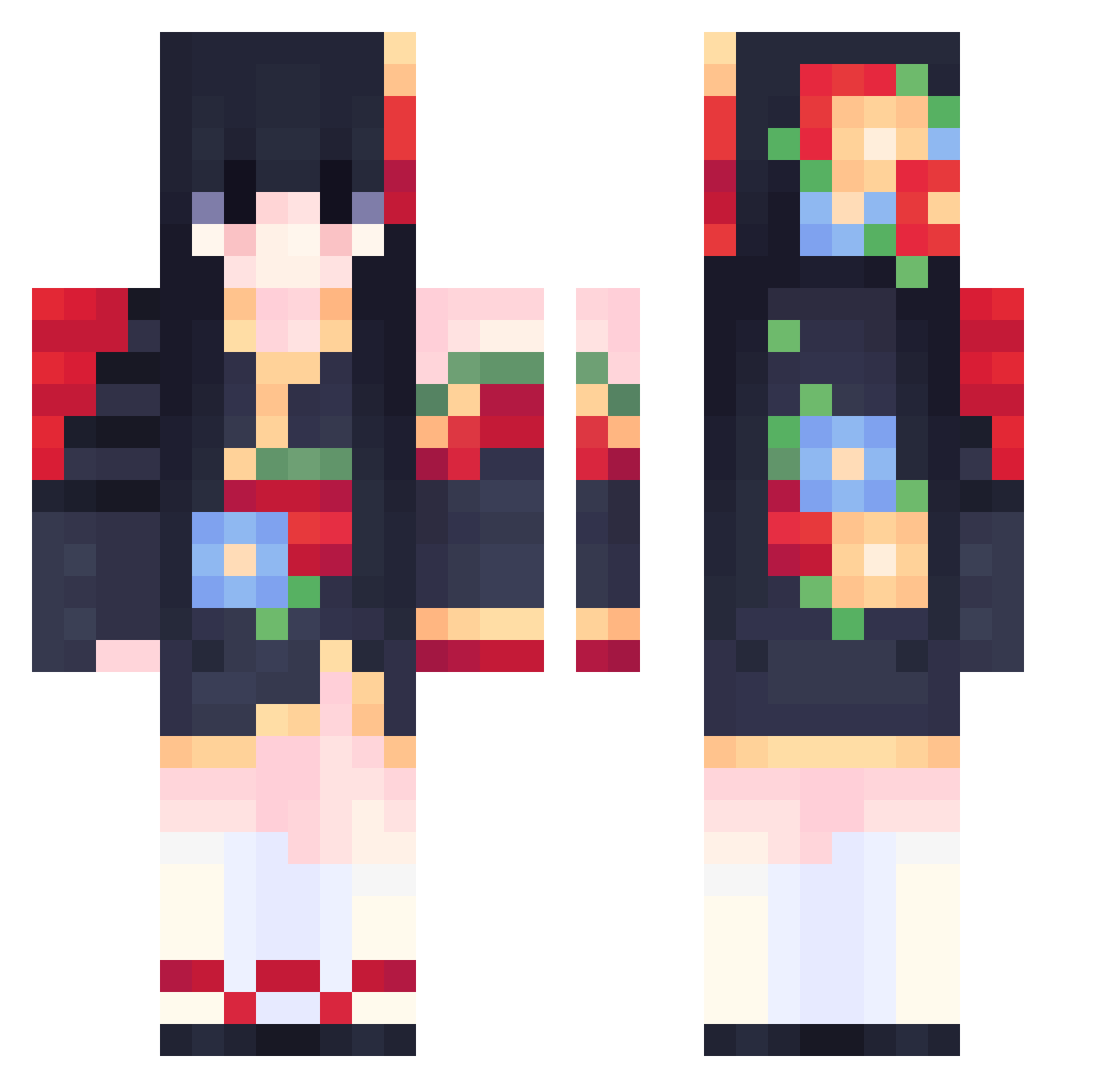
Current Minecraft skin of the player TheDWGuy, loaded from the official Mojang API. Rotate the 3D model with your mouse or finger, then download the skin as a PNG file and use it in Minecraft: Bedrock Edition or Java Edition for free. When TheDWGuy changes their skin, this page updates automatically and the old skin stays in the history below.
Other players with this skin (556)
TheDWGuy was the 313th player we have seen with this skin, first spotted on 25.09.2026. The same skin was seen on these players. Open a nickname to see their current skin and skin history.
 anaqqv EiheiY _fraann_ 799_A xiaoxiu41 CrazyLittleJ queenofpvp gkhnbgc 1mandine kawaiisita Mialkck CharmedDixie LonelyNIght08 kowrollie Hoshiinn CielDucVong xGohmax CuPtEAAAAA Jihoon_07 Taco_1859 Vermilionish SYU_VR Han_Seorin SushiiGeisha sana_desu Nona_2705 LeReveEnsoleille sofipro1 RUby_126 xinlideyu luobo_OXO SkyeWa Maphnele jeonju1111 Berli123 jackylrj sadecezeyn Catita27 RECON0624 basutaru1 qwertzz_ PhamHanni_1 Pola_0 Bazan23 Sherlynette Jaredwu1010 TAN0226 _Ivara_ s43k0i Lightered XiwuCheng Ferris06 Sukizz Sucier NaokoKirino260 lilyswoe uchihaHayate cqmyi ana_nogueira Revolution88
More Floral Minecraft skins
How to install the TheDWGuy skin
- Press the Download button above to save the skin as a PNG file.
- Minecraft: Bedrock Edition (PE): open the Dressing Room from the main menu (or tap your character → Edit Character), go to Classic Skins → Owned, press the + (new skin) button, choose the downloaded PNG and pick the Classic (Steve) model. Works on PC and mobile; consoles cannot import custom skins.
- Minecraft: Java Edition: open the Minecraft Launcher, go to the Skins tab, click New Skin, load the PNG, pick the Classic (Steve) model and press Save & Use. You can also upload it at minecraft.net → Profile → Change Skin.
The skin does not show up after import - what should I do?
Restart Minecraft and open the Dressing Room again - imported skins sometimes appear only after a restart. Also make sure you selected the imported skin and picked the Classic (Steve) model.
Which model should I choose, Classic or Slim?
This skin is designed for the Classic (Steve) model. If you pick the wrong model, the arms of the skin will look stretched or squeezed.
Is the skin of TheDWGuy free to download?
Yes. Press Download, save the PNG file and use it in Minecraft: Bedrock Edition or Java Edition - no payment or registration needed. The skin also works on multiplayer servers and Realms.
More skins
Looking for more? Go back to all Minecraft skins and check the top skins of the week, month and all time, or find any player's skin by nickname.