
TheCrist422 - Minecraft Skins & Skin History
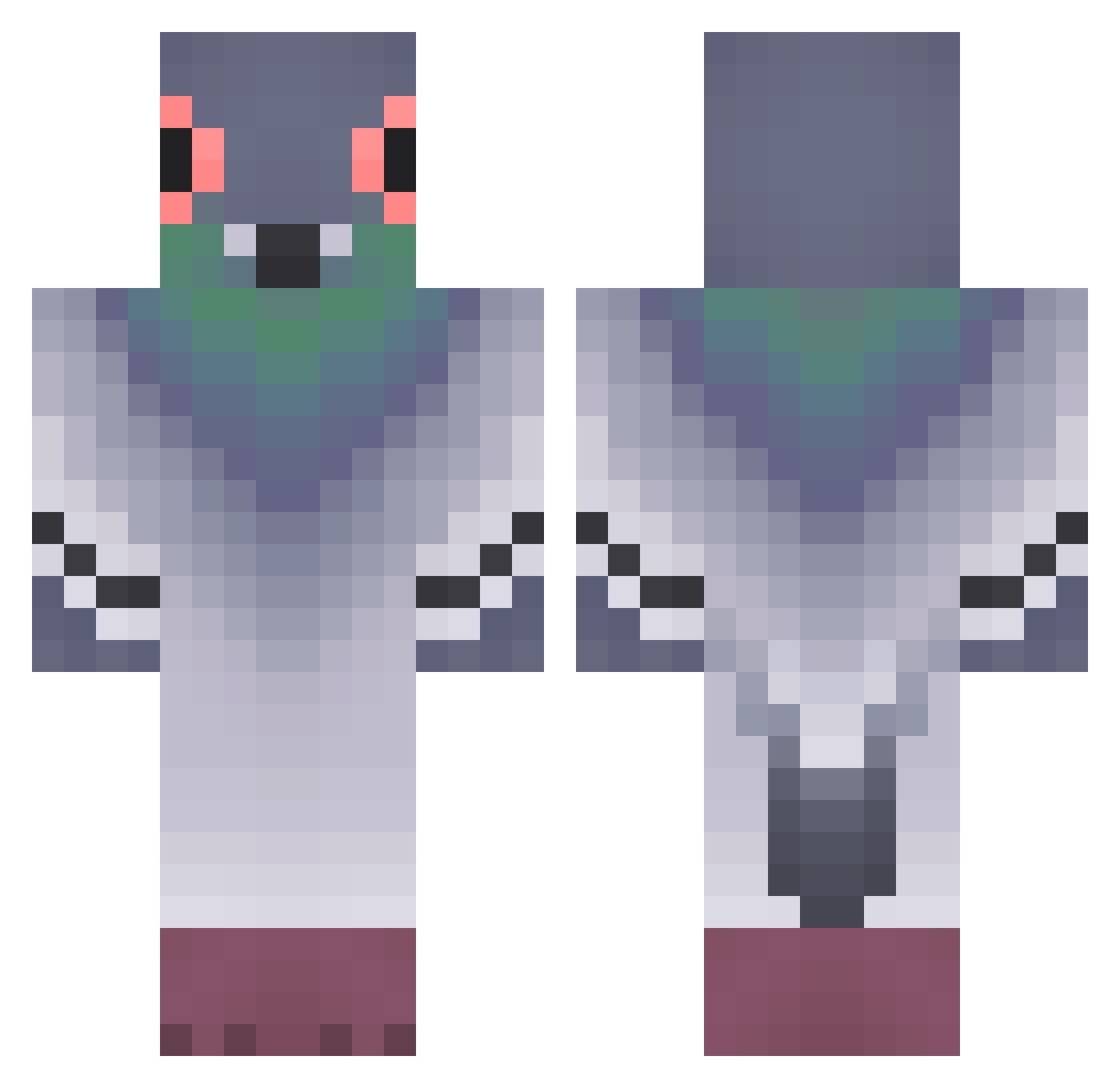
Current Minecraft skin of the player TheCrist422, loaded from the official Mojang API. Rotate the 3D model with your mouse or finger, then download the skin as a PNG file and use it in Minecraft: Bedrock Edition or Java Edition for free. When TheCrist422 changes their skin, this page updates automatically and the old skin stays in the history below.
Other players with this skin (400)
TheCrist422 was the 124th player we have seen with this skin, first spotted on 31.08.2026. The same skin was seen on these players. Open a nickname to see their current skin and skin history.
 whalemyname Ibew648 Dopplee aloKonpapa Thedepredatoor Isaabird jiwenqiang PezGordo666 manelvmachado 5Nn4 OwlDrant CannaSuce yonatan_eizen2 SqueakySpider74 beziema Ouisti_i SenseiPigeon kebabik10 Bitta0942 zzikmuk Effe12341 FreshThunder
 Lord_if009 inyenzi nickne72 Fricho ookAvery ZHANGZHANGZHANGY Z0RAAOO dbrlwn08 B_Nine9 SteakhouseChub
 InfinitixWarrior polskijaden SKEBOP Im_Legit_ Necklann Rodgers331 vmuuun rivphri Krusla sabine420 ellalee2566 Pidgeony Haayce openstone AppelleLeSAMu yaGolova shimonn_1 Sir_CoW_X DoFra67 Lexus_Alfa HikarinoHolo guneetsandhu Hugoman590 limouj Drubber jsy_0132 FR19_H0riz0n Kapucyn
More Pigeon Minecraft skins
How to install the TheCrist422 skin
- Press the Download button above to save the skin as a PNG file.
- Minecraft: Bedrock Edition (PE): open the Dressing Room from the main menu (or tap your character → Edit Character), go to Classic Skins → Owned, press the + (new skin) button, choose the downloaded PNG and pick the Classic (Steve) model. Works on PC and mobile; consoles cannot import custom skins.
- Minecraft: Java Edition: open the Minecraft Launcher, go to the Skins tab, click New Skin, load the PNG, pick the Classic (Steve) model and press Save & Use. You can also upload it at minecraft.net → Profile → Change Skin.
The skin does not show up after import - what should I do?
Restart Minecraft and open the Dressing Room again - imported skins sometimes appear only after a restart. Also make sure you selected the imported skin and picked the Classic (Steve) model.
Which model should I choose, Classic or Slim?
This skin is designed for the Classic (Steve) model. If you pick the wrong model, the arms of the skin will look stretched or squeezed.
Is the skin of TheCrist422 free to download?
Yes. Press Download, save the PNG file and use it in Minecraft: Bedrock Edition or Java Edition - no payment or registration needed. The skin also works on multiplayer servers and Realms.
More skins
Looking for more? Go back to all Minecraft skins and check the top skins of the week, month and all time, or find any player's skin by nickname.