
Th4yron - Minecraft Skins & Skin History
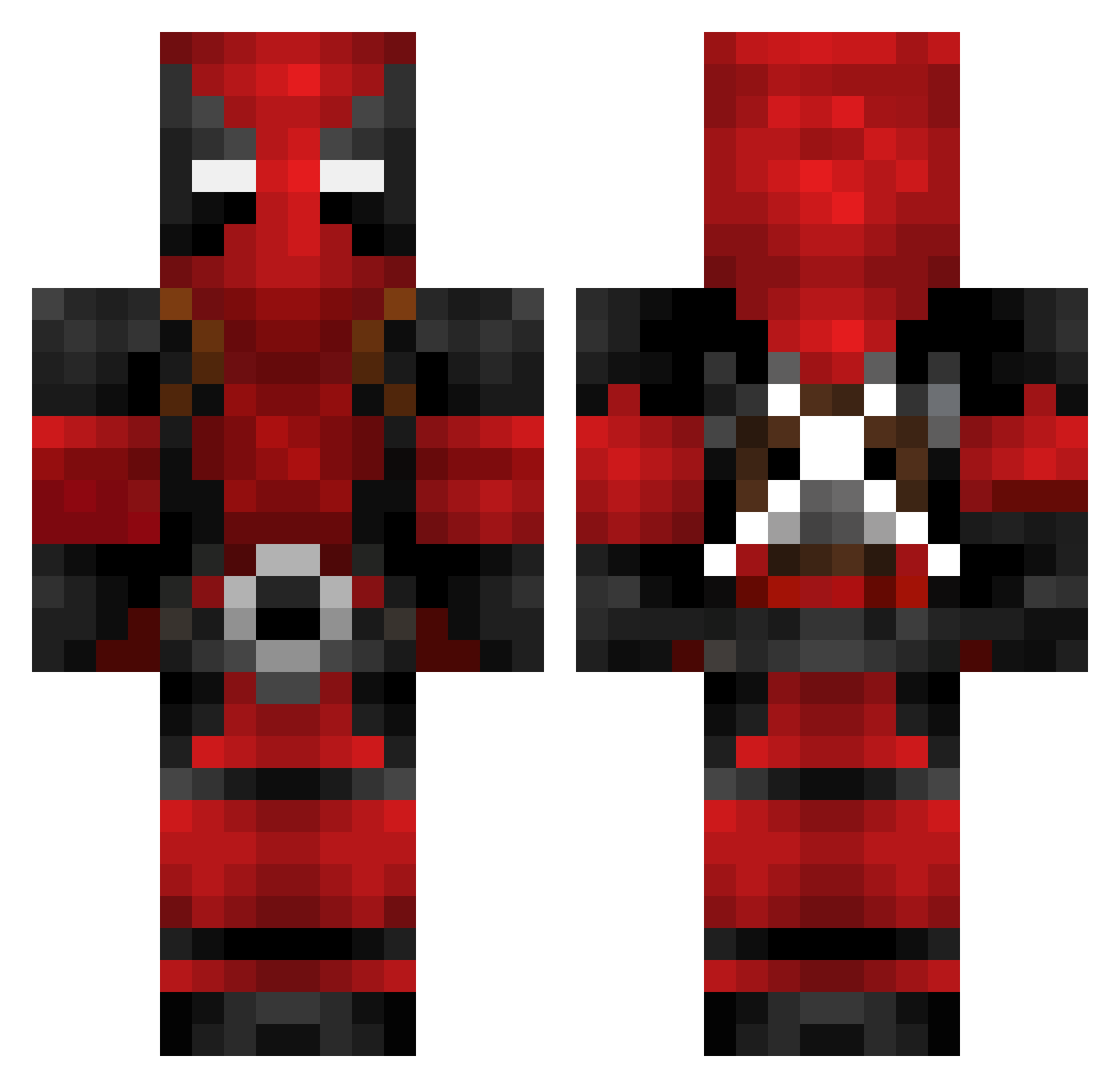
Current Minecraft skin of the player Th4yron, loaded from the official Mojang API. Rotate the 3D model with your mouse or finger, then download the skin as a PNG file and use it in Minecraft: Bedrock Edition or Java Edition for free. When Th4yron changes their skin, this page updates automatically and the old skin stays in the history below.
Other players with this skin (622)
Th4yron was the 93rd player we have seen with this skin, first spotted on 08.08.2026. The same skin was seen on these players. Open a nickname to see their current skin and skin history.
 aCkt420 Strom_srt DoomXPro Sirjimsalot Kumi21 BurnsyMaan ALDALBE palu010 JameS_MH PlengPlang Andres12V jacob_813 wato_to S2500 AlainBS RatedRKing 231_T_Top goffen deeko_ Redalert338 Stezo3 HansBp DEADPOOL79 kurowasi nazoma Ba7u StStar777 AgZa08 PanosZont kelu02 Stephencurry303 speedlock nighthawk2012 GoldenJesussj Martines Presleyrocksall2 Deathslayer534 CptCamo Ozzy98 YeetDabBoi _Dexos_ swandoom HPDrifter01 x_V1CT0R_z c3bb0 KillerBannana KickGiraffe mattshen Anderson855 shazan1213 Varvus Steimel Ivanez IV_Metro SRStewie Matth_fox zOolln3 DiscoSto KeptOne xEnOo_nOoB
More Deadpool Minecraft skins
How to install the Th4yron skin
- Press the Download button above to save the skin as a PNG file.
- Minecraft: Bedrock Edition (PE): open the Dressing Room from the main menu (or tap your character → Edit Character), go to Classic Skins → Owned, press the + (new skin) button, choose the downloaded PNG and pick the Classic (Steve) model. Works on PC and mobile; consoles cannot import custom skins.
- Minecraft: Java Edition: open the Minecraft Launcher, go to the Skins tab, click New Skin, load the PNG, pick the Classic (Steve) model and press Save & Use. You can also upload it at minecraft.net → Profile → Change Skin.
The skin does not show up after import - what should I do?
Restart Minecraft and open the Dressing Room again - imported skins sometimes appear only after a restart. Also make sure you selected the imported skin and picked the Classic (Steve) model.
Which model should I choose, Classic or Slim?
This skin is designed for the Classic (Steve) model. If you pick the wrong model, the arms of the skin will look stretched or squeezed.
Is the skin of Th4yron free to download?
Yes. Press Download, save the PNG file and use it in Minecraft: Bedrock Edition or Java Edition - no payment or registration needed. The skin also works on multiplayer servers and Realms.
More skins
Looking for more? Go back to all Minecraft skins and check the top skins of the week, month and all time, or find any player's skin by nickname.