
Tbfz_Alex - Minecraft Skins & Skin History
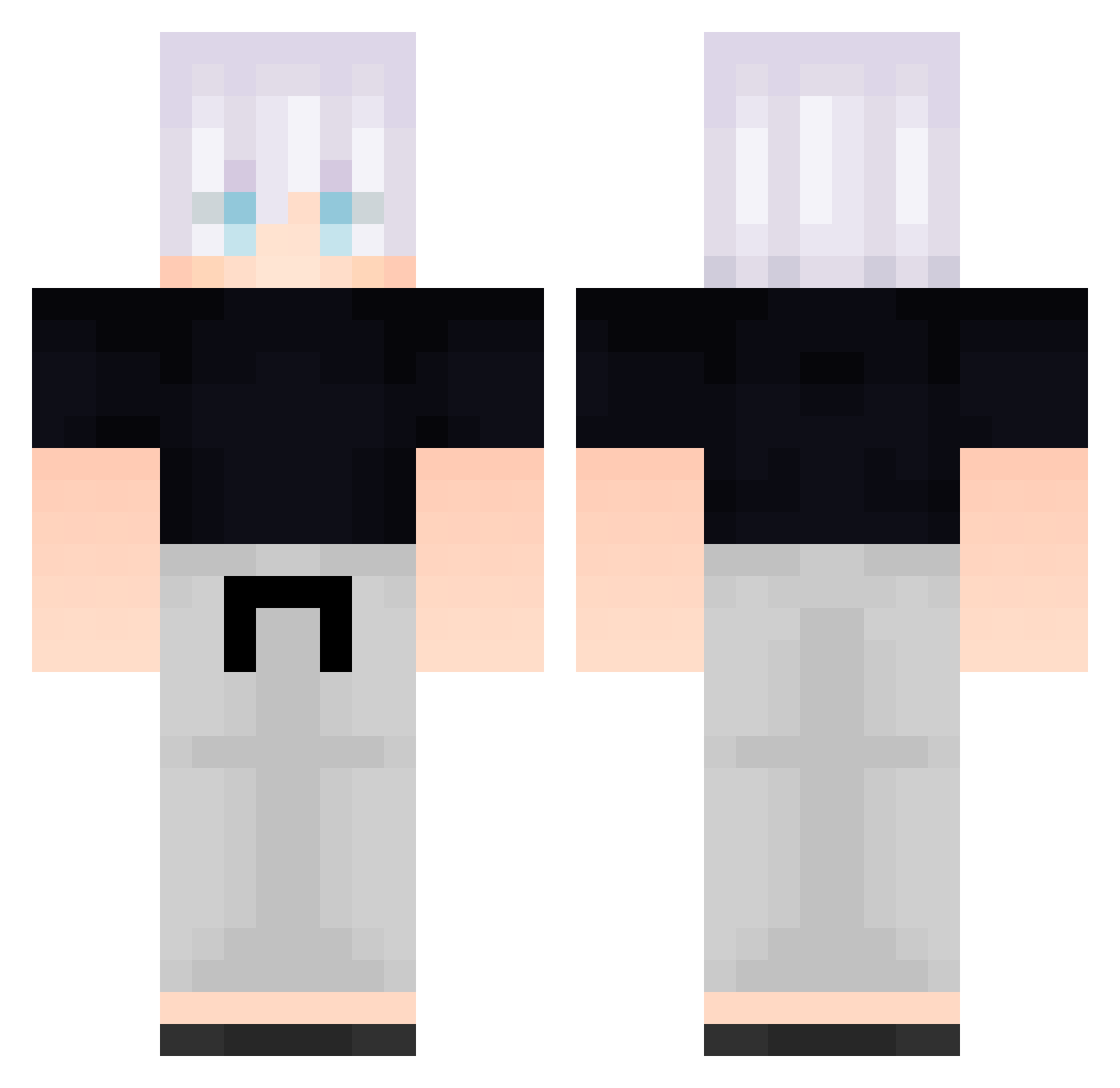
Current Minecraft skin of the player Tbfz_Alex, loaded from the official Mojang API. Rotate the 3D model with your mouse or finger, then download the skin as a PNG file and use it in Minecraft: Bedrock Edition or Java Edition for free. When Tbfz_Alex changes their skin, this page updates automatically and the old skin stays in the history below.
Other players with this skin (584)
Tbfz_Alex was the 546th player we have seen with this skin, first spotted on 26.10.2026. The same skin was seen on these players. Open a nickname to see their current skin and skin history.
 Dirsl IEvilWolfI brW966 sunsettshimmer AnLkbNspGjLBo814 hTN393 phS26 Gamaa0_0 XVj363 IncognitoWarden FreeLoganRain693 YCy585 DeadpanHat88068 Zevy7 oiuytre pFH872 FreeLoganRain122 Tralorix B_rKoaiYnjdin155 XHZ_5 FolloMinecraft78 FjR820 vAA661 LRa728 B_jAnjoFtPlOq753 Forbrizio aa_backbeingn817 FFC315 B_BbHlUlHSEyw887 bdb207 LND445 Particularize024 kovin0219 uVr457 B_zqpesWcqMSD952 taro_taro__ nna281 ednot90 Miqurosoft Nero_115 Congratulation62 gPu894 B_QWZtZIDXTrc247 B_fZHiTQggyUL639 NuO885 Naseeb1 _backbeingaan668 dengp Mrj380 dnM219 Ashlyz B_lBXMBUHhhyd585 CBa486 Behyons CaptianJP nkv361 RGb825 QueenArc FreeLoganRain28 Tony152008
More Satoru Gojo Minecraft skins
See all 1316 Satoru Gojo skins
How to install the Tbfz_Alex skin
- Press the Download button above to save the skin as a PNG file.
- Minecraft: Bedrock Edition (PE): open the Dressing Room from the main menu (or tap your character → Edit Character), go to Classic Skins → Owned, press the + (new skin) button, choose the downloaded PNG and pick the Classic (Steve) model. Works on PC and mobile; consoles cannot import custom skins.
- Minecraft: Java Edition: open the Minecraft Launcher, go to the Skins tab, click New Skin, load the PNG, pick the Classic (Steve) model and press Save & Use. You can also upload it at minecraft.net → Profile → Change Skin.
The skin does not show up after import - what should I do?
Restart Minecraft and open the Dressing Room again - imported skins sometimes appear only after a restart. Also make sure you selected the imported skin and picked the Classic (Steve) model.
Which model should I choose, Classic or Slim?
This skin is designed for the Classic (Steve) model. If you pick the wrong model, the arms of the skin will look stretched or squeezed.
Is the skin of Tbfz_Alex free to download?
Yes. Press Download, save the PNG file and use it in Minecraft: Bedrock Edition or Java Edition - no payment or registration needed. The skin also works on multiplayer servers and Realms.
More skins
Looking for more? Go back to all Minecraft skins and check the top skins of the week, month and all time, or find any player's skin by nickname.