
TazZven - Minecraft Skins & Skin History
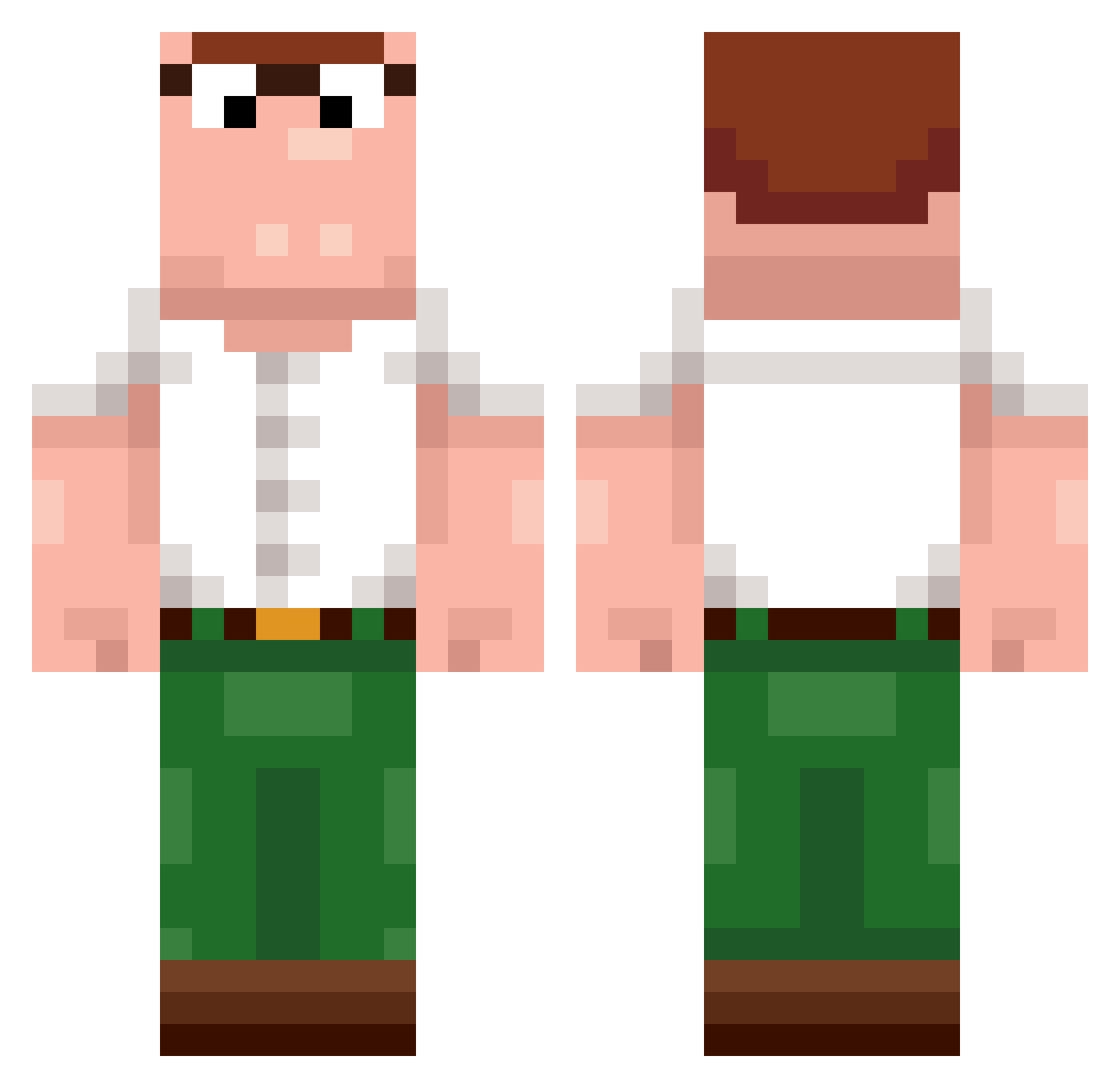
Current Minecraft skin of the player TazZven, loaded from the official Mojang API. Rotate the 3D model with your mouse or finger, then download the skin as a PNG file and use it in Minecraft: Bedrock Edition or Java Edition for free. When TazZven changes their skin, this page updates automatically and the old skin stays in the history below.
Other players with this skin (236)
TazZven was the 127th player we have seen with this skin, first spotted on 24.09.2026. The same skin was seen on these players. Open a nickname to see their current skin and skin history.
 dannycammy Thianel Earff hummus_enjoyer cwj0724 Diamondboy135 Banoni2 HawkTuakSkibidi BidoBaran mati2009pl imarc3l Ethantbkk Romanjer 0ceanos Natter UMA_OTB marcism Holesterinchik Leonardox23 AYxxxx M1LF3R Ericinho M0k3b3 swysux SmallBoy_L rafazay Coff333 MiloPoker Roacaru Fensuix8 Sa1nT___ pickel6748 FilipinkaOOF Olorine_ SantiasecaS Jv_binho2011 Jensaaa cengobaba07 Brohpie skutykarol420 Gribbson _kouk_ strongokami KaFuZed hampterlord1050 Fin4rfin Nisiuke LangosMaskinen CrossAE PatuModen9582 UnknowJohn Massi68 5natched Aeltonkugelblitz DanilDond
 grraggious musalat
 captainfox27 Gansss JESEAUDE
More Peter Griffin Minecraft skins
See all 229 Peter Griffin skins
How to install the TazZven skin
- Press the Download button above to save the skin as a PNG file.
- Minecraft: Bedrock Edition (PE): open the Dressing Room from the main menu (or tap your character → Edit Character), go to Classic Skins → Owned, press the + (new skin) button, choose the downloaded PNG and pick the Classic (Steve) model. Works on PC and mobile; consoles cannot import custom skins.
- Minecraft: Java Edition: open the Minecraft Launcher, go to the Skins tab, click New Skin, load the PNG, pick the Classic (Steve) model and press Save & Use. You can also upload it at minecraft.net → Profile → Change Skin.
The skin does not show up after import - what should I do?
Restart Minecraft and open the Dressing Room again - imported skins sometimes appear only after a restart. Also make sure you selected the imported skin and picked the Classic (Steve) model.
Which model should I choose, Classic or Slim?
This skin is designed for the Classic (Steve) model. If you pick the wrong model, the arms of the skin will look stretched or squeezed.
Is the skin of TazZven free to download?
Yes. Press Download, save the PNG file and use it in Minecraft: Bedrock Edition or Java Edition - no payment or registration needed. The skin also works on multiplayer servers and Realms.
More skins
Looking for more? Go back to all Minecraft skins and check the top skins of the week, month and all time, or find any player's skin by nickname.