
Tau5Irantu - Minecraft Skins & Skin History
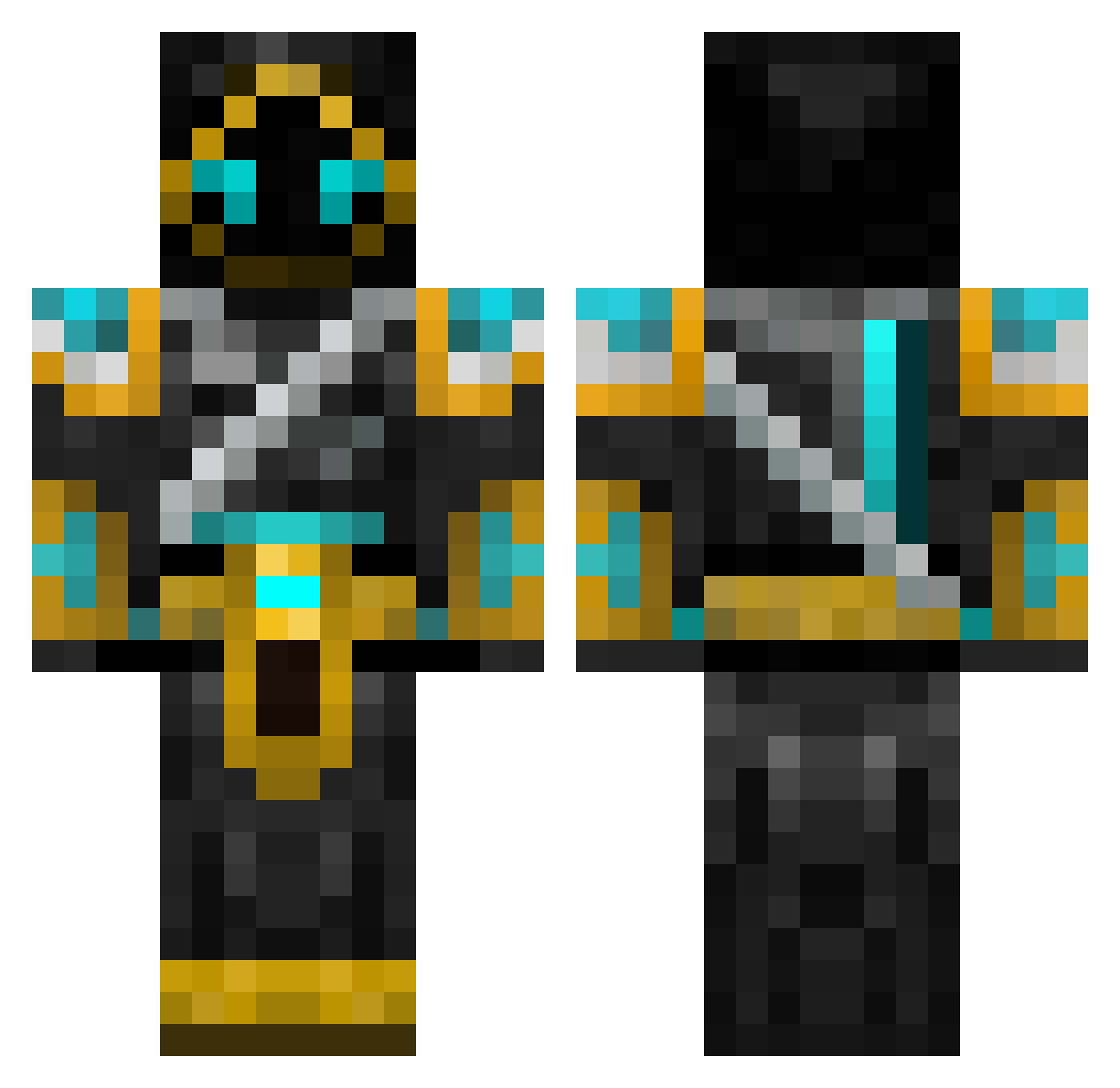
Current Minecraft skin of the player Tau5Irantu, loaded from the official Mojang API. Rotate the 3D model with your mouse or finger, then download the skin as a PNG file and use it in Minecraft: Bedrock Edition or Java Edition for free. When Tau5Irantu changes their skin, this page updates automatically and the old skin stays in the history below.
Other players with this skin (701)
Tau5Irantu was the 461st player we have seen with this skin, first spotted on 06.10.2026. The same skin was seen on these players. Open a nickname to see their current skin and skin history.
 AzudemDI PKAdobo Scolar21 ALFADEMON Stryke77 A1n0 unifish bautono Kittacus Tr4x Pafos_Boy bluedragon87 power_man_765 metzmaa Jets1214 necroadamas Sam030 noahrox777 akumasan T0bi95 GreenLanterns3 Divinity_Draco Mekkae Zedder_TM samhopdoghopkins Ben120055 Santiako wesroberts MassacreMC Projectionmatrix hugohall05 Wuollo Spraggus joenate TOakenshield goldmineryy Saabyzz tornadothomas1 MRDonney zimbadyrkeladd MaterBird Rattler20 Cepoo razzor2410 Kayjay6796 CASHIRAZI JJS725 Granspectre deadlox100 xXEvilGeniusXx JAC_N Darkwizard193 timps321 maphias zerdox4 kwcubillos Br0Wny69 TASAiken armysoldier7989 Mokuboc
More Hooded Warrior Minecraft skins
See all 49 Hooded Warrior skins
How to install the Tau5Irantu skin
- Press the Download button above to save the skin as a PNG file.
- Minecraft: Bedrock Edition (PE): open the Dressing Room from the main menu (or tap your character → Edit Character), go to Classic Skins → Owned, press the + (new skin) button, choose the downloaded PNG and pick the Classic (Steve) model. Works on PC and mobile; consoles cannot import custom skins.
- Minecraft: Java Edition: open the Minecraft Launcher, go to the Skins tab, click New Skin, load the PNG, pick the Classic (Steve) model and press Save & Use. You can also upload it at minecraft.net → Profile → Change Skin.
The skin does not show up after import - what should I do?
Restart Minecraft and open the Dressing Room again - imported skins sometimes appear only after a restart. Also make sure you selected the imported skin and picked the Classic (Steve) model.
Which model should I choose, Classic or Slim?
This skin is designed for the Classic (Steve) model. If you pick the wrong model, the arms of the skin will look stretched or squeezed.
Is the skin of Tau5Irantu free to download?
Yes. Press Download, save the PNG file and use it in Minecraft: Bedrock Edition or Java Edition - no payment or registration needed. The skin also works on multiplayer servers and Realms.
More skins
Looking for more? Go back to all Minecraft skins and check the top skins of the week, month and all time, or find any player's skin by nickname.