
Tash04_ - Minecraft Skins & Skin History
Current Minecraft skin of the player Tash04_, loaded from the official Mojang API. Rotate the 3D model with your mouse or finger, then download the skin as a PNG file and use it in Minecraft: Bedrock Edition or Java Edition for free. When Tash04_ changes their skin, this page updates automatically and the old skin stays in the history below.
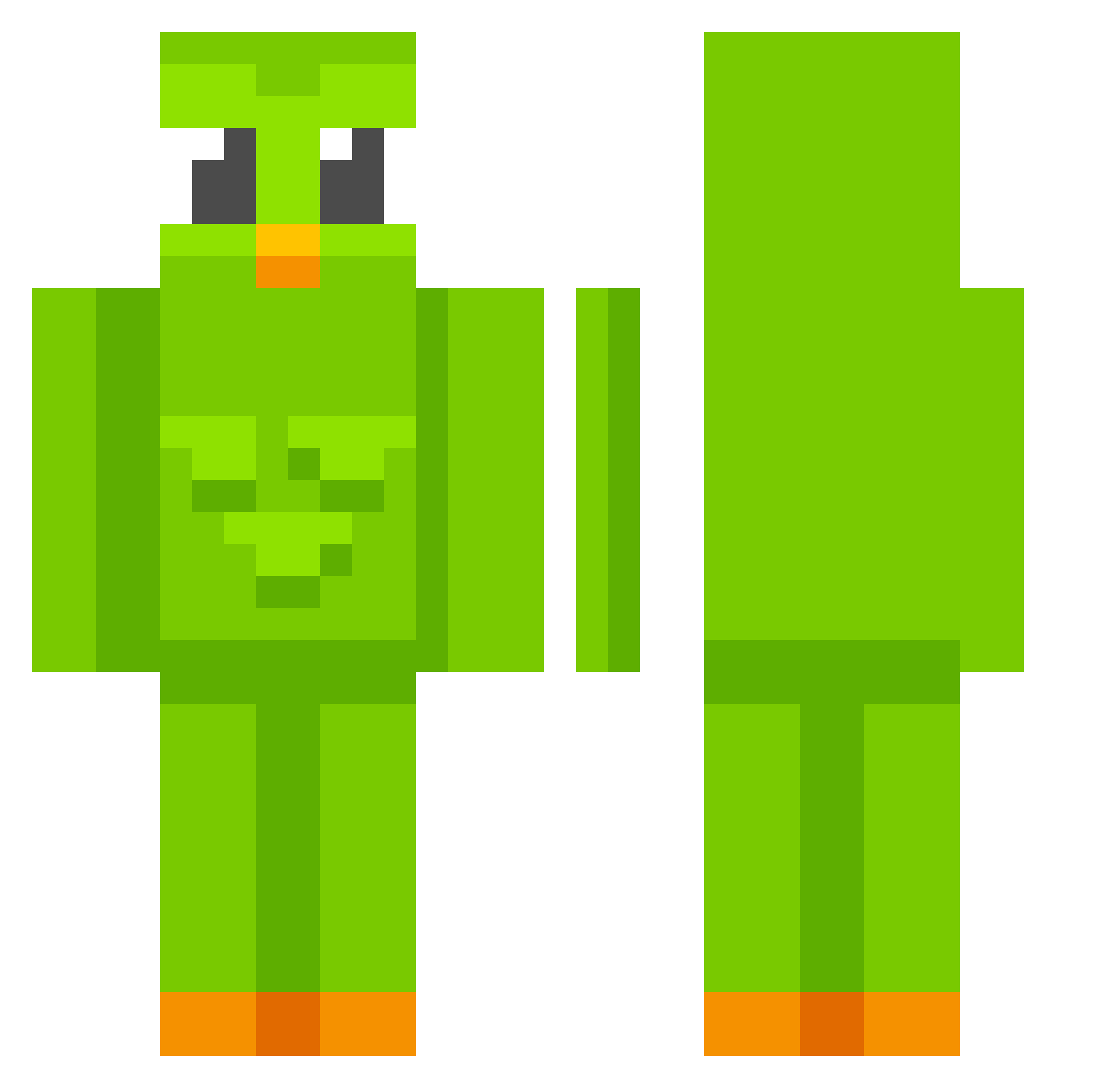
Other players with this skin (705)
Tash04_ was the 253rd player we have seen with this skin, first spotted on 01.09.2026. The same skin was seen on these players. Open a nickname to see their current skin and skin history.
 jeffisdirtynonce 92masu _Coquinha mii0202 jim7654 hariisi davluk1983 system099009 Nathansc26 kenbot1000 Soojus NotTitulica_ Laeior levon364 C4m_2 Wyxter5012 bonnieistall m4rkips ILYESSGDR hersheylover69 INKMANb Vlad21 lalamarg TorQanski paingrille1623 kaiochina01 minifuru_ P3dr34m kamerhank Jasiek0605 aesan1347 ZzyuukizZ Quaco420 greeeenday toomo98 RickyChi
 julialuna24 flyinnXD csm0918 EICigala jxliette owtter03 MariaPaulita Tapis_rouge Aizzer_ Mr_Keggles wonho92 ardiLax R3alSil3ntz Minepro_09 aardvarkle akong35 JustL3gend PACHOTHEGOAT BorisBarbarian ICYCAT17 Peeeeeeeeeeeeeet Jenkeex K00MING tirtirdl
More Duo Minecraft skins
How to install the Tash04_ skin
- Press the Download button above to save the skin as a PNG file.
- Minecraft: Bedrock Edition (PE): open the Dressing Room from the main menu (or tap your character → Edit Character), go to Classic Skins → Owned, press the + (new skin) button, choose the downloaded PNG and pick the Classic (Steve) model. Works on PC and mobile; consoles cannot import custom skins.
- Minecraft: Java Edition: open the Minecraft Launcher, go to the Skins tab, click New Skin, load the PNG, pick the Classic (Steve) model and press Save & Use. You can also upload it at minecraft.net → Profile → Change Skin.
The skin does not show up after import - what should I do?
Restart Minecraft and open the Dressing Room again - imported skins sometimes appear only after a restart. Also make sure you selected the imported skin and picked the Classic (Steve) model.
Which model should I choose, Classic or Slim?
This skin is designed for the Classic (Steve) model. If you pick the wrong model, the arms of the skin will look stretched or squeezed.
Is the skin of Tash04_ free to download?
Yes. Press Download, save the PNG file and use it in Minecraft: Bedrock Edition or Java Edition - no payment or registration needed. The skin also works on multiplayer servers and Realms.
More skins
Looking for more? Go back to all Minecraft skins and check the top skins of the week, month and all time, or find any player's skin by nickname.