
TaintMcGraw - Minecraft Skins & Skin History
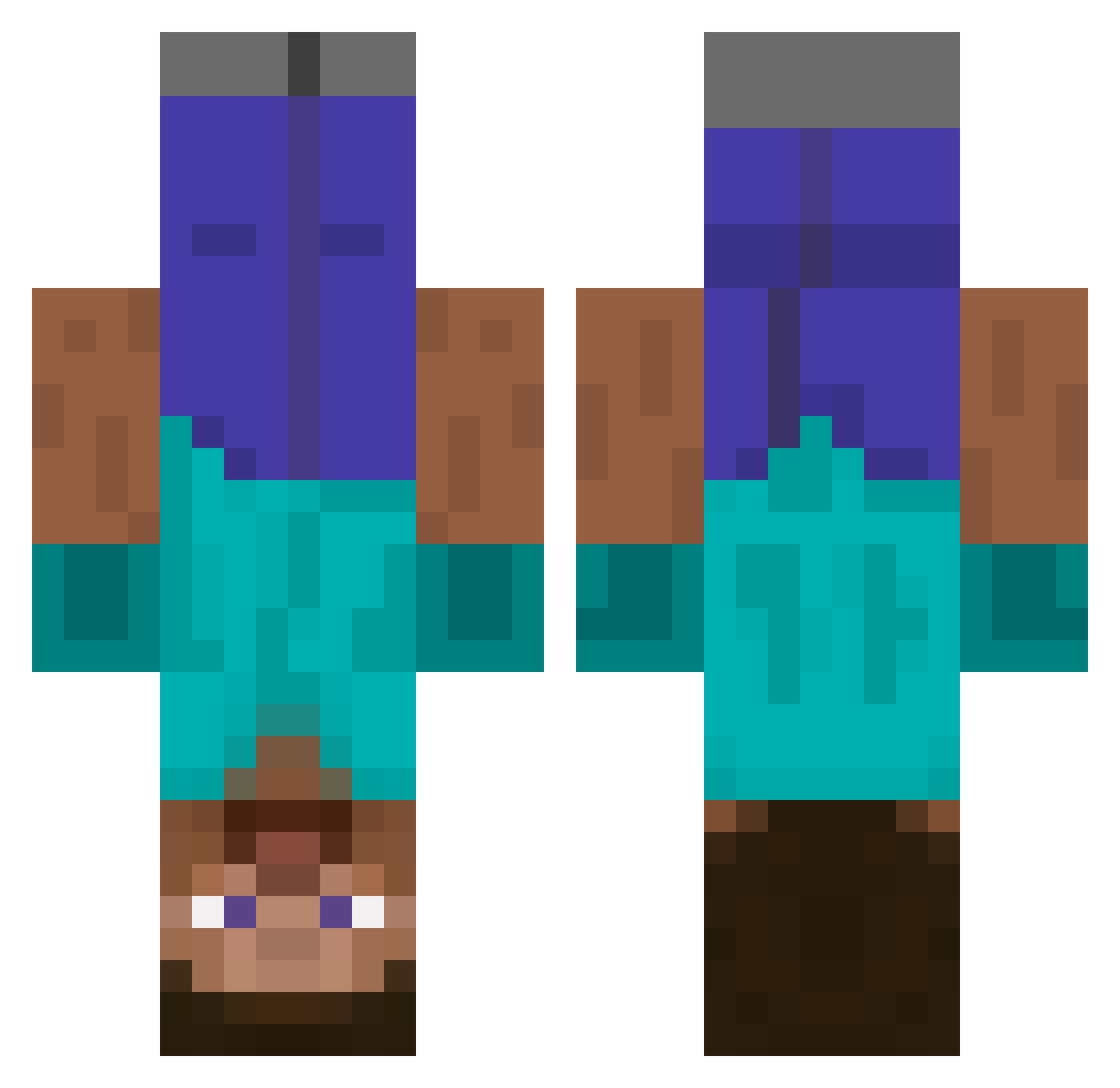
Current Minecraft skin of the player TaintMcGraw, loaded from the official Mojang API. Rotate the 3D model with your mouse or finger, then download the skin as a PNG file and use it in Minecraft: Bedrock Edition or Java Edition for free. When TaintMcGraw changes their skin, this page updates automatically and the old skin stays in the history below.
Other players with this skin (642)
TaintMcGraw was the 171st player we have seen with this skin, first spotted on 23.08.2026. The same skin was seen on these players. Open a nickname to see their current skin and skin history.
 jzv360 ashmarkhan vicmiBalar Berry4119 deabume GarGevi gougoucool ReconGhost189 themaniac1987 chocomatcha1 THEOVERGOAT Leshy305 timetravel1921 BJH0918 Hai_yu RunningBerry992 BigDeeNasty AleMadeIt Abraham_1001 TenseLlama SeaDevil_ 2001chevyprizm ImBadAtUsername Ka_Naks Hamsterkuss wys556 Gwb051231 BenBeddoe tyan2333 yPiK_gRand Your_Boy_JoshOo WASDytka jacintaPresta yasirkula hong_gang Micha3lC3ra Oggiboiixdxd deadtynka saabal11 ZOMBIES_CAT SgMv0 mm69_ iamaVcnTtt Bechill02 ENG5583 roahK_0901 Rak9 _ROMANTIC Blu3b_E hudyhudder127 samuelma0818 nosesoyturista soninwoo Residual542 D_iamond Aezkme sepu120 Rouleau_2_PQ XdRoamer ugi12dasdas1
More Dinnerbone Minecraft skins
How to install the TaintMcGraw skin
- Press the Download button above to save the skin as a PNG file.
- Minecraft: Bedrock Edition (PE): open the Dressing Room from the main menu (or tap your character → Edit Character), go to Classic Skins → Owned, press the + (new skin) button, choose the downloaded PNG and pick the Classic (Steve) model. Works on PC and mobile; consoles cannot import custom skins.
- Minecraft: Java Edition: open the Minecraft Launcher, go to the Skins tab, click New Skin, load the PNG, pick the Classic (Steve) model and press Save & Use. You can also upload it at minecraft.net → Profile → Change Skin.
The skin does not show up after import - what should I do?
Restart Minecraft and open the Dressing Room again - imported skins sometimes appear only after a restart. Also make sure you selected the imported skin and picked the Classic (Steve) model.
Which model should I choose, Classic or Slim?
This skin is designed for the Classic (Steve) model. If you pick the wrong model, the arms of the skin will look stretched or squeezed.
Is the skin of TaintMcGraw free to download?
Yes. Press Download, save the PNG file and use it in Minecraft: Bedrock Edition or Java Edition - no payment or registration needed. The skin also works on multiplayer servers and Realms.
More skins
Looking for more? Go back to all Minecraft skins and check the top skins of the week, month and all time, or find any player's skin by nickname.