
TTLG_ - Minecraft Skins & Skin History
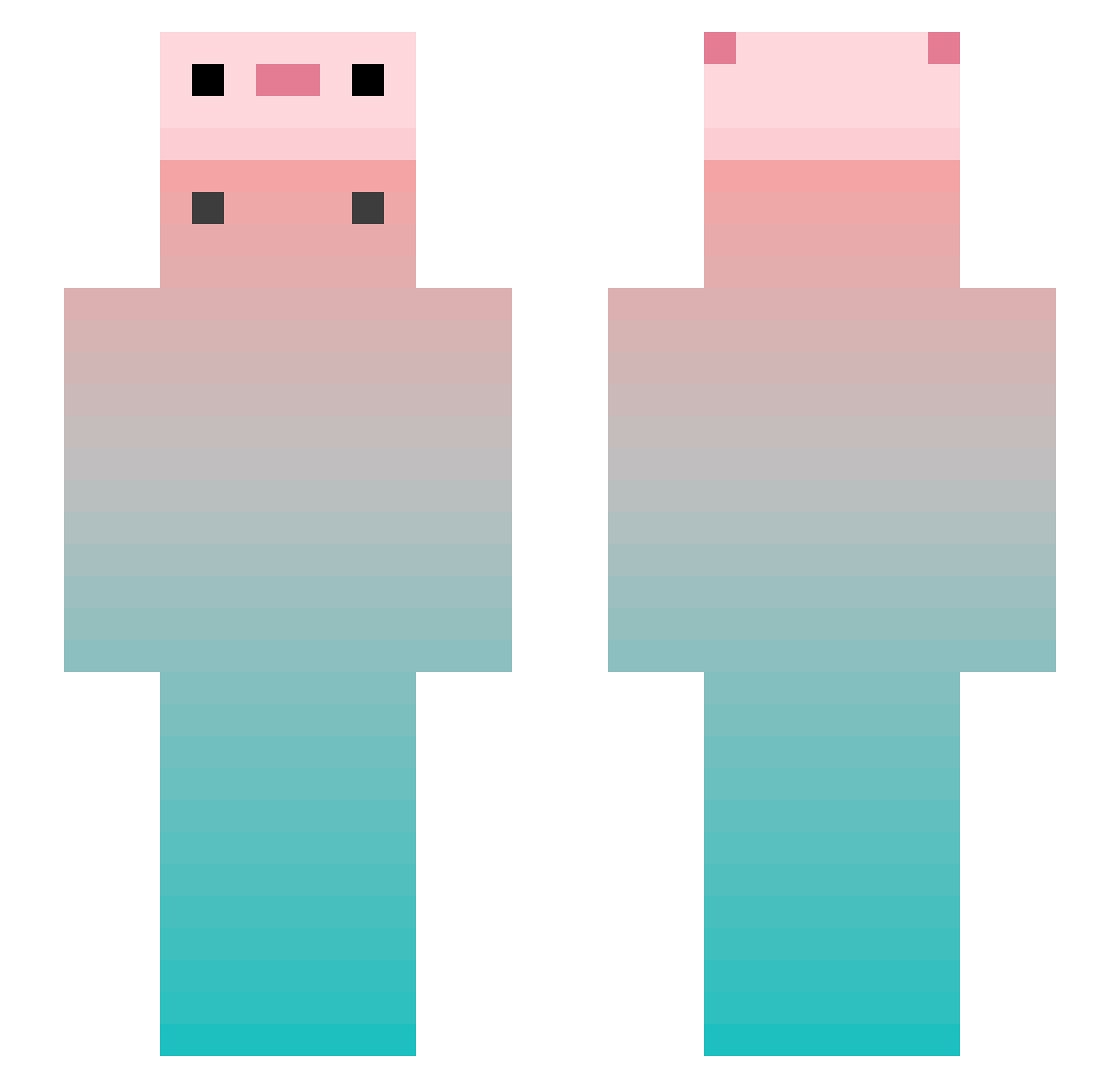
Current Minecraft skin of the player TTLG_, loaded from the official Mojang API. Rotate the 3D model with your mouse or finger, then download the skin as a PNG file and use it in Minecraft: Bedrock Edition or Java Edition for free. When TTLG_ changes their skin, this page updates automatically and the old skin stays in the history below.
Other players with this skin (848)
TTLG_ was the 25th player we have seen with this skin, first spotted on 25.07.2026. The same skin was seen on these players. Open a nickname to see their current skin and skin history.
 M_fegur AWSLGGZ WindClou LayZoo3709
 AtomicSlayer Hugz12 Turgu33 mrpece Hacker_XiaoSheng xutao12366 Yixi12138 Sakana__fish ShiguangZ YYO3O Pok_e Ting_L zhoulll Irony_sober XIAOBAIYANG6 ticek4 paeloli Hyacinth_922 wengovo Osaka_OvO Curry1130 soun0110
 xiao_bai568 William0323 Edcola1 MicroL0vEDa0 bobo7716 shaonianyou1 xiaohaimiang KniverDou bdxxy Jodeunwon sj233 ChloeSilv paomo26 tomato_kjk
 ratph lapishakudo Yus_e SongYaoYan lsenry
 jiwonS2 QingFengOMG
 4hr1mp mc_suhong Airuiliya_
 MingawaQ Florencerep whg123 wa1tor ahsry Wa1ten Eskimo6286 Sonicekp StrangeYe LumosJChan
More Gradient Minecraft skins
How to install the TTLG_ skin
- Press the Download button above to save the skin as a PNG file.
- Minecraft: Bedrock Edition (PE): open the Dressing Room from the main menu (or tap your character → Edit Character), go to Classic Skins → Owned, press the + (new skin) button, choose the downloaded PNG and pick the Slim (Alex) model. Works on PC and mobile; consoles cannot import custom skins.
- Minecraft: Java Edition: open the Minecraft Launcher, go to the Skins tab, click New Skin, load the PNG, pick the Slim (Alex) model and press Save & Use. You can also upload it at minecraft.net → Profile → Change Skin.
The skin does not show up after import - what should I do?
Restart Minecraft and open the Dressing Room again - imported skins sometimes appear only after a restart. Also make sure you selected the imported skin and picked the Slim (Alex) model.
Which model should I choose, Classic or Slim?
This skin is designed for the Slim (Alex) model. If you pick the wrong model, the arms of the skin will look stretched or squeezed.
Is the skin of TTLG_ free to download?
Yes. Press Download, save the PNG file and use it in Minecraft: Bedrock Edition or Java Edition - no payment or registration needed. The skin also works on multiplayer servers and Realms.
More skins
Looking for more? Go back to all Minecraft skins and check the top skins of the week, month and all time, or find any player's skin by nickname.