
TRYHARDBANANAS7 - Minecraft Skins & Skin History
Current Minecraft skin of the player TRYHARDBANANAS7, loaded from the official Mojang API. Rotate the 3D model with your mouse or finger, then download the skin as a PNG file and use it in Minecraft: Bedrock Edition or Java Edition for free. When TRYHARDBANANAS7 changes their skin, this page updates automatically and the old skin stays in the history below.
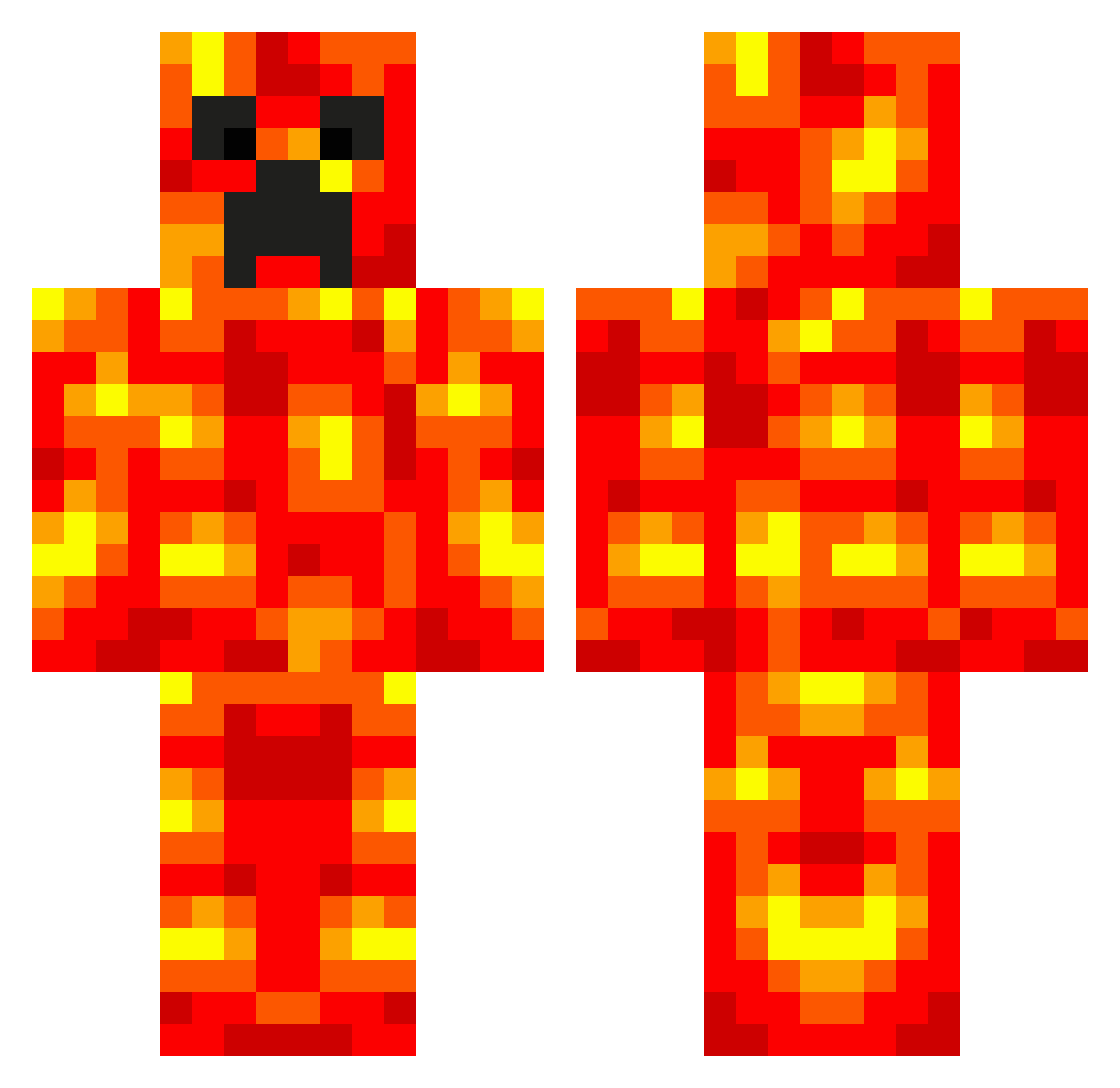
Other players with this skin (537)
TRYHARDBANANAS7 was the 83rd player we have seen with this skin, first spotted on 10.08.2026. The same skin was seen on these players. Open a nickname to see their current skin and skin history.
 TheKillingRadar5 xAdrixn___ Rezloh JunG237 PaybackPUNK craftingmachine2 MariusVP broksi mknlax Jensen8080 superkiller098 fillen1337 vfj1998 milesmitchell popcornmaze Jono1170 bluedragon5247 mephmadness willbbarka3 XeenoGhost ElderCake Tk69 mahvo Tammywasson Myatt88 RileyGD RestrictedTitan Its_KyleB tdog3232 labymint SmartyParty 10ZombieSlayer aholmst Parkinnn leumas111 SebbeHH xN2j paytonelijah Fdestroyer evathedog davidokyere1 SatNav21 lava_girl_667 SkidSnipe225283 bombshell2000 alalalattack Geinsbeing max_r11 CR33P1N Snugmunch Bencyclone bil_karol thefierycreeper3 craftymines100 SirMeowcat Tyler7482 IsakoViktor EpicGymnast22 deeeej Nuclearkiwi007
More Magma Minecraft skins
How to install the TRYHARDBANANAS7 skin
- Press the Download button above to save the skin as a PNG file.
- Minecraft: Bedrock Edition (PE): open the Dressing Room from the main menu (or tap your character → Edit Character), go to Classic Skins → Owned, press the + (new skin) button, choose the downloaded PNG and pick the Classic (Steve) model. Works on PC and mobile; consoles cannot import custom skins.
- Minecraft: Java Edition: open the Minecraft Launcher, go to the Skins tab, click New Skin, load the PNG, pick the Classic (Steve) model and press Save & Use. You can also upload it at minecraft.net → Profile → Change Skin.
The skin does not show up after import - what should I do?
Restart Minecraft and open the Dressing Room again - imported skins sometimes appear only after a restart. Also make sure you selected the imported skin and picked the Classic (Steve) model.
Which model should I choose, Classic or Slim?
This skin is designed for the Classic (Steve) model. If you pick the wrong model, the arms of the skin will look stretched or squeezed.
Is the skin of TRYHARDBANANAS7 free to download?
Yes. Press Download, save the PNG file and use it in Minecraft: Bedrock Edition or Java Edition - no payment or registration needed. The skin also works on multiplayer servers and Realms.
More skins
Looking for more? Go back to all Minecraft skins and check the top skins of the week, month and all time, or find any player's skin by nickname.