
T0rz0 - Minecraft Skins & Skin History
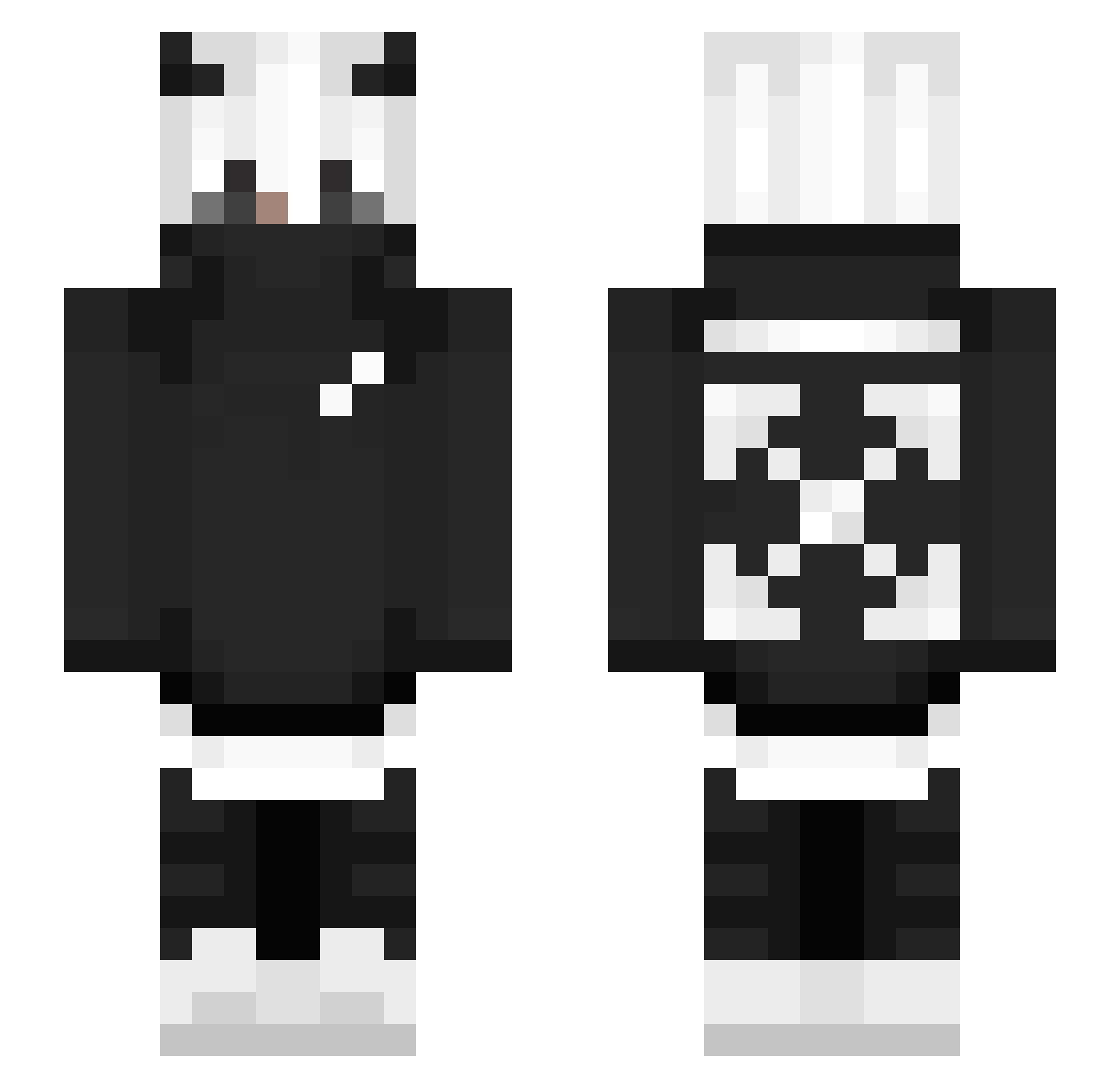
Current Minecraft skin of the player T0rz0, loaded from the official Mojang API. Rotate the 3D model with your mouse or finger, then download the skin as a PNG file and use it in Minecraft: Bedrock Edition or Java Edition for free. When T0rz0 changes their skin, this page updates automatically and the old skin stays in the history below.
Other players with this skin (250)
T0rz0 was the 59th player we have seen with this skin, first spotted on 13.08.2026. The same skin was seen on these players. Open a nickname to see their current skin and skin history.
 DaisyMine Alkoussaili 3q3 Slasherxoxo snaX__ Millton69 DemonItadori _swch_ GUIMenu AokiwWithAndAkio A1nt0_x Kannenstafette _PaTyK__ grimis02 PoGr0mEZ Nyanko_ Alex4545 DarkLegal itsCxnnxr Yu50392 I8on_X hhSimple TheLighty MrDynaMight ToastyBoiyo MiloGman xTheAceex1534 Rockybhai1 Araedne Timmer20053 asdfsdsd ITzGalaxxy Silkthefirst Uwulz By_Yarit n1ghtmare_reaven xXkillmeXx420 wito3959 _ValkyLuvsU Alex4015 FortNbreak _frostty1
 Ashtarote V4lenzuela_ Joelx555 xxdavidxx0611 IVASPERI SilberGrunzen91 MiniAris PA1SIK MiquelCLD KrebsKind_ TTV_JacoYT mastermaxx253 improxxh Game_KingHD _KODE_ Arthuriio LewMC07 ___Pesadelo___
More Streetwear Minecraft skins
How to install the T0rz0 skin
- Press the Download button above to save the skin as a PNG file.
- Minecraft: Bedrock Edition (PE): open the Dressing Room from the main menu (or tap your character → Edit Character), go to Classic Skins → Owned, press the + (new skin) button, choose the downloaded PNG and pick the Slim (Alex) model. Works on PC and mobile; consoles cannot import custom skins.
- Minecraft: Java Edition: open the Minecraft Launcher, go to the Skins tab, click New Skin, load the PNG, pick the Slim (Alex) model and press Save & Use. You can also upload it at minecraft.net → Profile → Change Skin.
The skin does not show up after import - what should I do?
Restart Minecraft and open the Dressing Room again - imported skins sometimes appear only after a restart. Also make sure you selected the imported skin and picked the Slim (Alex) model.
Which model should I choose, Classic or Slim?
This skin is designed for the Slim (Alex) model. If you pick the wrong model, the arms of the skin will look stretched or squeezed.
Is the skin of T0rz0 free to download?
Yes. Press Download, save the PNG file and use it in Minecraft: Bedrock Edition or Java Edition - no payment or registration needed. The skin also works on multiplayer servers and Realms.
More skins
Looking for more? Go back to all Minecraft skins and check the top skins of the week, month and all time, or find any player's skin by nickname.