
SwightyMiner - Minecraft Skins & Skin History
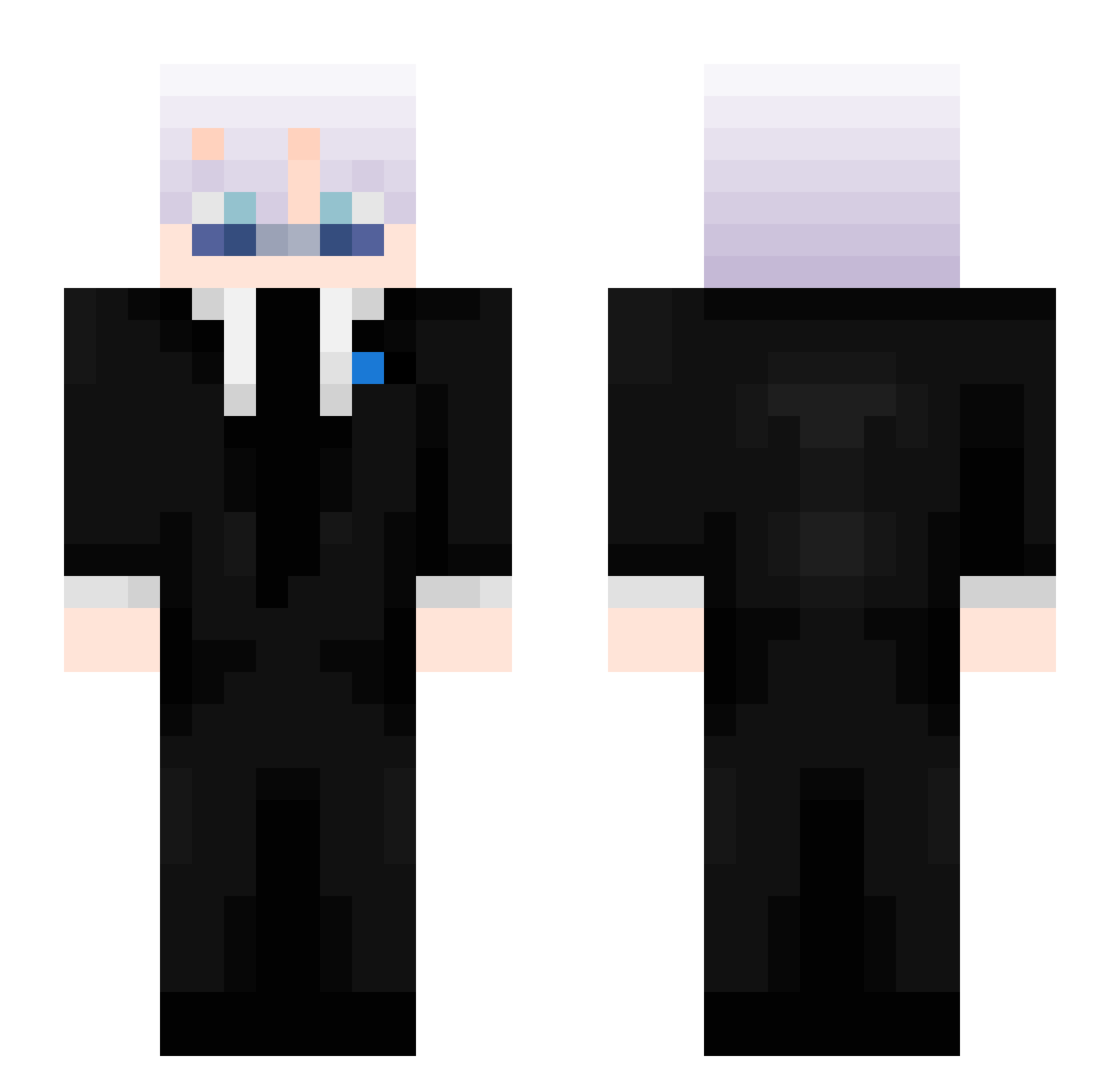
Current Minecraft skin of the player SwightyMiner, loaded from the official Mojang API. Rotate the 3D model with your mouse or finger, then download the skin as a PNG file and use it in Minecraft: Bedrock Edition or Java Edition for free. When SwightyMiner changes their skin, this page updates automatically and the old skin stays in the history below.
Other players with this skin (409)
SwightyMiner was the 391st player we have seen with this skin, first spotted on 18.10.2026. The same skin was seen on these players. Open a nickname to see their current skin and skin history.
 ZoeyMC arturoobtw The_M4STERM1ND Swiftness_3 kingdan747 Thakur_9 emmahoyle07 windiws_exp NOOBX7 Dalzraa 5might charlieandmilmo ItsRealM3 TypicalSpooky17 Rainbow9918 _Serek_Wiejski_ crisuq DarKTV1 4skyth Aetherclawr Astrothespaceman Azeeleo Piterson2020 TWIST_BAD Ch0musukeh owkziii Am3thistt Derbihatza_ Smitty28 Hayden0110 Waldbobo G_Babs lucaseeef SlxrpinFN EndGame7615 SanshuTheMiner DKSP1337 SonOfMithrandir NotDarthXD Deptyu RyuX081 xela5673 benikepe flyste 5onan ShikuTuah deyys_11 intellcqtuall benjyfisherman 3AMER_3 nino0929 feikar zsomb1_ js15817 helooo12 MaKu13 Loonertech210 czarnyczarodz1ej PoppetMrst Alexander795
More Satoru Gojo Minecraft skins
See all 1215 Satoru Gojo skins
How to install the SwightyMiner skin
- Press the Download button above to save the skin as a PNG file.
- Minecraft: Bedrock Edition (PE): open the Dressing Room from the main menu (or tap your character → Edit Character), go to Classic Skins → Owned, press the + (new skin) button, choose the downloaded PNG and pick the Slim (Alex) model. Works on PC and mobile; consoles cannot import custom skins.
- Minecraft: Java Edition: open the Minecraft Launcher, go to the Skins tab, click New Skin, load the PNG, pick the Slim (Alex) model and press Save & Use. You can also upload it at minecraft.net → Profile → Change Skin.
The skin does not show up after import - what should I do?
Restart Minecraft and open the Dressing Room again - imported skins sometimes appear only after a restart. Also make sure you selected the imported skin and picked the Slim (Alex) model.
Which model should I choose, Classic or Slim?
This skin is designed for the Slim (Alex) model. If you pick the wrong model, the arms of the skin will look stretched or squeezed.
Is the skin of SwightyMiner free to download?
Yes. Press Download, save the PNG file and use it in Minecraft: Bedrock Edition or Java Edition - no payment or registration needed. The skin also works on multiplayer servers and Realms.
More skins
Looking for more? Go back to all Minecraft skins and check the top skins of the week, month and all time, or find any player's skin by nickname.