
Swatys - Minecraft Skins & Skin History
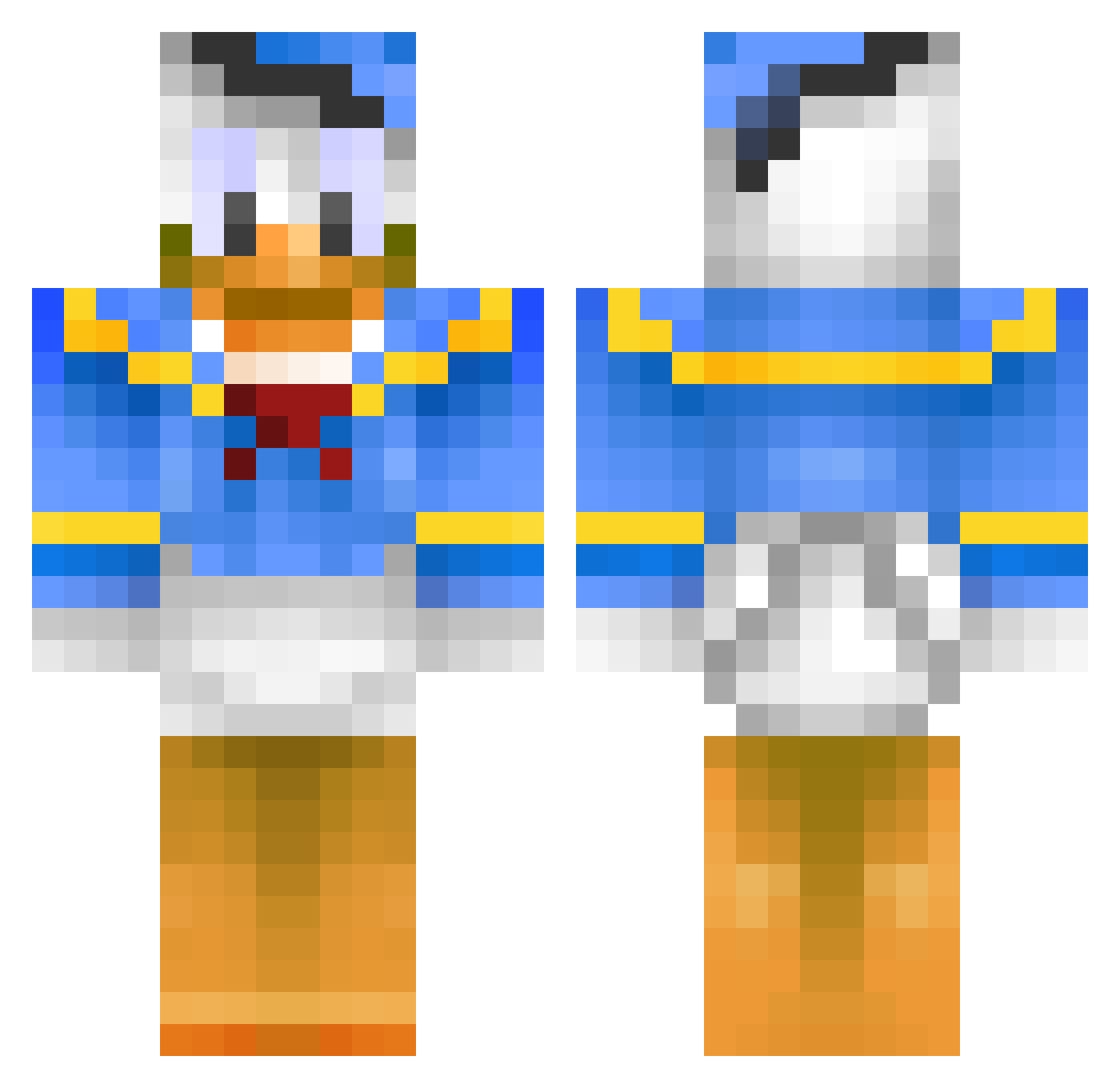
Current Minecraft skin of the player Swatys, loaded from the official Mojang API. Rotate the 3D model with your mouse or finger, then download the skin as a PNG file and use it in Minecraft: Bedrock Edition or Java Edition for free. When Swatys changes their skin, this page updates automatically and the old skin stays in the history below.
Other players with this skin (398)
Swatys was the 52nd player we have seen with this skin, first spotted on 05.08.2026. The same skin was seen on these players. Open a nickname to see their current skin and skin history.
 bam901 KenCarillo craftingzone Penatraattori Th3Enzo jarnem Valjuu imtikiller RensMonstermens Yayakoshiya la_chismosa herawin BobAlwaysDrunk smisker Crinklyfoe MIKKELSLOTH1235 Johanbohlbro AnimatedMind alienbloom nicc1023 dannstah phinejose WakaAtlas Nikke_Knatterton ForceMika Votten05 weedylan koopadestroya beleathos Three3DMan LuddeTheMan1 Jaggillarsniglar Lumpy_ DarkMidgetClub10 Streetboy073 NoDiamondHere InstWizard Mineraafje Haaachi_216 Merijn05 joannanas boseb hedgehogs86 Err0rMe zurfman tauno125 Teryx14 Bbye_U DuckOnQuaack BuffaloNick42 FSM_Reapr simonsmedegaard iiTzPatterson xTheRealReeper MrSanttu vilmer009 3falian 4nk4n mikzii_gamer Hunter_JBS
More Donald Duck Minecraft skins
How to install the Swatys skin
- Press the Download button above to save the skin as a PNG file.
- Minecraft: Bedrock Edition (PE): open the Dressing Room from the main menu (or tap your character → Edit Character), go to Classic Skins → Owned, press the + (new skin) button, choose the downloaded PNG and pick the Classic (Steve) model. Works on PC and mobile; consoles cannot import custom skins.
- Minecraft: Java Edition: open the Minecraft Launcher, go to the Skins tab, click New Skin, load the PNG, pick the Classic (Steve) model and press Save & Use. You can also upload it at minecraft.net → Profile → Change Skin.
The skin does not show up after import - what should I do?
Restart Minecraft and open the Dressing Room again - imported skins sometimes appear only after a restart. Also make sure you selected the imported skin and picked the Classic (Steve) model.
Which model should I choose, Classic or Slim?
This skin is designed for the Classic (Steve) model. If you pick the wrong model, the arms of the skin will look stretched or squeezed.
Is the skin of Swatys free to download?
Yes. Press Download, save the PNG file and use it in Minecraft: Bedrock Edition or Java Edition - no payment or registration needed. The skin also works on multiplayer servers and Realms.
More skins
Looking for more? Go back to all Minecraft skins and check the top skins of the week, month and all time, or find any player's skin by nickname.