
Swaggy_J7 - Minecraft Skins & Skin History
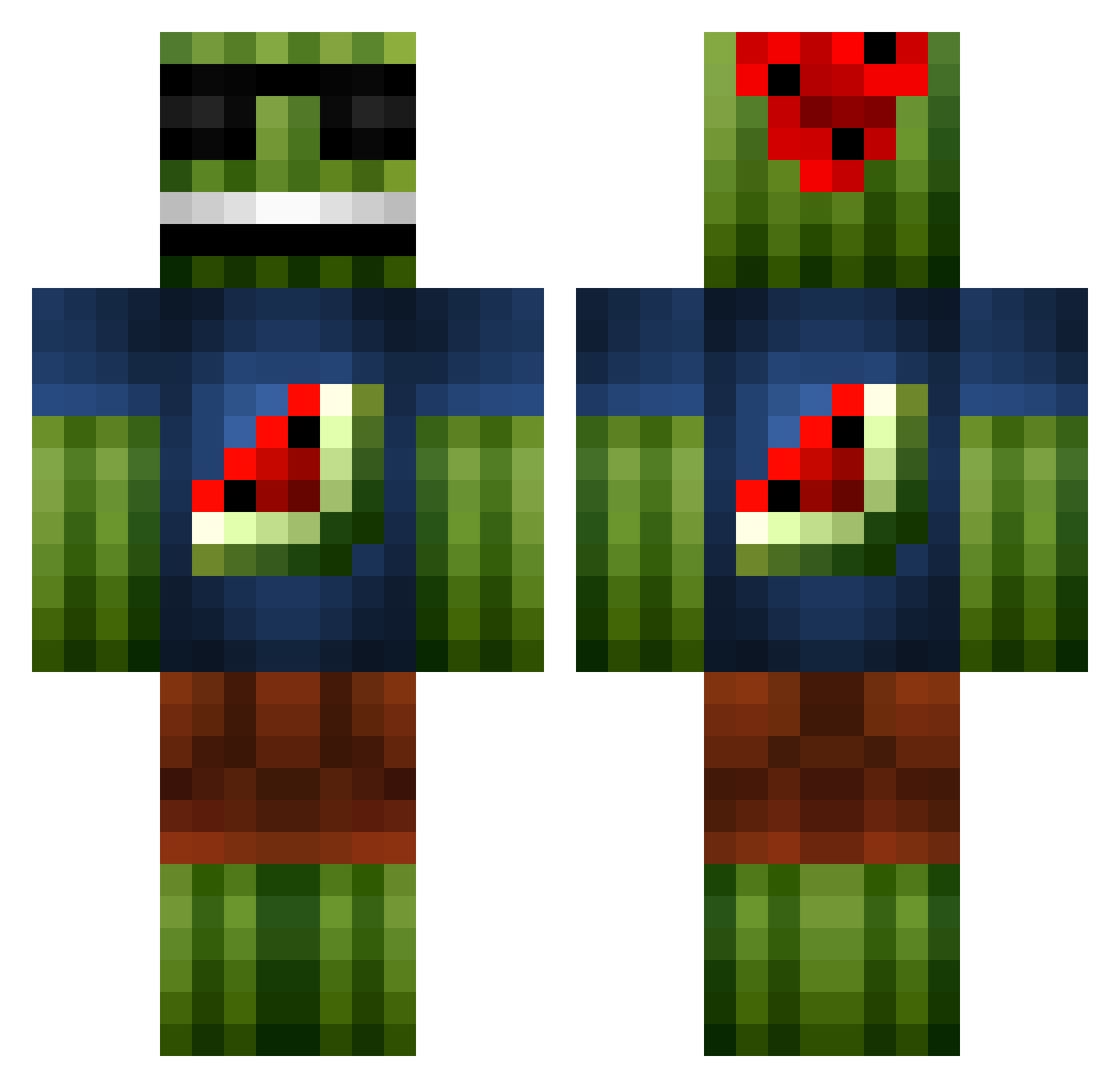
Current Minecraft skin of the player Swaggy_J7, loaded from the official Mojang API. Rotate the 3D model with your mouse or finger, then download the skin as a PNG file and use it in Minecraft: Bedrock Edition or Java Edition for free. When Swaggy_J7 changes their skin, this page updates automatically and the old skin stays in the history below.
Other players with this skin (69)
Swaggy_J7 was the 48th player we have seen with this skin, first spotted on 07.10.2026. The same skin was seen on these players. Open a nickname to see their current skin and skin history.
 zHerculesZ J_o_h_a PvP_mElonE Birp DontFuckWithTCG sbv415 nicknick0520 SecretPete TitoRogers Overgrowns dranz2000 TotallyBen tobiasen123 binalshaikh SoccerJack14 Juicy_Men farmers123 SlaughterMelon_ Kazsaix Omgamer11 MJC2000 Derrapin8 ReallySimple laturn3r DerAlbtraum Tan0S Hero2W ChopperCrue CaliLife7 PotentialThreat typhoons_alex Jordihaa BulleBlack kris0607 Zughiko luddepudde2003 cantonil Golden_warrior_3 _TheJukeMaster_ IxKINGBEARxI drmax111 riverh02 flop0707 gtre123 LaterBob artvenjer westph PD1234 Nopol41 DeadlyMelon antonxolofsson dexxiboy CamelFanatic7 Romers123 jere20 TonyMaloni MinecraftAgent08 Problem__ BossNinjaOne alvaromontes00
More Watermelon Minecraft skins
How to install the Swaggy_J7 skin
- Press the Download button above to save the skin as a PNG file.
- Minecraft: Bedrock Edition (PE): open the Dressing Room from the main menu (or tap your character → Edit Character), go to Classic Skins → Owned, press the + (new skin) button, choose the downloaded PNG and pick the Classic (Steve) model. Works on PC and mobile; consoles cannot import custom skins.
- Minecraft: Java Edition: open the Minecraft Launcher, go to the Skins tab, click New Skin, load the PNG, pick the Classic (Steve) model and press Save & Use. You can also upload it at minecraft.net → Profile → Change Skin.
The skin does not show up after import - what should I do?
Restart Minecraft and open the Dressing Room again - imported skins sometimes appear only after a restart. Also make sure you selected the imported skin and picked the Classic (Steve) model.
Which model should I choose, Classic or Slim?
This skin is designed for the Classic (Steve) model. If you pick the wrong model, the arms of the skin will look stretched or squeezed.
Is the skin of Swaggy_J7 free to download?
Yes. Press Download, save the PNG file and use it in Minecraft: Bedrock Edition or Java Edition - no payment or registration needed. The skin also works on multiplayer servers and Realms.
More skins
Looking for more? Go back to all Minecraft skins and check the top skins of the week, month and all time, or find any player's skin by nickname.