
SuperDuck37 - Minecraft Skins & Skin History
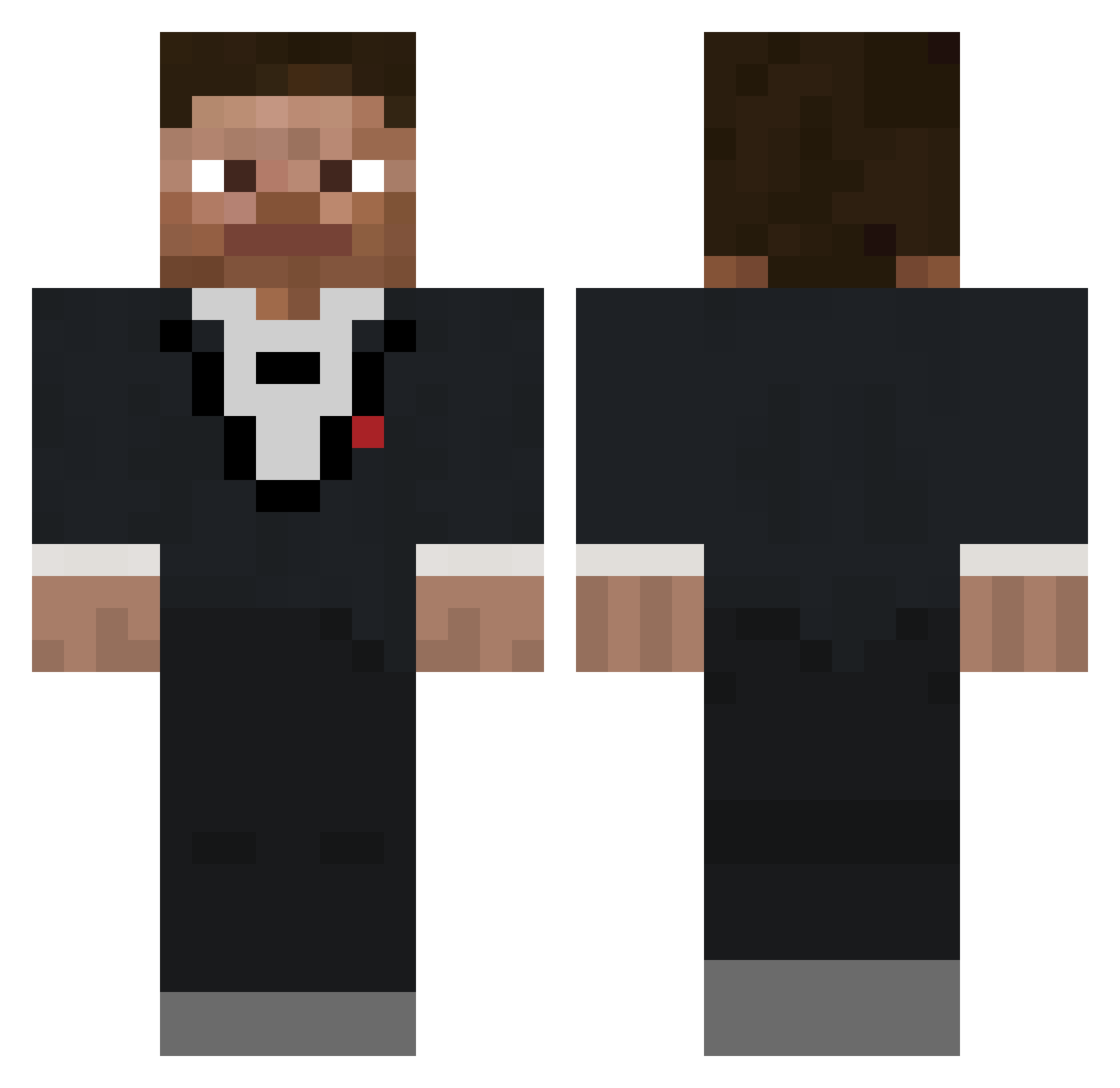
Current Minecraft skin of the player SuperDuck37, loaded from the official Mojang API. Rotate the 3D model with your mouse or finger, then download the skin as a PNG file and use it in Minecraft: Bedrock Edition or Java Edition for free. When SuperDuck37 changes their skin, this page updates automatically and the old skin stays in the history below.
Other players with this skin (685)
SuperDuck37 was the 453rd player we have seen with this skin, first spotted on 06.10.2026. The same skin was seen on these players. Open a nickname to see their current skin and skin history.
 lau000 lieguy1230 Evaluators ilias0266 JustSlashhh jaspur_ Ytaper lilkingwoody BraedenLB4 DanTheDumb4110 Caltism RoofRaider MestariKurre TastelessDesk 462I KingGoon HeartlessKllr Chandler2014 LolzmanXD Aaweso_me Mustardiver HairyPickle23 K3ZAR leopvrdz2 Bamjr239 ivxsex Aspixsx Pandabearchen63 OverTalexDDD LogusThemaximus RoomiestBell446 Azinaka_Sask smellyraidman1 PickleGlass JaCoX0 CoolDoog impotpot benjigz Universal__Noob Annikaano 8tpx WardoBombardo Maxi8116 WiiUsm PT_FIN im_dav KEWL_SQUAD Veltior Jytole Awesomepizza25 Weather_Boiii Wazabro Shanek176 v1rg_ Markopolo456 sunnyweather eluiy MEMER101MC Cjkeepingitp parkourify
How to install the SuperDuck37 skin
- Press the Download button above to save the skin as a PNG file.
- Minecraft: Bedrock Edition (PE): open the Dressing Room from the main menu (or tap your character → Edit Character), go to Classic Skins → Owned, press the + (new skin) button, choose the downloaded PNG and pick the Classic (Steve) model. Works on PC and mobile; consoles cannot import custom skins.
- Minecraft: Java Edition: open the Minecraft Launcher, go to the Skins tab, click New Skin, load the PNG, pick the Classic (Steve) model and press Save & Use. You can also upload it at minecraft.net → Profile → Change Skin.
The skin does not show up after import - what should I do?
Restart Minecraft and open the Dressing Room again - imported skins sometimes appear only after a restart. Also make sure you selected the imported skin and picked the Classic (Steve) model.
Which model should I choose, Classic or Slim?
This skin is designed for the Classic (Steve) model. If you pick the wrong model, the arms of the skin will look stretched or squeezed.
Is the skin of SuperDuck37 free to download?
Yes. Press Download, save the PNG file and use it in Minecraft: Bedrock Edition or Java Edition - no payment or registration needed. The skin also works on multiplayer servers and Realms.
More skins
Looking for more? Go back to all Minecraft skins and check the top skins of the week, month and all time, or find any player's skin by nickname.