
SunnieD - Minecraft Skins & Skin History
Current Minecraft skin of the player SunnieD, loaded from the official Mojang API. Rotate the 3D model with your mouse or finger, then download the skin as a PNG file and use it in Minecraft: Bedrock Edition or Java Edition for free. When SunnieD changes their skin, this page updates automatically and the old skin stays in the history below.
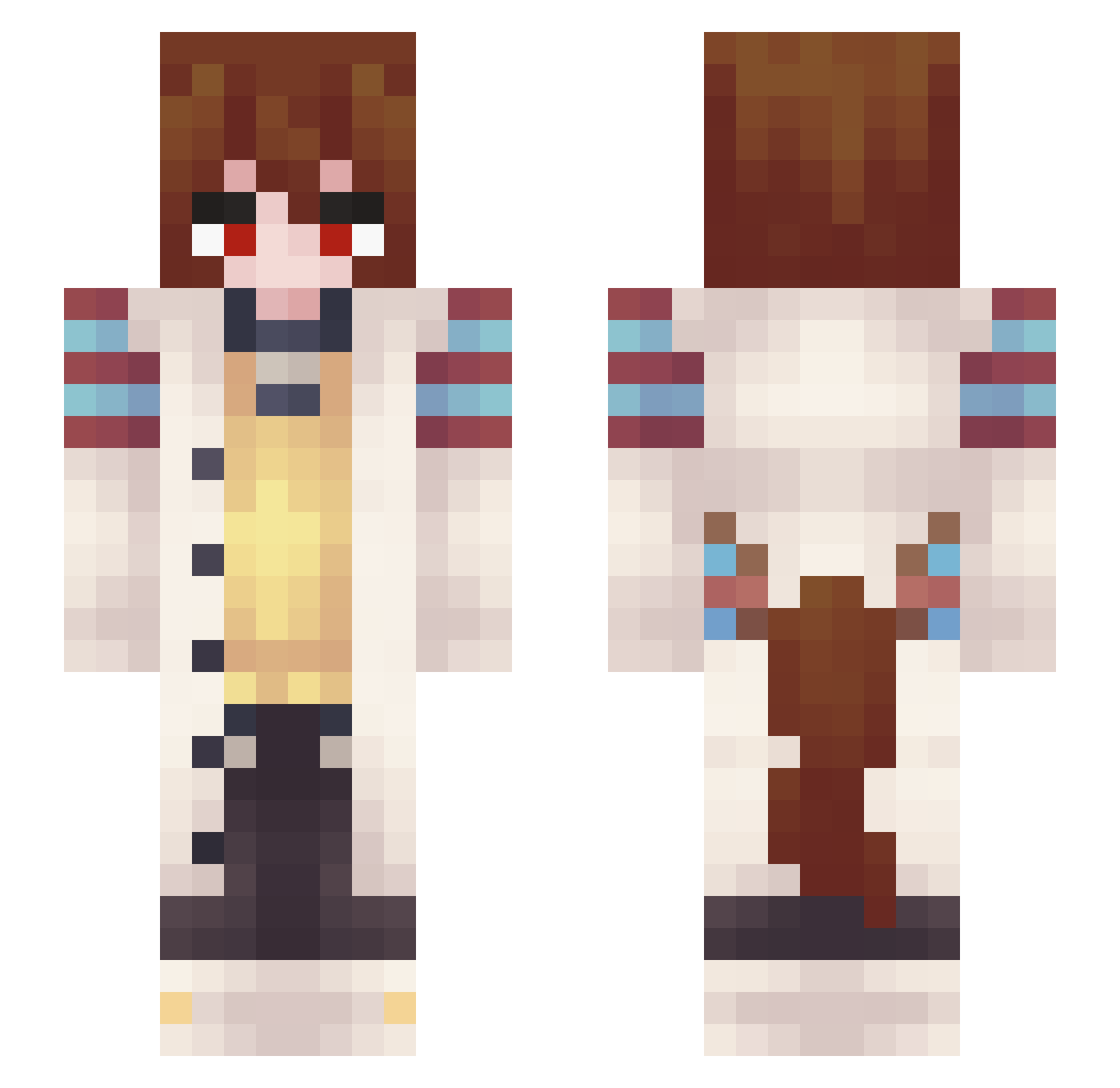
Other players with this skin (347)
SunnieD was the 204th player we have seen with this skin, first spotted on 25.09.2026. The same skin was seen on these players. Open a nickname to see their current skin and skin history.
 Lucario5794 joelus Alex_Kambara Unwrittename ZekyH Case_dum Its_Manny_ ZEPcao adamechal Domvelox MainLawyer72 fumolita GioLight Puding_y takina25 Wigrey_of Fr0steddd KMZDF 1Maple1 Suttony ItzPineapple124 Ggamin Sasuke838 Echpochmaki ScarletLilium Yuukirn VsratyiPes NahuGames lGainl ChaoticDunce Astromeles zor19a CremDaCream JumbledArrow392 TempoRFA SrCuervo14 TheH32 GI0SU DPTTDM danonkaq ganzlool homemade_milk kyyuluu Raxoanox1 DisplaynameX WillVonSalz dogdownloader Diablo_Gato sethzesigma furrystreamrock pocket_frijole Britboey _Kyure_ XianSnow12 Alfsa D3LTA_AP Misasaura shimaYukiha KeylorVilla kikilaprlainof
More Anime Girl Minecraft skins
See all 13665 Anime Girl skins
How to install the SunnieD skin
- Press the Download button above to save the skin as a PNG file.
- Minecraft: Bedrock Edition (PE): open the Dressing Room from the main menu (or tap your character → Edit Character), go to Classic Skins → Owned, press the + (new skin) button, choose the downloaded PNG and pick the Slim (Alex) model. Works on PC and mobile; consoles cannot import custom skins.
- Minecraft: Java Edition: open the Minecraft Launcher, go to the Skins tab, click New Skin, load the PNG, pick the Slim (Alex) model and press Save & Use. You can also upload it at minecraft.net → Profile → Change Skin.
The skin does not show up after import - what should I do?
Restart Minecraft and open the Dressing Room again - imported skins sometimes appear only after a restart. Also make sure you selected the imported skin and picked the Slim (Alex) model.
Which model should I choose, Classic or Slim?
This skin is designed for the Slim (Alex) model. If you pick the wrong model, the arms of the skin will look stretched or squeezed.
Is the skin of SunnieD free to download?
Yes. Press Download, save the PNG file and use it in Minecraft: Bedrock Edition or Java Edition - no payment or registration needed. The skin also works on multiplayer servers and Realms.
More skins
Looking for more? Go back to all Minecraft skins and check the top skins of the week, month and all time, or find any player's skin by nickname.