
Sundae7432 - Minecraft Skins & Skin History
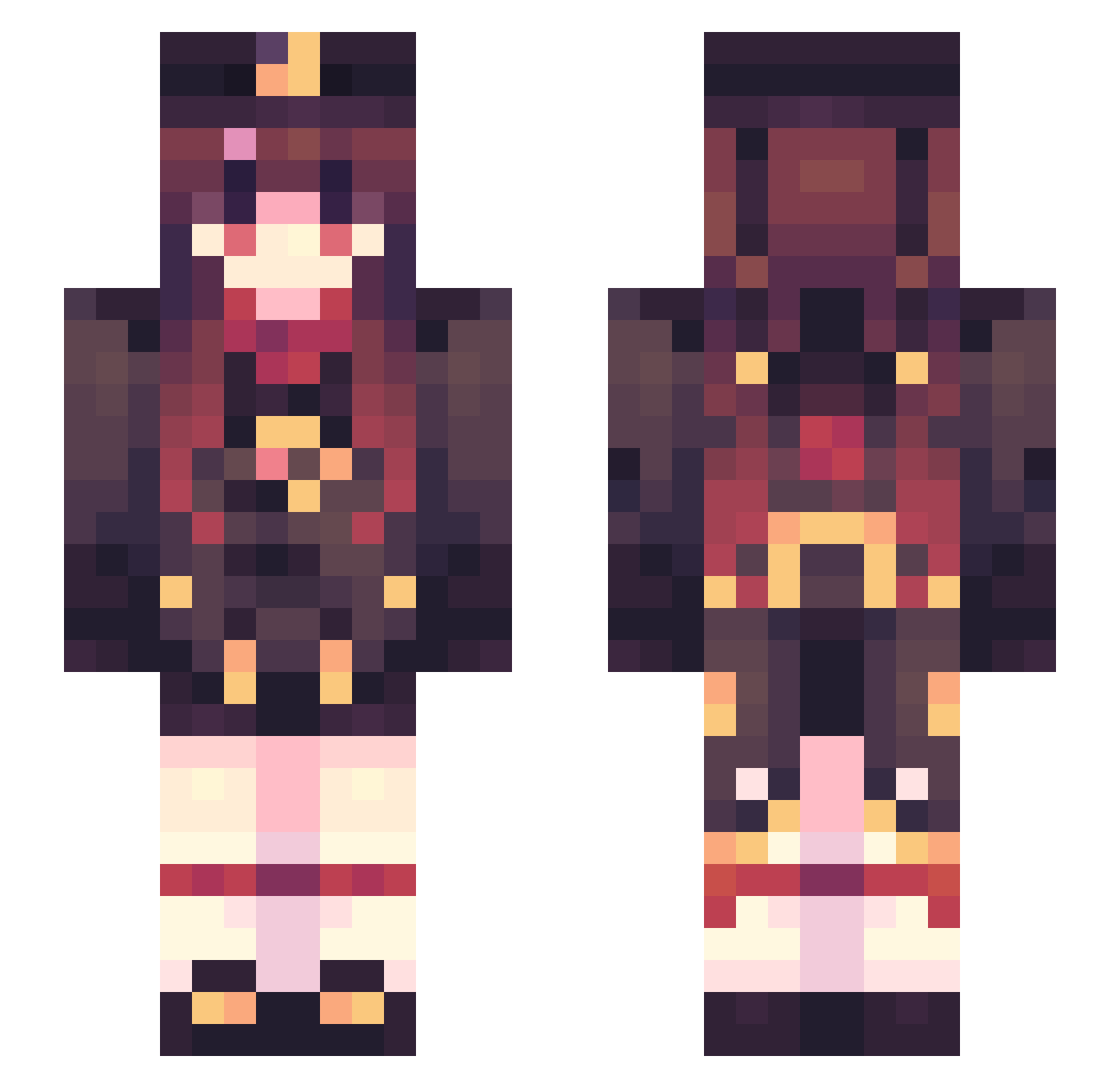
Current Minecraft skin of the player Sundae7432, loaded from the official Mojang API. Rotate the 3D model with your mouse or finger, then download the skin as a PNG file and use it in Minecraft: Bedrock Edition or Java Edition for free. When Sundae7432 changes their skin, this page updates automatically and the old skin stays in the history below.
Other players with this skin (469)
Sundae7432 was the 260th player we have seen with this skin, first spotted on 20.09.2026. The same skin was seen on these players. Open a nickname to see their current skin and skin history.
 KongCity F1shyyyyy xie_lingluostars Melissa923 assssaas Muse770 Dioass skking27 Arlene_Cherryly RuizCR Romancia amelia_kaho HuiWenWD PacifistPacific MulaSakee330O AnchorKnot ZeusNzzZzzZ _Aphelia_ Jaysunshine NKDAYUN yuanshen_ECiTW shimugi nbklc Shylie758 BlockSaltFish LIYUEHTZ wmr666 Cosintan TheFluffyWolf416 HuTaoApple CinnamonBuns90 321478 whyhellothere20 RealMaster28 Maple_leaves404 WitchyBOO868 Vantonoe baobaobushi Tuanzeer Mo_XiaoYa Froy_o wooac xT4nn3r Hx_Snow Cindeer littleaunt_class Enter233 ZayneGHG HutaoJK Mystia_na de_F1na Shrimpaycheck Small_Meef MooMooMunchkin Ast_Yarik NotNotBryan niluodou Tortilah lie_yang2333 jncsl
More Hu Tao Minecraft skins
How to install the Sundae7432 skin
- Press the Download button above to save the skin as a PNG file.
- Minecraft: Bedrock Edition (PE): open the Dressing Room from the main menu (or tap your character → Edit Character), go to Classic Skins → Owned, press the + (new skin) button, choose the downloaded PNG and pick the Slim (Alex) model. Works on PC and mobile; consoles cannot import custom skins.
- Minecraft: Java Edition: open the Minecraft Launcher, go to the Skins tab, click New Skin, load the PNG, pick the Slim (Alex) model and press Save & Use. You can also upload it at minecraft.net → Profile → Change Skin.
The skin does not show up after import - what should I do?
Restart Minecraft and open the Dressing Room again - imported skins sometimes appear only after a restart. Also make sure you selected the imported skin and picked the Slim (Alex) model.
Which model should I choose, Classic or Slim?
This skin is designed for the Slim (Alex) model. If you pick the wrong model, the arms of the skin will look stretched or squeezed.
Is the skin of Sundae7432 free to download?
Yes. Press Download, save the PNG file and use it in Minecraft: Bedrock Edition or Java Edition - no payment or registration needed. The skin also works on multiplayer servers and Realms.
More skins
Looking for more? Go back to all Minecraft skins and check the top skins of the week, month and all time, or find any player's skin by nickname.