
SuVstHan - Minecraft Skins & Skin History
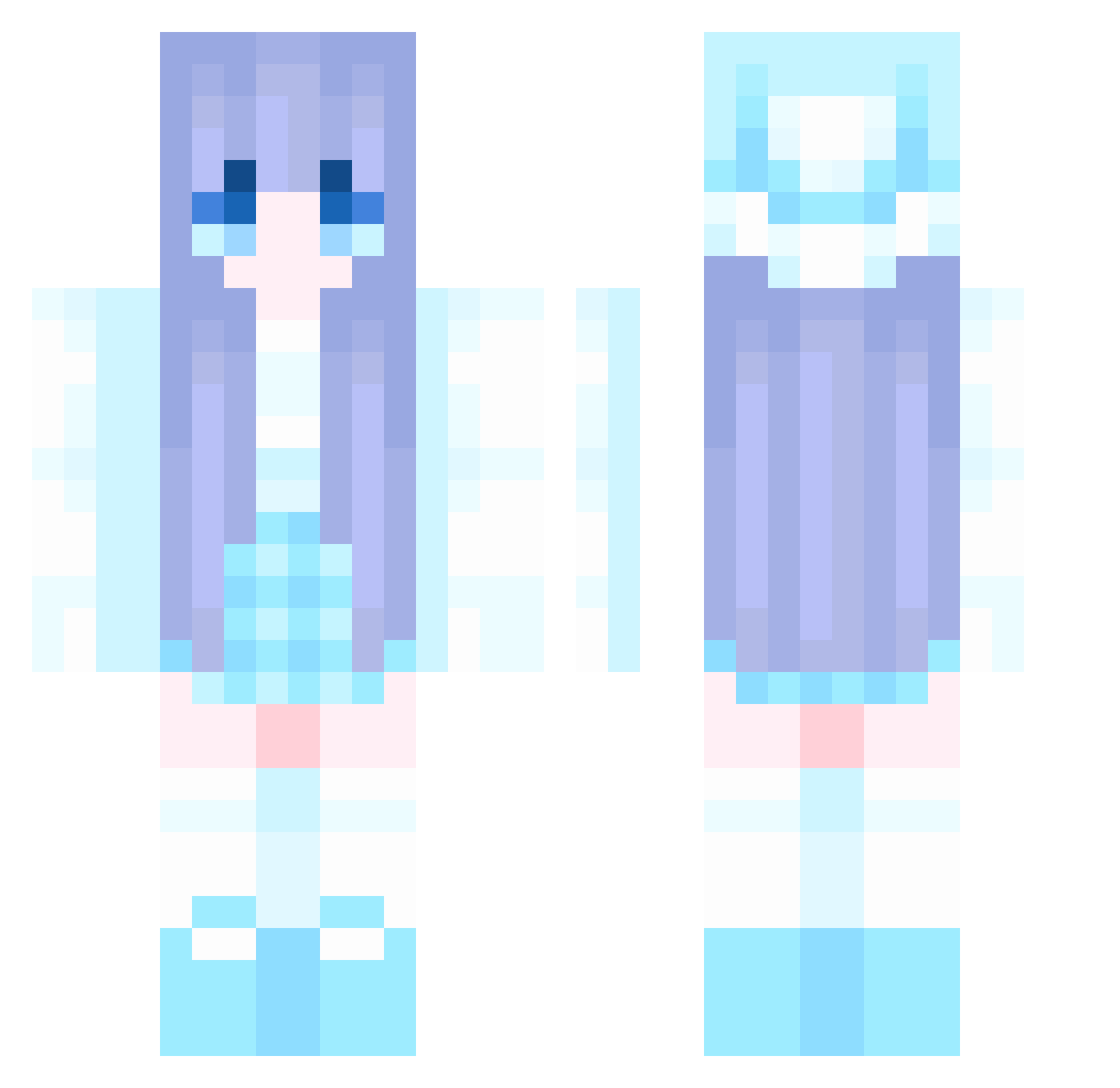
Current Minecraft skin of the player SuVstHan, loaded from the official Mojang API. Rotate the 3D model with your mouse or finger, then download the skin as a PNG file and use it in Minecraft: Bedrock Edition or Java Edition for free. When SuVstHan changes their skin, this page updates automatically and the old skin stays in the history below.
Other players with this skin (1045)
SuVstHan was the 641st player we have seen with this skin, first spotted on 01.10.2026. The same skin was seen on these players. Open a nickname to see their current skin and skin history.
 PotatoL69 tench7 Chrilis_ aoi2711 Prxncesseva GuKaiLi LSYJ qinshui SprainedFiber75 wcYUAN123 wuyi1005 YOUOUOUOU swordbone10 Starry_Awake myy01 bluesky520 otaku_niho Azusoris aqiang520 Aruisan yinianlin sorece AKKKKL RAin8299 MACENZIE0918 achenbuku SergeantMeenfox axxci ciliyaaaa Nei_123 dh9527 IKUN_XRF Short1e Zuza638 hulubao Gumiho99 NewBackbone tozxart Paashyy Xiaoli___ LoveRain_99 serevail TateyisEgirl PopPopPop1234 afetar crisjames Rubygough rmysa AkaChillz zhangxu233 whale8169 Zove9 sbmhxhs HanX321 Ling647 Chess47 anjnly XHUK __Exusiai LIMJIAN
More Winter Minecraft skins
How to install the SuVstHan skin
- Press the Download button above to save the skin as a PNG file.
- Minecraft: Bedrock Edition (PE): open the Dressing Room from the main menu (or tap your character → Edit Character), go to Classic Skins → Owned, press the + (new skin) button, choose the downloaded PNG and pick the Classic (Steve) model. Works on PC and mobile; consoles cannot import custom skins.
- Minecraft: Java Edition: open the Minecraft Launcher, go to the Skins tab, click New Skin, load the PNG, pick the Classic (Steve) model and press Save & Use. You can also upload it at minecraft.net → Profile → Change Skin.
The skin does not show up after import - what should I do?
Restart Minecraft and open the Dressing Room again - imported skins sometimes appear only after a restart. Also make sure you selected the imported skin and picked the Classic (Steve) model.
Which model should I choose, Classic or Slim?
This skin is designed for the Classic (Steve) model. If you pick the wrong model, the arms of the skin will look stretched or squeezed.
Is the skin of SuVstHan free to download?
Yes. Press Download, save the PNG file and use it in Minecraft: Bedrock Edition or Java Edition - no payment or registration needed. The skin also works on multiplayer servers and Realms.
More skins
Looking for more? Go back to all Minecraft skins and check the top skins of the week, month and all time, or find any player's skin by nickname.