
Stucrow34 - Minecraft Skins & Skin History
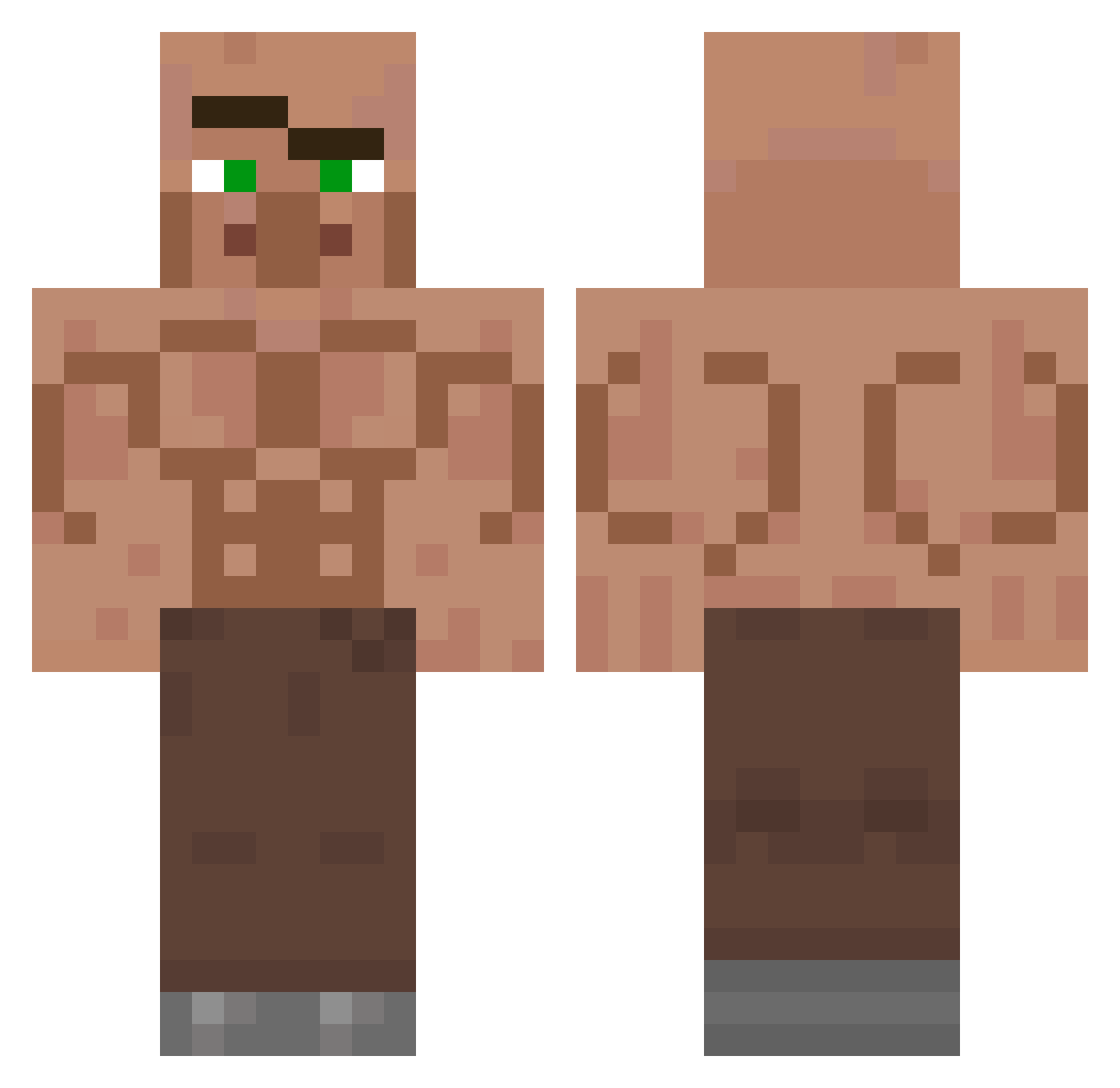
Current Minecraft skin of the player Stucrow34, loaded from the official Mojang API. Rotate the 3D model with your mouse or finger, then download the skin as a PNG file and use it in Minecraft: Bedrock Edition or Java Edition for free. When Stucrow34 changes their skin, this page updates automatically and the old skin stays in the history below.
Other players with this skin (122)
Stucrow34 was the 107th player we have seen with this skin, first spotted on 20.10.2026. The same skin was seen on these players. Open a nickname to see their current skin and skin history.
 hydrosss Alexpro2457 MrNugget8282 LilPapi3 remker_ Kerger Iconic_JBK Ti0Gilito777 Roeto lecheur2pied david104208 Marito1899 Bigboibeme ColonelCrunch77 _sVz MartinGS249 PalloVEVO Maestrohunter darren1328 FredGoonBear pingouin02 StefanoBortolino pikroom virgion sebin06 dnjswo313 kapiq1 SnowzzBW nie_szczeliwy wadila SOKONER4 AlfredIIGewd sydney_2701 OLiam4 FEZIN1 n0mal dollyp007 CletoGames linglingzx Giuseppe2738 kiwi_bah AMARENA_Wisniowa Rattkes xWhitie_ Vernik0 WazixZFR khoanam89119 herrerof JWED13 Nandito090 LabulGong Lawrencium_A_ vinc620 JAEMIN1004 Arcerer Maniek_sigma2 gonhiuuuu3 Mulpanek_J66 Maslowykolor cvidela
More Buff Minecraft skins
How to install the Stucrow34 skin
- Press the Download button above to save the skin as a PNG file.
- Minecraft: Bedrock Edition (PE): open the Dressing Room from the main menu (or tap your character → Edit Character), go to Classic Skins → Owned, press the + (new skin) button, choose the downloaded PNG and pick the Classic (Steve) model. Works on PC and mobile; consoles cannot import custom skins.
- Minecraft: Java Edition: open the Minecraft Launcher, go to the Skins tab, click New Skin, load the PNG, pick the Classic (Steve) model and press Save & Use. You can also upload it at minecraft.net → Profile → Change Skin.
The skin does not show up after import - what should I do?
Restart Minecraft and open the Dressing Room again - imported skins sometimes appear only after a restart. Also make sure you selected the imported skin and picked the Classic (Steve) model.
Which model should I choose, Classic or Slim?
This skin is designed for the Classic (Steve) model. If you pick the wrong model, the arms of the skin will look stretched or squeezed.
Is the skin of Stucrow34 free to download?
Yes. Press Download, save the PNG file and use it in Minecraft: Bedrock Edition or Java Edition - no payment or registration needed. The skin also works on multiplayer servers and Realms.
More skins
Looking for more? Go back to all Minecraft skins and check the top skins of the week, month and all time, or find any player's skin by nickname.