
StrylIIIIX - Minecraft Skins & Skin History
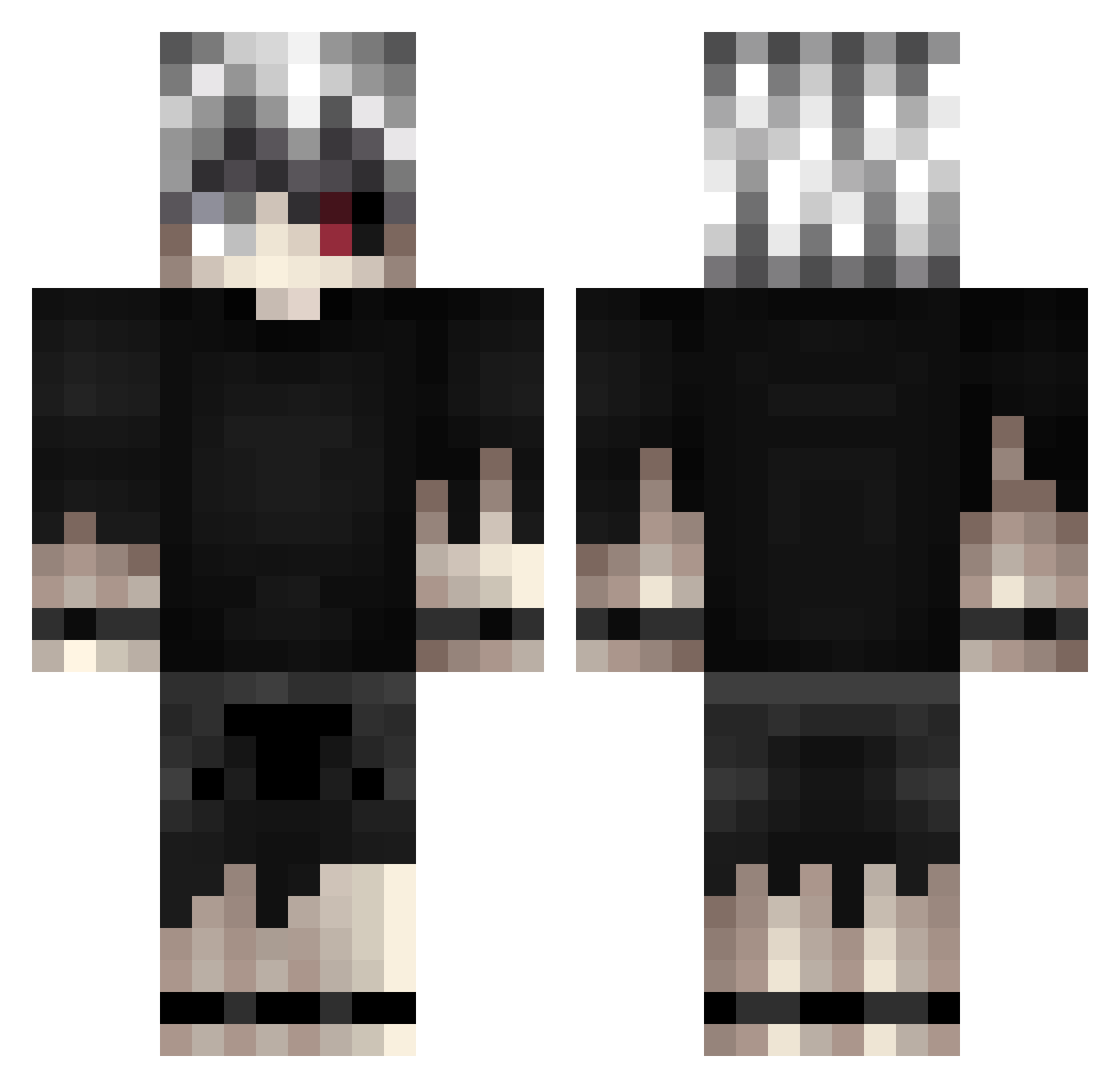
Current Minecraft skin of the player StrylIIIIX, loaded from the official Mojang API. Rotate the 3D model with your mouse or finger, then download the skin as a PNG file and use it in Minecraft: Bedrock Edition or Java Edition for free. When StrylIIIIX changes their skin, this page updates automatically and the old skin stays in the history below.
Other players with this skin (421)
StrylIIIIX was the 156th player we have seen with this skin, first spotted on 08.09.2026. The same skin was seen on these players. Open a nickname to see their current skin and skin history.
 wasaviiiiiii BlizzyyFishy xXxJayxGodxXx69 AcediaTheSloth NightOwlXXIII Spiqal Svmll SakshamKumarjha KanekiWsh iErhann njogobuildbattle YamatoSenpaiUWU GamingFighterr OneEyedSparrow Propheteerrr xLastSamuraix spookii03 xNeonfn Yvng_Shrmp dxmr_ FlaviusXO Ilthier zubN TheInnocents sierati shota224 Kakeru_ruru Ludo_VRN ssstone IrrelevantMe DewBlade85 cringecomlosers D3C0Y9 BadDoom_ Haise993 ono1x1 TiP_FlexX mxchele_mxzzei_7 YoungBania STOL3NXXVIII ImVaas21 LightSux HackArtifact _NoFexX_ Balougum Nestr3 SoulReaper_55 onion_to_day Y_971 Mxrques___ Kan99ki GS_2302 laquuthecheater AustinR_ Lorenzoalle Ariko02 NotTrayHard aSynisterChoice 187CrimineL EmilyErdbeer11
More Kaneki Ken Minecraft skins
How to install the StrylIIIIX skin
- Press the Download button above to save the skin as a PNG file.
- Minecraft: Bedrock Edition (PE): open the Dressing Room from the main menu (or tap your character → Edit Character), go to Classic Skins → Owned, press the + (new skin) button, choose the downloaded PNG and pick the Classic (Steve) model. Works on PC and mobile; consoles cannot import custom skins.
- Minecraft: Java Edition: open the Minecraft Launcher, go to the Skins tab, click New Skin, load the PNG, pick the Classic (Steve) model and press Save & Use. You can also upload it at minecraft.net → Profile → Change Skin.
The skin does not show up after import - what should I do?
Restart Minecraft and open the Dressing Room again - imported skins sometimes appear only after a restart. Also make sure you selected the imported skin and picked the Classic (Steve) model.
Which model should I choose, Classic or Slim?
This skin is designed for the Classic (Steve) model. If you pick the wrong model, the arms of the skin will look stretched or squeezed.
Is the skin of StrylIIIIX free to download?
Yes. Press Download, save the PNG file and use it in Minecraft: Bedrock Edition or Java Edition - no payment or registration needed. The skin also works on multiplayer servers and Realms.
More skins
Looking for more? Go back to all Minecraft skins and check the top skins of the week, month and all time, or find any player's skin by nickname.