
Stary_lol - Minecraft Skins & Skin History
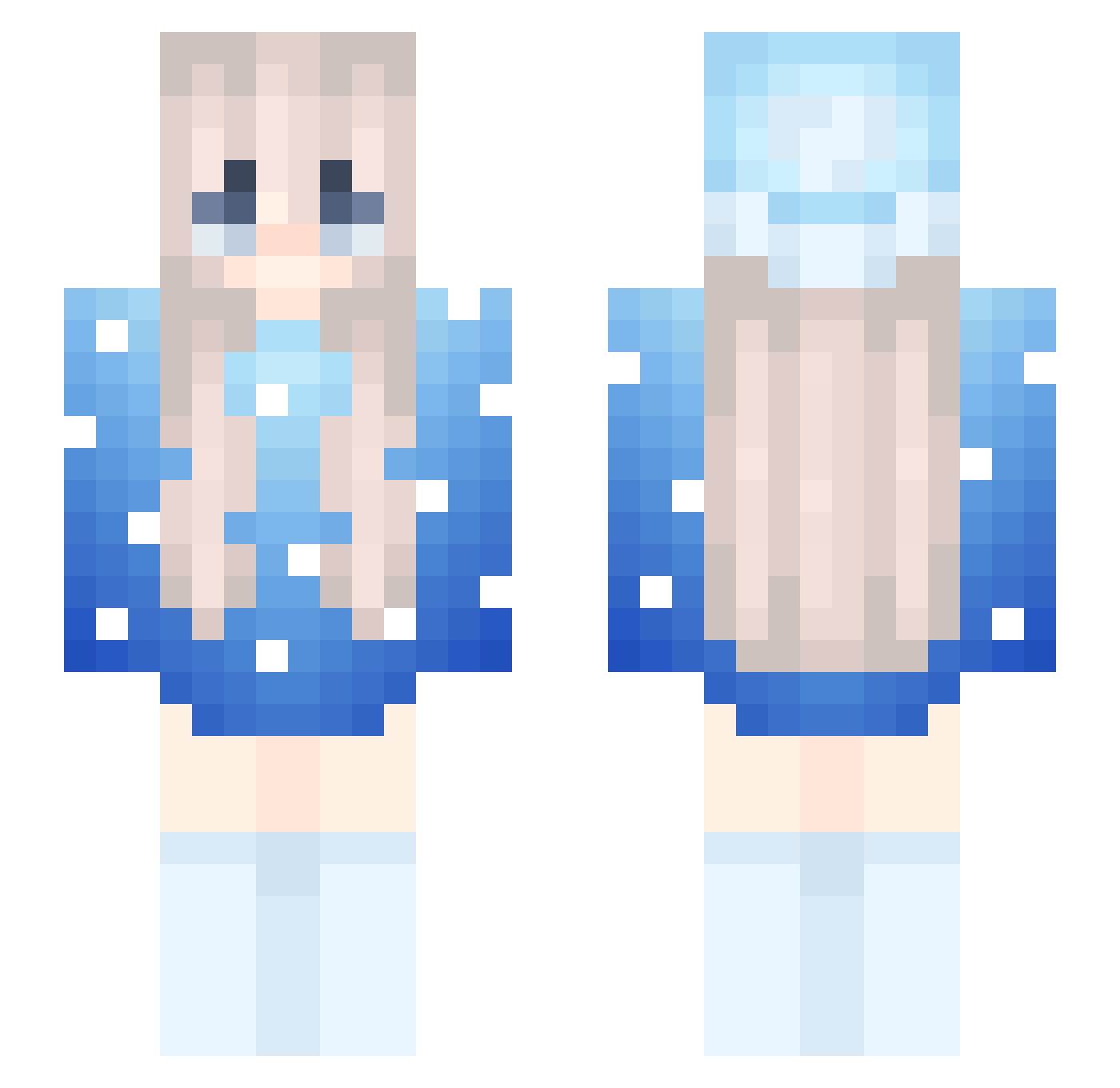
Current Minecraft skin of the player Stary_lol, loaded from the official Mojang API. Rotate the 3D model with your mouse or finger, then download the skin as a PNG file and use it in Minecraft: Bedrock Edition or Java Edition for free. When Stary_lol changes their skin, this page updates automatically and the old skin stays in the history below.
Other players with this skin (203)
Stary_lol was the 26th player we have seen with this skin, first spotted on 01.08.2026. The same skin was seen on these players. Open a nickname to see their current skin and skin history.
 trainful HerRare chickenwing908 C0TT0NCANDISKI Dlhn NatkaNastka DefNotAutoTotem BoingFrutal1 Jaxk_DNwKYCb MarlowALT ILoveHackingg ESTCPVP IllGivHimSomMilk _Imahe Parado_x_Legion Haskaaa Star_loud pebl930 Drzax12 nour_ttk
 JoshLP1 kur13 Childenator noncirculatory Acrelara NamoYT W_Frano
 dhkg mar0www mazzymar ItzRealNightmar PT_Shadow amb63 Beuteldachs_ Marlowww_1 MCPROGRAMMERIS99 KlingKongMC mainthreat SpiderDave99 Tercel_69 JestemBorowikV2 wiggoandreasson Kamilla2009 kotleciok2137 z789
 Linh_fa
 lena_453 darcore1234 WooExodus
 Dyoga1987 MarI0wwww getbeddon2432 ArcVinnes jolan85 zMaruchanLM Ave_Ryze Miner__Craft Sushi_Girl12 milkycup Marciiello
Previous skins of Stary_lol
Skins that Stary_lol wore before, newest first. Click a skin to open its page and download it.
More Snow Minecraft skins
How to install the Stary_lol skin
- Press the Download button above to save the skin as a PNG file.
- Minecraft: Bedrock Edition (PE): open the Dressing Room from the main menu (or tap your character → Edit Character), go to Classic Skins → Owned, press the + (new skin) button, choose the downloaded PNG and pick the Slim (Alex) model. Works on PC and mobile; consoles cannot import custom skins.
- Minecraft: Java Edition: open the Minecraft Launcher, go to the Skins tab, click New Skin, load the PNG, pick the Slim (Alex) model and press Save & Use. You can also upload it at minecraft.net → Profile → Change Skin.
The skin does not show up after import - what should I do?
Restart Minecraft and open the Dressing Room again - imported skins sometimes appear only after a restart. Also make sure you selected the imported skin and picked the Slim (Alex) model.
Which model should I choose, Classic or Slim?
This skin is designed for the Slim (Alex) model. If you pick the wrong model, the arms of the skin will look stretched or squeezed.
Is the skin of Stary_lol free to download?
Yes. Press Download, save the PNG file and use it in Minecraft: Bedrock Edition or Java Edition - no payment or registration needed. The skin also works on multiplayer servers and Realms.
More skins
Looking for more? Go back to all Minecraft skins and check the top skins of the week, month and all time, or find any player's skin by nickname.