
 zleerin ItzRealHt3 jokerpro PeachieFr XBarackObama69X Manas__Ciel GalleryJog kankanmethod Joeelin4 John92NL _CRAZY_LEGIT_ _HDroll_ puf Jnicoli1024 StrikeEZXD 3ols ElitePxlarized7 ReformedGrummzz Avenorii akuza31 MaciekPL_Sigma Kl3l14 cledyfan CHAOS8_1993 walksyfromWalmar 1WorkForTemu mazzymar yafflerifle JiggyPoo Unknownplayer67 Astarrynight SLuckz ItzMarloww mmmarlowwwW bkme loeser1999 Shehra3 Cqzyl vauj 350r MiriKiwi tt_rapid Twikes lonely1203 byk3000 _G3MZ_ khxznqx Fat133 Zenoxi_on_top AxolotlTheTaken Mairlow Fewdaboy SmokeOnTheops malzonthat GyPSY44 MarlowALT Panzer444 I4intBadWhy CookieV27 dOrfeli
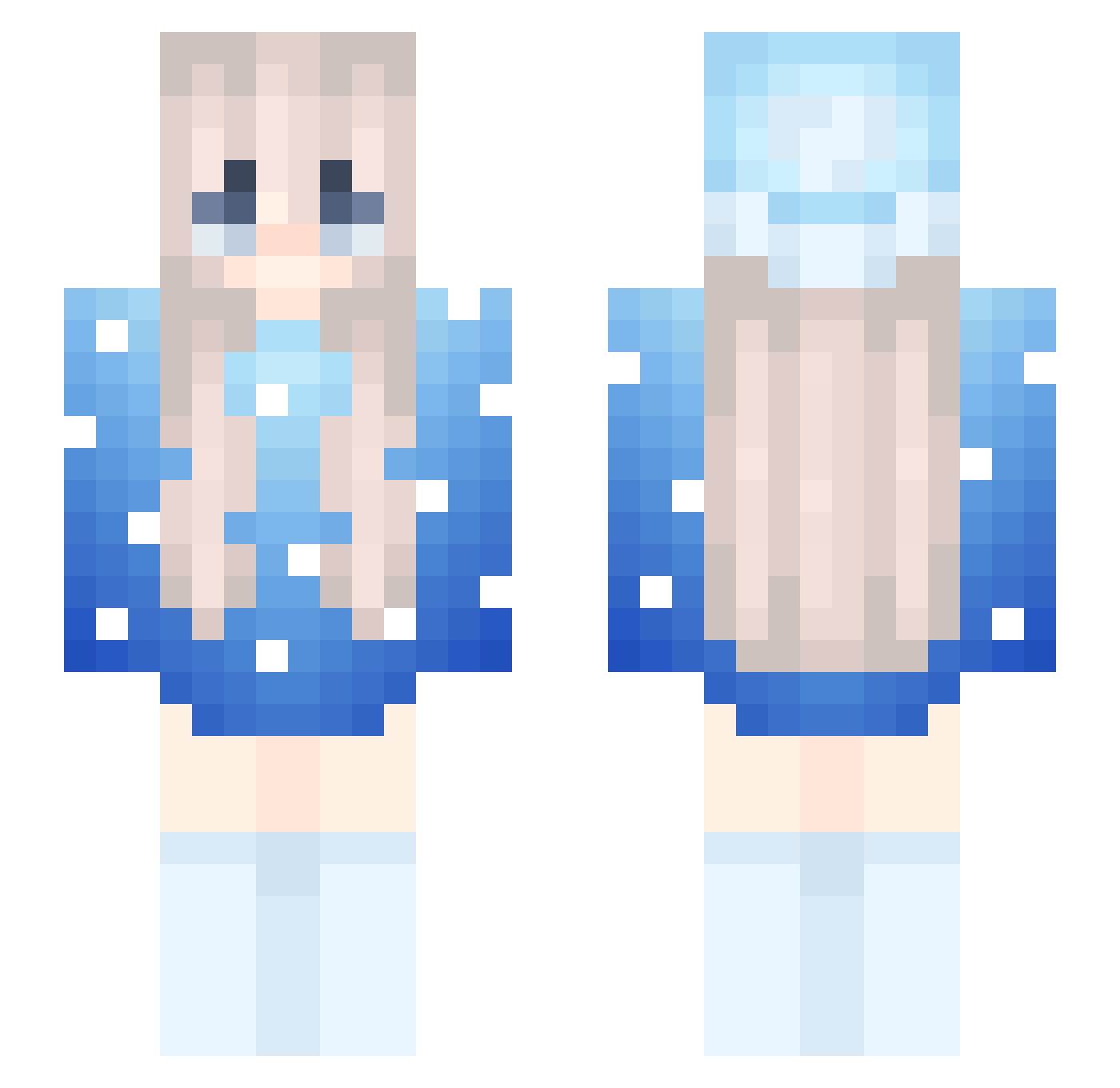
Minecraft skin of jolan85. Rotate the 3D model with your mouse or finger to view the skin from every angle, then download it as a PNG file and use it in Minecraft: Bedrock Edition or Java Edition for free. Rate the skin with stars to help other players find the best skins in our collection.
How to install the jolan85 skin
- Press the Download button above to save the skin as a PNG file.
- Minecraft: Bedrock Edition (PE): open the Dressing Room from the main menu (or tap your character → Edit Character), go to Classic Skins → Owned, press the + (new skin) button, choose the downloaded PNG and pick the Slim (Alex) model. Works on PC and mobile; consoles cannot import custom skins.
- Minecraft: Java Edition: open the Minecraft Launcher, go to the Skins tab, click New Skin, load the PNG, pick the Slim (Alex) model and press Save & Use. You can also upload it at minecraft.net → Profile → Change Skin.
The skin does not show up after import - what should I do?
Restart Minecraft and open the Dressing Room again - imported skins sometimes appear only after a restart. Also make sure you selected the imported skin and picked the Slim (Alex) model.
Which model should I choose, Classic or Slim?
This skin is designed for the Slim (Alex) model. If you pick the wrong model, the arms of the skin will look stretched or squeezed.
Is this skin free to use?
Yes. Press Download, save the PNG file and use it in Minecraft: Bedrock Edition or Java Edition - no payment or registration needed. The skin also works on multiplayer servers and Realms.
More Snow Minecraft skins
More skins
Looking for more? Go back to all Minecraft skins and check the top skins of the week, month and all time, or find any player's skin by nickname.