
Sr_Ree - Minecraft Skins & Skin History
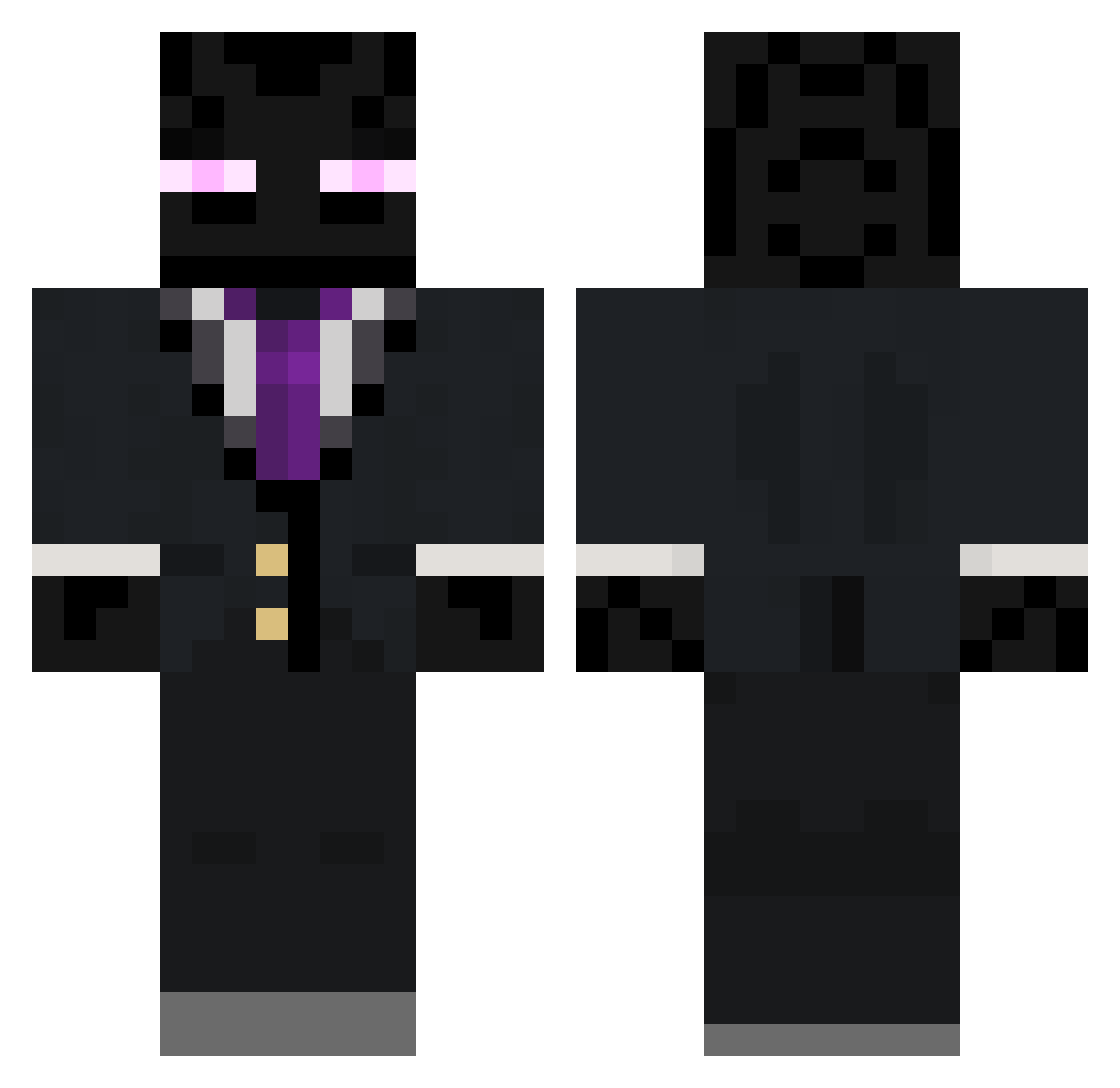
Current Minecraft skin of the player Sr_Ree, loaded from the official Mojang API. Rotate the 3D model with your mouse or finger, then download the skin as a PNG file and use it in Minecraft: Bedrock Edition or Java Edition for free. When Sr_Ree changes their skin, this page updates automatically and the old skin stays in the history below.
Other players with this skin (90)
Sr_Ree was the 2nd player we have seen with this skin, first spotted on 23.07.2026. The same skin was seen on these players. Open a nickname to see their current skin and skin history.
 cleanpantss Intelliott TheIceEnderman G4L_YT Unshapen Girthquake_78 BUBBA_Brick big_jeff123 Porkbun333 Jacob_Pappito WalnutBat Imperfect51 England2 Estebanyt3558 Dynamike1551 JDonDEO DmallSick1 CharzardGG IneedaABG Shelbot_Potato SxkulSpace Ac4Jack Do0dle1 FootCreamy t0omato Sp0tSix OOOFman123 Jella_08 Shimmon_5
 GameMaster77771 Bigger_Skittles N64Blaze Sakamoto_Desuga
 SomeoneTiredHere Childchewer4201 RaisinBrand Monstar9912 Poker1234 BigGravy91 wool_snowden Jamm042 Elsemouse GETTTTTTT EmiRomo UnEvenAnkles Mr_Stick78 Crilz_01 Skullyboiz Swoquik RogueJedi7275 aligooo AstroAdler himbowo MeatBiscut Terjeand Shxrkez Grillsen rpg12345 CaramelAxolotl74 Girako
More Enderman Minecraft skins
How to install the Sr_Ree skin
- Press the Download button above to save the skin as a PNG file.
- Minecraft: Bedrock Edition (PE): open the Dressing Room from the main menu (or tap your character → Edit Character), go to Classic Skins → Owned, press the + (new skin) button, choose the downloaded PNG and pick the Classic (Steve) model. Works on PC and mobile; consoles cannot import custom skins.
- Minecraft: Java Edition: open the Minecraft Launcher, go to the Skins tab, click New Skin, load the PNG, pick the Classic (Steve) model and press Save & Use. You can also upload it at minecraft.net → Profile → Change Skin.
The skin does not show up after import - what should I do?
Restart Minecraft and open the Dressing Room again - imported skins sometimes appear only after a restart. Also make sure you selected the imported skin and picked the Classic (Steve) model.
Which model should I choose, Classic or Slim?
This skin is designed for the Classic (Steve) model. If you pick the wrong model, the arms of the skin will look stretched or squeezed.
Is the skin of Sr_Ree free to download?
Yes. Press Download, save the PNG file and use it in Minecraft: Bedrock Edition or Java Edition - no payment or registration needed. The skin also works on multiplayer servers and Realms.
More skins
Looking for more? Go back to all Minecraft skins and check the top skins of the week, month and all time, or find any player's skin by nickname.