
Spri7e - Minecraft Skins & Skin History
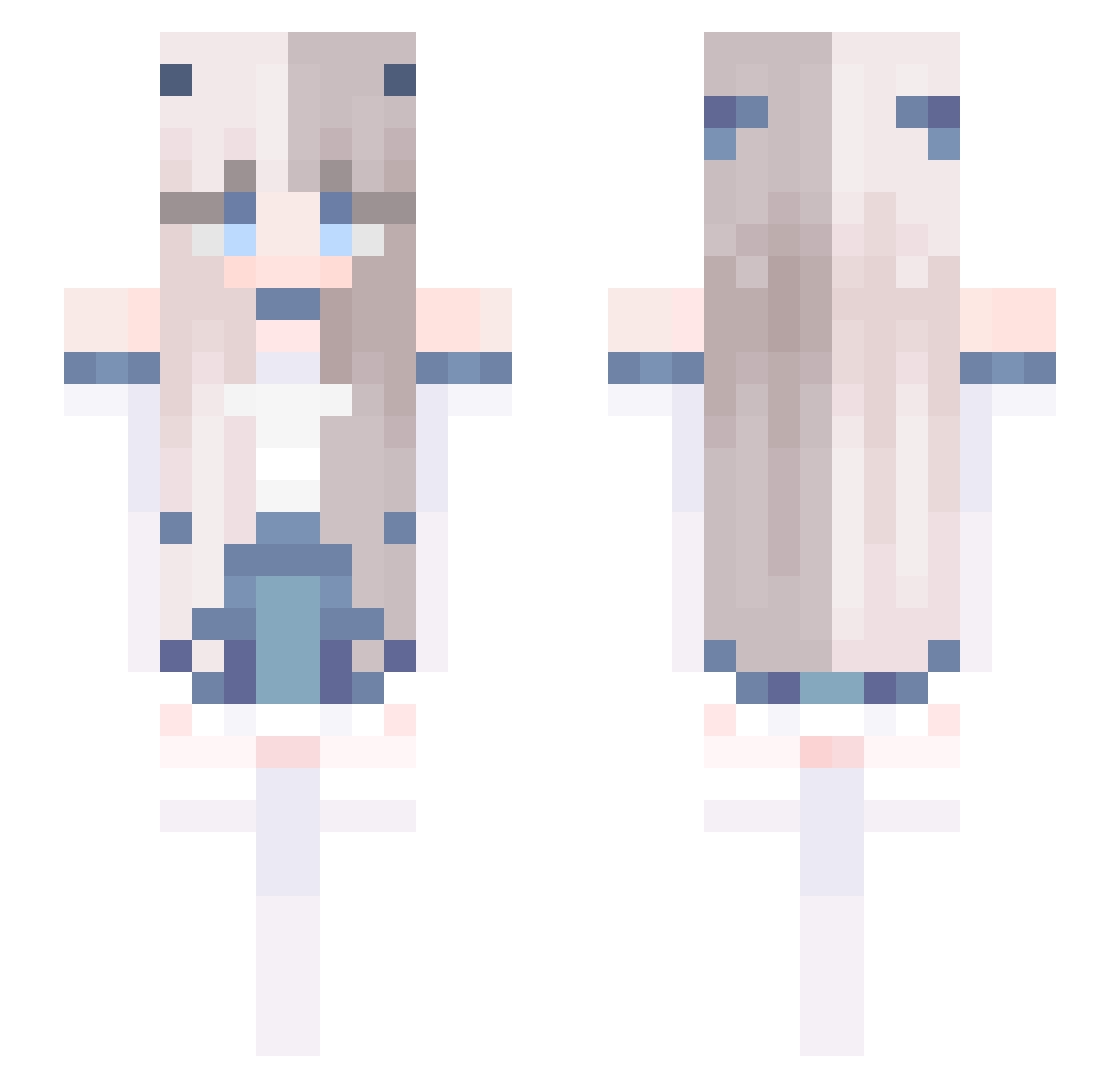
Current Minecraft skin of the player Spri7e, loaded from the official Mojang API. Rotate the 3D model with your mouse or finger, then download the skin as a PNG file and use it in Minecraft: Bedrock Edition or Java Edition for free. When Spri7e changes their skin, this page updates automatically and the old skin stays in the history below.
Other players with this skin (588)
Spri7e was the 28th player we have seen with this skin, first spotted on 28.07.2026. The same skin was seen on these players. Open a nickname to see their current skin and skin history.
 LilaLuvsU LettinGo ignwren bluedaybreak hubciow9 truman187 Silv3rSta shuji204 inept_chan Gua_Teacher _Mayumi Lanzzin7 Reysarin hamsterjelly Linneav Tr1ckyHuNner jinchaaa dowo_b Errawr3517 lvQwQ CMChugo Kaguya420 jeong923 FalseL0ve _illumina Azlazy LunaX29 Sky112233 renastie Molin1108 ScubaBoys slayer9134 eringi4466 Skye66 hisoka_baddie daqw Gabritka KuriyamaMiraiiii
 vSnivy iBeautiful Br0kenDr3am wokboks ML_H changah0130 tpdnjs08 Meowob flolily Amki0933 MENG329 NotKoby Mirae__ ddorry diablesse2007 noahTheWarie msdog2111 Sr_Arnyan gayeon1255 MarciaHo Bierka linarora
More Horns Minecraft skins
How to install the Spri7e skin
- Press the Download button above to save the skin as a PNG file.
- Minecraft: Bedrock Edition (PE): open the Dressing Room from the main menu (or tap your character → Edit Character), go to Classic Skins → Owned, press the + (new skin) button, choose the downloaded PNG and pick the Slim (Alex) model. Works on PC and mobile; consoles cannot import custom skins.
- Minecraft: Java Edition: open the Minecraft Launcher, go to the Skins tab, click New Skin, load the PNG, pick the Slim (Alex) model and press Save & Use. You can also upload it at minecraft.net → Profile → Change Skin.
The skin does not show up after import - what should I do?
Restart Minecraft and open the Dressing Room again - imported skins sometimes appear only after a restart. Also make sure you selected the imported skin and picked the Slim (Alex) model.
Which model should I choose, Classic or Slim?
This skin is designed for the Slim (Alex) model. If you pick the wrong model, the arms of the skin will look stretched or squeezed.
Is the skin of Spri7e free to download?
Yes. Press Download, save the PNG file and use it in Minecraft: Bedrock Edition or Java Edition - no payment or registration needed. The skin also works on multiplayer servers and Realms.
More skins
Looking for more? Go back to all Minecraft skins and check the top skins of the week, month and all time, or find any player's skin by nickname.