
Spiqal11 - Minecraft Skins & Skin History
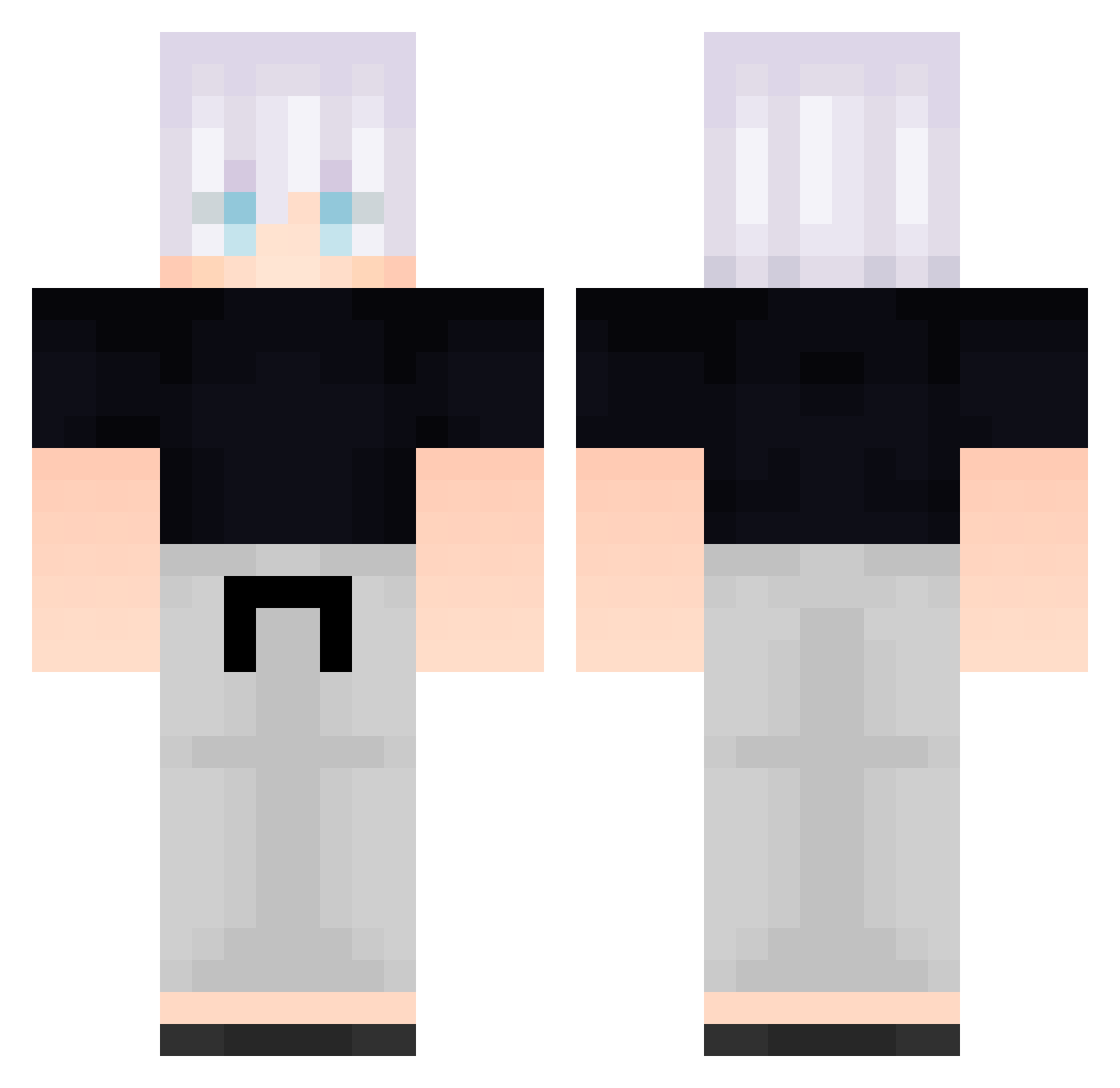
Current Minecraft skin of the player Spiqal11, loaded from the official Mojang API. Rotate the 3D model with your mouse or finger, then download the skin as a PNG file and use it in Minecraft: Bedrock Edition or Java Edition for free. When Spiqal11 changes their skin, this page updates automatically and the old skin stays in the history below.
Other players with this skin (584)
Spiqal11 was the 491st player we have seen with this skin, first spotted on 19.10.2026. The same skin was seen on these players. Open a nickname to see their current skin and skin history.
 Hollow205 B_zcCcNZVokEw352 FreeLoganRain656 Idr193 JurenW TVk239 HkE760 Peace0712 GNb273 fan9894 Congratulation12 FreeLoganRain848 Parpier YourBoySage_ umA867 k4ede_dayo Chainbird227 Wowyoshi RYCON04 ShK974 Kuangye_ TaE972 Leander6 FolloMinecraft46 jkR599 Praktikant2 B_EvPirGTTrxd568 Kaubyy JCJ549 _backbeingaaR295 VaO36 cacatua002 jkg615 FreeLoganRain408 FYD137 Ronaldinhos69 FreeLoganRain399 B_RyVnufhYICd877 aa_backbeingn984 FreeLoganRain220 FreeLoganRain27 WON_Y Davidn3389 AEiNNvGlPBMXx673 LikeThatDay B_lXXkbUQomTy470 Tony152008 FreeLoganRain28 RGb825 B_gTIExPooDjT427 Behyons CBa486 GoDuckOCM983 Ashlyz Mrj380 dengp Ehilirate B_QWZtZIDXTrc247 JacktheripperU gPu894
More Satoru Gojo Minecraft skins
See all 1317 Satoru Gojo skins
How to install the Spiqal11 skin
- Press the Download button above to save the skin as a PNG file.
- Minecraft: Bedrock Edition (PE): open the Dressing Room from the main menu (or tap your character → Edit Character), go to Classic Skins → Owned, press the + (new skin) button, choose the downloaded PNG and pick the Classic (Steve) model. Works on PC and mobile; consoles cannot import custom skins.
- Minecraft: Java Edition: open the Minecraft Launcher, go to the Skins tab, click New Skin, load the PNG, pick the Classic (Steve) model and press Save & Use. You can also upload it at minecraft.net → Profile → Change Skin.
The skin does not show up after import - what should I do?
Restart Minecraft and open the Dressing Room again - imported skins sometimes appear only after a restart. Also make sure you selected the imported skin and picked the Classic (Steve) model.
Which model should I choose, Classic or Slim?
This skin is designed for the Classic (Steve) model. If you pick the wrong model, the arms of the skin will look stretched or squeezed.
Is the skin of Spiqal11 free to download?
Yes. Press Download, save the PNG file and use it in Minecraft: Bedrock Edition or Java Edition - no payment or registration needed. The skin also works on multiplayer servers and Realms.
More skins
Looking for more? Go back to all Minecraft skins and check the top skins of the week, month and all time, or find any player's skin by nickname.